
Table of Contents
The Slow Feedback Loop
If you have used GitHub Actions, you have probably gone through something like this:
- Edit
.github/workflows/test.yml - Commit, push, and wait 2-5 minutes for the runner to start
- Discover a typo or missing dependency
- Fix it, commit again, push again, wait again
After a few iterations, you can easily spend 15 to 30 minutes debugging what turns out to be a small YAML mistake.
The root issue is that there is no way to run GitHub Actions locally. Every test requires a push, a wait, and a review of logs.
For data scientists iterating on CI workflows for training or validation, this feedback loop slows everything down.
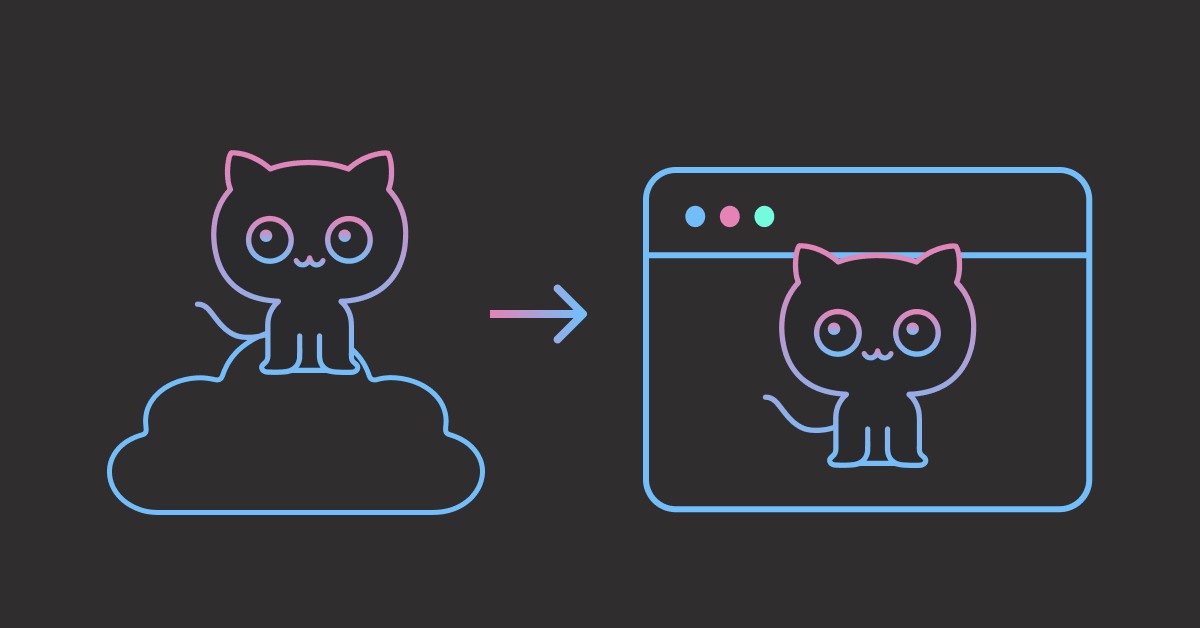
In this article, you will learn how to use act to run GitHub Actions locally and catch errors in seconds instead of minutes.
Stay Current with CodeCut
Actionable Python tips, curated for busy data pros. Skim in under 2 minutes, three times a week.
What Is act?
act is an open-source CLI tool that runs GitHub Actions workflows on your local machine. It uses Docker containers to simulate GitHub’s runner environment, so the same workflow YAML that runs on GitHub runs locally with no changes.
The key difference is speed. Instead of waiting for GitHub to provision a hosted VM, act uses a pre-pulled Docker image and starts execution in seconds.
Setup
Installing act
act requires Docker to run workflows in containers. Install Docker Desktop if you don’t have it already.
Install act with Homebrew:
brew install act
For other package managers, see the act installation guide.
Verify the installation:
act --version
act version 0.2.86
Creating a Sample ML Project
To demonstrate act, let’s create a small ML project with data validation and model tests.
Project structure:
ml-project/
├── .github/
│   └── workflows/
│       └── test.yml
├── src/
│   ├── train.py
│   └── validate.py
├── tests/
│   ├── test_data.py
│   └── test_model.py
└── requirements.txt
The project includes:
src/train.py: Trains a RandomForest on Iris and saves the modelsrc/validate.py: Asserts data has the expected shape and value rangestests/test_data.py: Validates data schema and distributiontests/test_model.py: Checks model accuracy and reproducibilityrequirements.txt: Lists dependencies (scikit-learn, pytest)
Here is the GitHub Actions workflow:
# .github/workflows/test.yml
name: ML Tests
on: [push, pull_request]

jobs:
  validate:
    runs-on: ubuntu-latest
    steps:
      - uses: actions/checkout@v4
      - uses: actions/setup-python@v5
        with:
          python-version: "3.11"
      - run: pip install -r requirements.txt
      - run: python src/validate.py

  test:
    runs-on: ubuntu-latest
    needs: validate
    steps:
      - uses: actions/checkout@v4
      - uses: actions/setup-python@v5
        with:
          python-version: "3.11"
      - run: pip install -r requirements.txt
      - run: pytest tests/ -v
This workflow defines two jobs that run in sequence:
validate: Runs data checks firsttest: Runs the pytest suite only if validation passes
On GitHub, you’d wait several minutes to see whether these jobs succeed. With act, you can test them in seconds.
Running Workflows Locally
Listing Available Workflows
Before running anything, you can inspect what workflows and jobs are available:
act -l
Stage  Job ID    Job name  Workflow name  Workflow file  Events
0      validate  validate  ML Tests       test.yml       push,pull_request
1      test      test      ML Tests       test.yml       push,pull_request
This shows both jobs, their execution order (stage 0 runs first), and the events that trigger them.
To list only jobs triggered by a specific event such as a pull request, run:
act -l pull_request
Running a Workflow
To run all workflows triggered by a push event, run:
act push
The first time you run this command, act prompts you to select a default image size (Large, Medium, or Micro). Pick Medium for a good balance between compatibility and download size.
You’ll see familiar GitHub Actions log output in your terminal:
[ML Tests/validate] 🚀  Start image=catthehacker/ubuntu:act-latest
[ML Tests/validate]   ✅  Success - Main actions/checkout@v4
[ML Tests/validate]   ✅  Success - Main actions/setup-python@v5
[ML Tests/validate]   ✅  Success - Main pip install -r requirements.txt
[ML Tests/validate]   ✅  Success - Main python src/validate.py
[ML Tests/validate] 🏁  Job succeeded
[ML Tests/test    ] 🚀  Start image=catthehacker/ubuntu:act-latest
[ML Tests/test    ]   ✅  Success - Main actions/checkout@v4
[ML Tests/test    ]   ✅  Success - Main actions/setup-python@v5
[ML Tests/test    ]   ✅  Success - Main pip install -r requirements.txt
[ML Tests/test    ]   ✅  Success - Main pytest tests/ -v
| ============================== 5 passed in 1.21s ===============================
[ML Tests/test    ] 🏁  Job succeeded
Like GitHub Actions, act resolves job dependencies and runs each step in order, but in local Docker containers instead of hosted VMs. If a step fails, you see the error immediately without pushing to GitHub.
The same approach works for other events like act pull_request, act schedule, or act workflow_dispatch.
Running a Specific Job
If you are debugging a failing test, it is time-consuming to run the entire workflow. Instead, target a specific job by name by using the -j flag:
act -j test
Or run a specific workflow file by using the -W flag:
act -W .github/workflows/test.yml
Dry Run
Downloading Docker images and executing steps takes time. If you only want to check your workflow YAML for syntax errors, use a dry run:
act -n
*DRYRUN* [ML Tests/validate]   ✅  Success - Main actions/checkout@v4
*DRYRUN* [ML Tests/validate]   ✅  Success - Main actions/setup-python@v5
*DRYRUN* [ML Tests/validate]   ✅  Success - Main pip install -r requirements.txt
*DRYRUN* [ML Tests/validate]   ✅  Success - Main python src/validate.py
*DRYRUN* [ML Tests/validate] 🏁  Job succeeded
*DRYRUN* [ML Tests/test    ]   ✅  Success - Main pytest tests/ -v
*DRYRUN* [ML Tests/test    ] 🏁  Job succeeded
The *DRYRUN* prefix indicates that no containers were created. This is useful for verifying that your workflow file is valid and that jobs run in the expected order before committing to a full execution.
Managing Secrets
Many workflows need API keys or credentials. For example, you might add a Slack notification step to the existing workflow:
# .github/workflows/test.yml
name: ML Tests
on: [push, pull_request]

jobs:
  validate:
    ...
  test:
    ...
  notify:
    runs-on: ubuntu-latest
    needs: test
    steps:
      - name: Notify
        uses: slackapi/slack-github-action@v2.0.0
        with:
          webhook: ${{ secrets.SLACK_WEBHOOK }}
          webhook-type: incoming-webhook
          payload: |
            text: "Tests passed"
The notify job references secrets.SLACK_WEBHOOK. Configuring secrets through GitHub’s repository settings UI is slow and requires multiple clicks. With act, you can provide them locally with a single flag.
Passing Secrets Directly
Pass secrets using the -s flag:
act -s SLACK_WEBHOOK=https://hooks.slack.com/test
For sensitive values, omit the value and act will prompt you securely (input is not echoed):
act -s SLACK_WEBHOOK
Loading Secrets from a File
For projects with multiple secrets, store them in a .env file:
# .env (add this to .gitignore!)
SLACK_WEBHOOK=https://hooks.slack.com/services/T00/B00/xxx
AWS_ACCESS_KEY_ID=AKIAIOSFODNN7EXAMPLE
Then load all secrets at once:
act --secret-file .env
This is easier than repeating -s for every secret, especially as the number of secrets grows.
Summary
act removes the commit-push-wait loop from GitHub Actions development. Here are the key commands:
| Command | Description |
|---|---|
act push | Run all push-triggered workflows |
act -l | List all available workflows and jobs |
act -j test | Run a specific job by name |
act -W path/to/workflow.yml | Run a specific workflow file |
act -n | Dry run without executing |
act -s KEY=VALUE | Pass a secret |
act --secret-file .env | Load secrets from file |
For a complete reference, see the act documentation.
Related Tutorials
- pytest for Data Scientists: Writing the data validation and model tests that act runs in your workflows
- How to Structure a Data Science Project for Maintainability: Organizing ML projects with automated code quality checks
- Version Control for Data and Models Using DVC: Version-controlling datasets alongside your Git-managed code
📚 Want to go deeper? Learning new techniques is the easy part. Knowing how to structure, test, and deploy them is what separates side projects from real work. My book shows you how to build data science projects that actually make it to production. Get the book →
Stay Current with CodeCut
Actionable Python tips, curated for busy data pros. Skim in under 2 minutes, three times a week.