
Table of Contents
Introduction
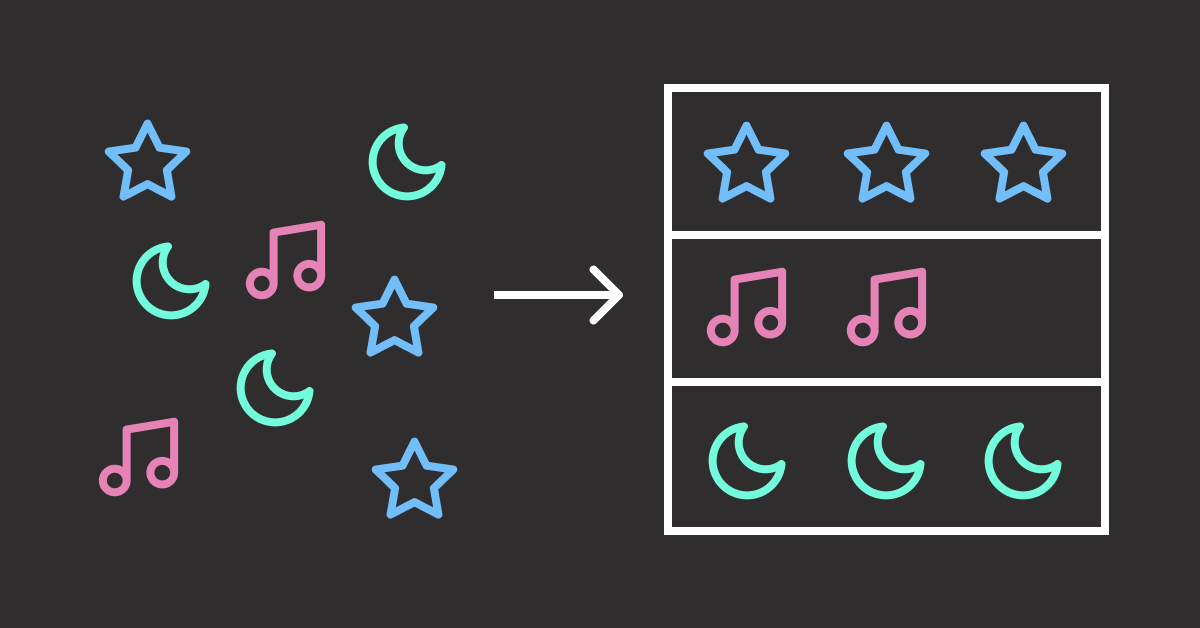
An LLM can give you exactly the information you need, just not in the shape you asked for. The content may be correct, but when the structure is off, it can break downstream systems that expect a specific format.
Consider these common structured output challenges:
Invalid JSON: LLMs often wrap JSON in conversational text, causing json.loads() to fail even when the data is correct.
Here's the task information you requested:
{"title": "Review report", "priority": "high"}
Let me know if you need anything else!
Missing fields: LLMs skip required properties like hours or completed, even when the schema requires them.
{"title": "Review report", "priority": "high"}
# Missing: hours, completed
Wrong types: LLMs may return strings like “four” instead of numeric values, causing type errors in downstream processing.
{"title": "Review report", "hours": "four"}
# Expected: "hours": 4.0
Schema violations: Output passes type checks but breaks business rules like maximum values or allowed ranges.
{"title": "Review report", "hours": 200}
# Constraint: hours must be <= 100
This article covers five tools that solve these problems using two different approaches:
Post-Generation Validation
The LLM generates output freely, then validation checks the result against your schema. If validation fails, the error is sent back to the LLM for self-correction.
Here are the pros and cons of this approach:
- Pros: Works with any LLM provider (OpenAI, Anthropic, local models). No special setup required.
- Cons: Retries cost extra API calls. Complex schemas may need multiple attempts.
LLM Output → Validate → Failed: "hours must be float"
                ↓
         Retry with error
                ↓
LLM Output → Validate → Success: {"hours": 4.0}
Tools using this approach: Instructor, PydanticAI, LangChain
Pre-Generation Constraints
Instead of fixing errors after generation, invalid tokens are blocked during generation. The LLM can only output valid JSON because invalid choices are never available.
Here are the pros and cons of this approach:
- Pros: 100% schema compliance. No wasted API calls on invalid outputs.
- Cons: Requires local models or specific inference servers. More setup complexity.
Schema: "priority" must be "low", "medium", or "high"
                    ↓
LLM generates → Only valid tokens available → {"priority": "high"}
                    ↓
              100% valid output (no retries)
Tools using this approach: Outlines, Guidance
💻 Get the Code: The complete source code and Jupyter notebook for this tutorial are available on GitHub. Clone it to follow along!
Stay Current with CodeCut
Actionable Python tips, curated for busy data pros. Skim in under 2 minutes, three times a week.
Post-Generation Validation
With these tools, the LLM generates freely without constraints. Validation happens afterward, and failed outputs can trigger retries.
Instructor: Simplest Integration
Instructor (12.3k stars) wraps any LLM client with Pydantic validation and automatic retry.
Unlike PydanticAI’s dependency injection or LangChain’s ecosystem complexity, Instructor stays focused on one thing: structured outputs with minimal code.
To install Instructor, run:
pip install instructor
This article uses instructor v1.14.4.
To use Instructor:
- Define a Pydantic model with your desired fields
- Wrap your LLM client (OpenAI, Anthropic, Ollama, etc.) with Instructor
- Pass the model as
response_modelin your API call
The code below extracts sales lead information from an email:
import instructor
from openai import OpenAI
from pydantic import BaseModel
from typing import Literal

class SalesLead(BaseModel):
    company_size: Literal["startup", "smb", "enterprise"]
    priority: Literal["low", "medium", "high"]

client = instructor.from_openai(OpenAI())

email = "Hi, I'm the CTO of a 500-person company. We're interested in your enterprise plan. Can we schedule a demo?"

lead = client.chat.completions.create(
    model="gpt-4o",
    messages=[{"role": "user", "content": f"Extract sales lead info from this email: {email}"}],
    response_model=SalesLead,
    max_retries=3
)
print(lead)
Output:
company_size='enterprise' priority='high'
Each field matches the schema: company_size and priority are constrained to the allowed Literal values.
The first LLM response may return an invalid value like “large” instead of “enterprise”. When this happens, Instructor sends the validation error back for self-correction.
PydanticAI: Type-Safe Agents
PydanticAI (14.5k stars) brings FastAPI’s developer experience to AI agents.
While Instructor focuses on extraction, PydanticAI supports tools and dependency injection. Tools are functions the agent can call to fetch external dat.
To install PydanticAI, run:
pip install pydantic-ai
This article uses pydantic-ai v1.48.0.
PydanticAI uses async internally. If running in a Jupyter notebook, apply nest_asyncio to avoid event loop conflicts:
import nest_asyncio

nest_asyncio.apply()
For basic extraction, PydanticAI takes a different approach with an Agent abstraction, but the output resembles Instructor.
from pydantic_ai import Agent
from pydantic import BaseModel
from typing import Literal

class SalesLead(BaseModel):
    company_size: Literal["startup", "smb", "enterprise"]
    priority: Literal["low", "medium", "high"]

agent = Agent("openai:gpt-4o", output_type=SalesLead)

email = "Hi, I'm the CTO of a 500-person company. We're interested in your enterprise plan. Can we schedule a demo?"

result = agent.run_sync(f"Extract sales lead info from this email: {email}")
print(result.output)
company_size='enterprise' priority='high'
Where PydanticAI stands out is tools and dependency injection. Tools are functions the agent can call during generation to fetch external data. Dependency injection passes data into those tools without hardcoding values.
To use PydanticAI with tools and dependency injection:
- Create a dataclass for external data (e.g., pricing table)
- Add
deps_typeto the agent to specify the dependency class - Decorate functions with
@agent.toolto make them callable - Provide dependencies when calling
run_sync()
from pydantic_ai import Agent, RunContext
from pydantic import BaseModel
from dataclasses import dataclass
from typing import Literal

class SalesLead(BaseModel):
    company_size: Literal["startup", "smb", "enterprise"]
    priority: Literal["low", "medium", "high"]
    monthly_price: int

@dataclass
class PricingTable:
    prices: dict[str, int]

agent = Agent(
    "openai:gpt-4o",
    deps_type=PricingTable,
    output_type=SalesLead
)

@agent.tool
def get_price(ctx: RunContext[PricingTable], company_size: str) -> str:
    """Get monthly price for a company size tier."""
    price = ctx.deps.prices.get(company_size.lower(), 0)
    return f"Monthly price for {company_size}: ${price}"

email = "Hi, I'm the CTO of a 500-person company. We're interested in your enterprise plan."

result = agent.run_sync(
    f"Extract sales lead info from this email: {email}",
    deps=PricingTable(prices={"startup": 99, "smb": 499, "enterprise": 1999})
)
print(result.output)
company_size='enterprise' priority='high' monthly_price=1999
The output shows monthly_price=1999, which matches the enterprise tier in the PricingTable. The LLM called get_price("enterprise") to retrieve this value.
For a deeper dive into PydanticAI’s capabilities, see Enforce Structured Outputs from LLMs with PydanticAI.
LangChain: Ecosystem Integration
LangChain (125k stars) offers structured outputs as part of a comprehensive framework.
While Instructor and PydanticAI focus on extraction, LangChain provides structured outputs as part of a larger ecosystem. This includes integrations with vector stores, tools, and monitoring.
To install LangChain, run:
pip install langchain langchain-openai
This article uses langchain v1.2.7 and langchain-openai v1.1.7.
To use LangChain for structured outputs:
- Create a chat model (OpenAI, Anthropic, Google, etc.)
- Call
.with_structured_output(YourModel)to add schema enforcement - Use
.invoke()with your prompt
The code below extracts sales lead information from an email:
from langchain_openai import ChatOpenAI
from pydantic import BaseModel
from typing import Literal

class SalesLead(BaseModel):
    company_size: Literal["startup", "smb", "enterprise"]
    priority: Literal["low", "medium", "high"]

model = ChatOpenAI(model="gpt-4o")
structured = model.with_structured_output(SalesLead)

email = "Hi, I'm the CTO of a 500-person company. We're interested in your enterprise plan. Can we schedule a demo?"

lead = structured.invoke(f"Extract sales lead info from this email: {email}")
print(lead)
Output:
company_size='enterprise' priority='high'
The output resembles Instructor and PydanticAI since all three use Pydantic models for schema enforcement.
LangChain’s value is ecosystem integration. You can combine structured outputs with:
- Vector stores for RAG pipelines
- Document loaders for PDFs, web pages, and databases
- Memory for conversation history
- LangSmith for monitoring and tracing
- And many more integrations
When to Use Each Tool
LangChain covers the most features, but I find the simpler tools easier to maintain when you don’t need the full ecosystem.
- Instructor: One pip install, zero framework concepts. Choose when extraction is your only need.
- PydanticAI: Adds tools without the full LangChain ecosystem. Choose when you need external data but not RAG or memory.
- LangChain: Full ecosystem with learning curve. Choose when you’re already using LangChain or need its integrations.
For production patterns like PII filtering and human approval workflows, see Build Production-Ready LLM Agents with LangChain 1.0 Middleware.
Pre-Generation Constraints
Unlike post-generation validation tools that check output after generation, these tools guide the LLM character-by-character. Invalid characters are blocked before they’re generated. This guarantees 100% schema compliance. No wasted API calls on invalid outputs.
Outlines: Guaranteed Valid JSON
Outlines (13.3k stars) guarantees valid output by constraining token sampling during generation.
Among pre-generation constraint tools, Outlines is the simplest.
To install Outlines, run:
pip install outlines
This article uses outlines v1.2.9.
The code resembles Instructor, but works differently. At each generation step, Outlines checks which tokens would keep the output valid and blocks all others. The model can only choose from schema-compliant tokens:
import outlines
from transformers import AutoModelForCausalLM, AutoTokenizer
from pydantic import BaseModel
from typing import Literal

class SalesLead(BaseModel):
    company_size: Literal["startup", "smb", "enterprise"]
    priority: Literal["low", "medium", "high"]

# Load local model for direct token control
model = outlines.from_transformers(
    AutoModelForCausalLM.from_pretrained("Qwen/Qwen2.5-1.5B"),
    AutoTokenizer.from_pretrained("Qwen/Qwen2.5-1.5B")
)

email = "Hi, I'm the CTO of a 500-person company. We're interested in your enterprise plan."

result = model(
    f"Extract sales lead info from this email: {email}",
    SalesLead,
    max_new_tokens=100
)
print(result)
Output:
company_size='enterprise' priority='high'
The company_size and priority fields contain valid Literal values. Invalid values are impossible because Outlines blocks those tokens during generation.
Beyond schema validation, Outlines supports regex and choice constraints that block invalid tokens during generation.
For example, this regex enforces a phone number format:
result = model("New York office phone number:", output_type=Regex(r"\(\d{3}\) \d{3}-\d{4}"))
print(result)
Output:
(212) 555-0147
Similarly, a Literal type restricts output to predefined values:
Sentiment = Literal["positive", "negative", "neutral"]
result = model("The product exceeded expectations! Sentiment:", output_type=Sentiment)
print(result)
Output:
positive
These constraints work at the token level: the model cannot generate invalid characters because they are blocked before generation.
Guidance: Branching During Generation
Guidance (19k stars) lets you run Python control flow during generation.
Like Outlines, Guidance uses token masking to enforce schema compliance. Guidance goes further by letting Python if/else statements run as the model generates. The model’s output becomes a variable you can check, then generation continues down the chosen branch.
To install Guidance, run:
pip install guidance
This article uses guidance v0.3.0.
The @guidance decorator creates reusable functions that combine branching with constrained output:
select()constrains the model to choose from a fixed list of options- Python
if/elseruns during generation based on the model’s choice gen_json()constrains output to match different schemas per branch
from guidance import models, system, user, assistant, select, guidance
from guidance import json as gen_json
from pydantic import BaseModel
from typing import Literal

class SalesLead(BaseModel):
    model_config = dict(extra="forbid")
    company_size: Literal["startup", "smb", "enterprise"]
    priority: Literal["low", "medium", "high"]

class SupportTicket(BaseModel):
    model_config = dict(extra="forbid")
    issue_type: Literal["billing", "technical", "account"]
    urgency: Literal["low", "medium", "high"]

lm = models.Transformers("Qwen/Qwen2.5-1.5B")

@guidance
def classify_email(lm, email):
    with system():
        lm += "You classify emails and extract structured data."
    with user():
        lm += f"Classify and extract info from: {email}"
    with assistant():
        lm += f"Category: {select(['sales', 'support'], name='category')}\n"
        if lm["category"] == "sales":
            lm += gen_json(name="result", schema=SalesLead)
        else:
            lm += gen_json(name="result", schema=SupportTicket)
    return lm

email1 = "Hi, I'm the CTO of a 500-person company. We're interested in your enterprise plan."
result1 = lm + classify_email(email1)
print(f"Category: {result1['category']}, Result: {result1['result']}")
Output:
Category: sales, Result: {"company_size": "enterprise", "priority": "high"}
The model classified this as “sales” and generated a SalesLead with enterprise company size and high priority.
The @guidance decorator makes the function reusable. Calling it with a different email runs the same branching logic:
email2 = "URGENT: My account is locked and I can't log in. Please help!"
result2 = lm + classify_email(email2)
print(f"Category: {result2['category']}, Result: {result2['result']}")
Output:
Category: support, Result: {"issue_type": "account", "urgency": "high"}
This time the model classified the email as “support” and generated a SupportTicket instead. The branching logic automatically selected the correct schema based on the classification.
When to Use Each Tool
- Outlines: Choose when you need guaranteed schema compliance with straightforward extraction. Simpler API, easier to get started.
- Guidance: Choose when you need branching logic during generation. Python
if/elseruns as the model generates, enabling different schemas per branch.
Final Thoughts
This article covered two approaches to structured LLM outputs:
- Post-generation validation (Instructor, PydanticAI, LangChain): Works with any provider. Instructor and PydanticAI automatically retry on validation failure; LangChain requires explicit retry configuration.
- Pre-generation constraints (Outlines, Guidance): Blocks invalid tokens during generation, guarantees valid output
I recommend starting with post-generation tools for their simplicity and provider flexibility. Switch to pre-generation tools when you want to eliminate retry costs or need constraints like regex patterns.
Did I miss a tool you use for structured outputs? Let me know in the comments.
📚 Want to go deeper? My book shows you how to build data science projects that actually make it to production. Get the book →
Stay Current with CodeCut
Actionable Python tips, curated for busy data pros. Skim in under 2 minutes, three times a week.