Generic selectors
Exact matches only
Search in title
Search in content
Post Type Selectors
Filter by Categories
About Article
Analyze Data
Archive
Best Practices
Better Outputs
Blog
Code Optimization
Code Quality
Command Line
Course
Daily tips
Dashboard
Data Analysis & Manipulation
Data Engineer
Data Visualization
DataFrame
Delta Lake
DevOps
DuckDB
Environment Management
Feature Engineer
Git
Jupyter Notebook
LLM
LLM Tools
Machine Learning
Machine Learning & AI
Machine Learning Tools
Manage Data
MLOps
Natural Language Processing
Newsletter Archive
NumPy
Pandas
Polars
PySpark
Python Helpers
Python Tips
Python Utilities
Scrape Data
SQL
Testing
Time Series
Tools
Visualization
Visualization & Reporting
Workflow & Automation
Workflow Automation

Command Line

Typer: Build a Command-Line Interface in a Few Lines of Code

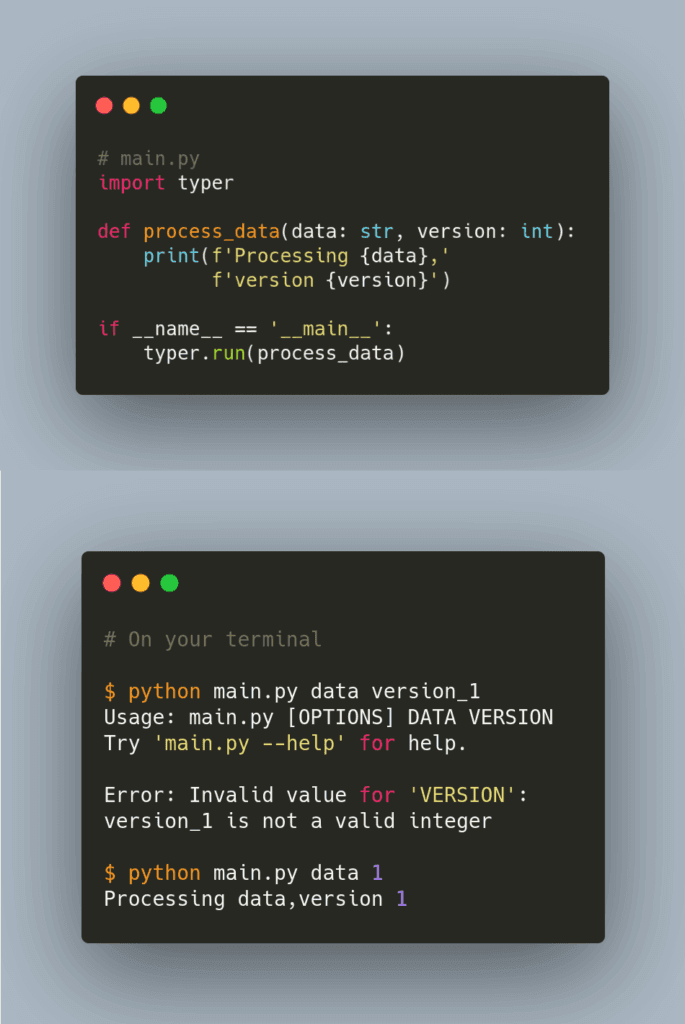
The last thing you want to happen is to have users dig into your code to run it. Is there a way that users can insert arguments into your code on the command line?
That is when Typer comes in handy. Typer allows you to build a command-line interface in a few lines of code based on Python-type hints.
The image above shows an example of Typer.
Link to Typer.
My full article about Typer.

Typer: Build a Command-Line Interface in a Few Lines of Code Read More »

Ptpython: A Better Python REPL

Have you ever wanted to quickly try some ideas popping up in your head using a Python Shell (REPL)? You might be hesitant to use a classic Python shell since it doesn’t support auto-completion or docstring as Jupyter Notebook does.
You also cannot fix the mistake in the code after hitting Enter.
What if you can turn your boring Python shell into a multi-functional shell like above?
That is when ptpython comes in handy.
Link to my latest article on ptpython.

Ptpython: A Better Python REPL Read More »

ln -s: Create Symbolic Link Between 2 Files

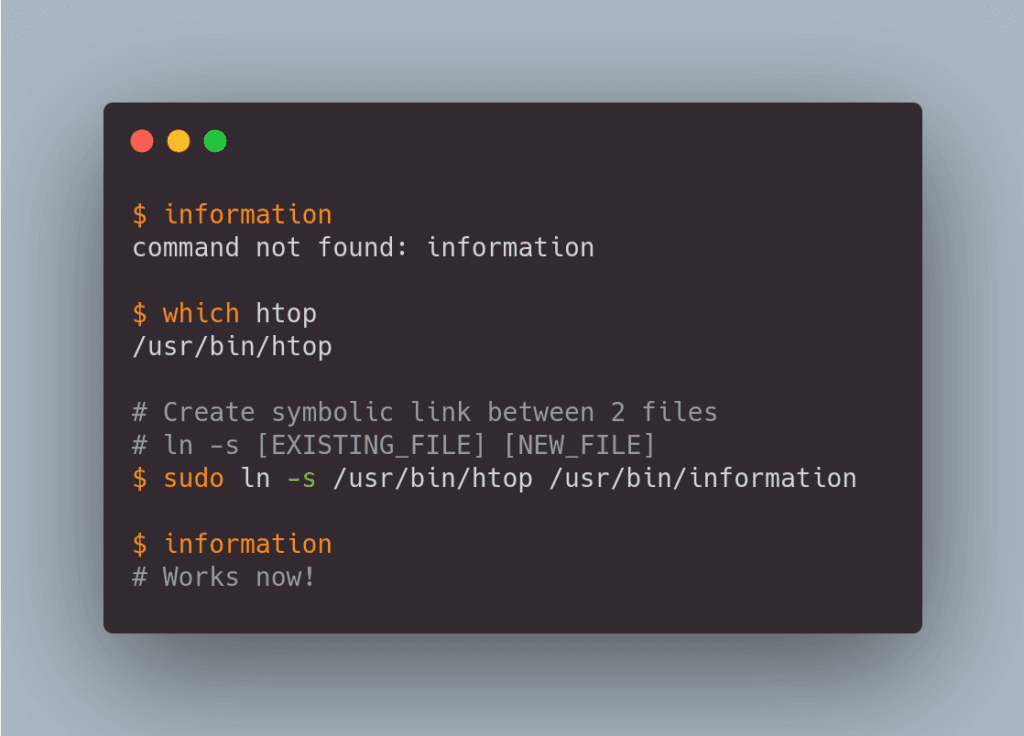
If you want to change the name of the command because it is too long to type or too complicated to remember, try symbolic link.
Symbolic link is a special type of file that points to another file or directory. In the code above, I can execute htop when typing information because they are linked.
Note: Use which <new_file_name>to make sure that <new_file_name> doesn’t already exist in your directory.
 

ln -s: Create Symbolic Link Between 2 Files Read More »

fd: a Simple Tool to Search for Files or Directories Fast

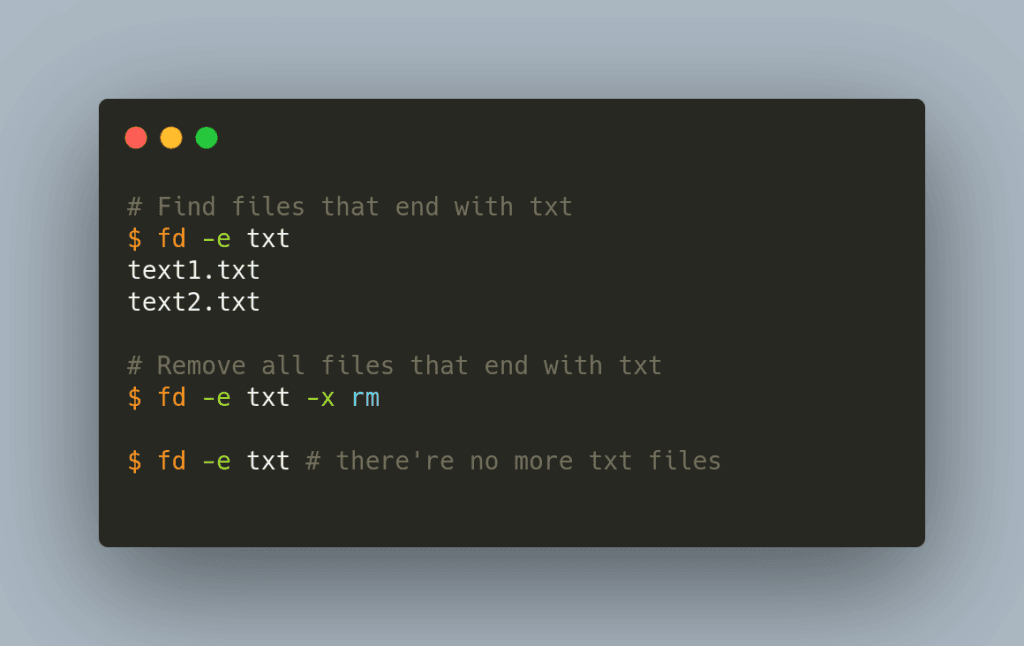
Is there a way that you can quickly search for files or directories that contains a specific pattern without dealing with complicated syntax?
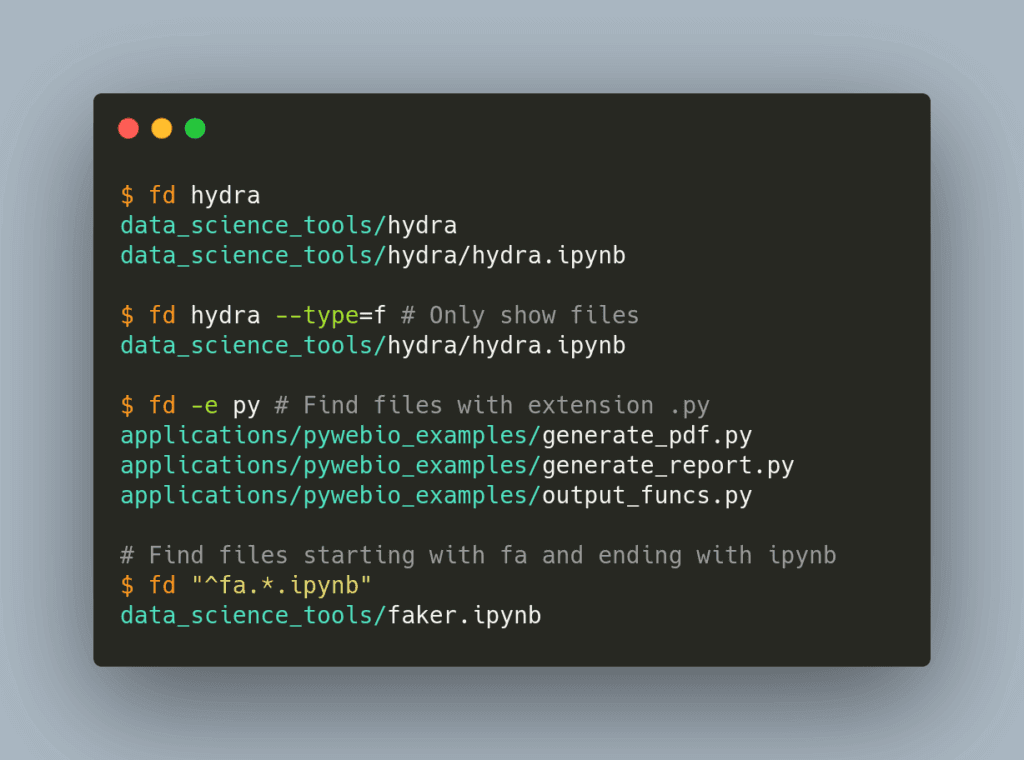
That is when fd comes in handy. fd allows you to search for files or directories by typing fd pattern instead of typing find -iname '*pattern*.
Find other things that fd can do above.
Note that you can use fd for Linux, Mac OS, and Windows.
Link to fd.

fd: a Simple Tool to Search for Files or Directories Fast Read More »

Scroll to Top

Work with Khuyen Tran

Work with Khuyen Tran