Generic selectors
Exact matches only
Search in title
Search in content
Post Type Selectors
Filter by Categories
About Article
Analyze Data
Archive
Best Practices
Better Outputs
Blog
Code Optimization
Code Quality
Command Line
Course
Daily tips
Dashboard
Data Analysis & Manipulation
Data Engineer
Data Visualization
DataFrame
Delta Lake
DevOps
DuckDB
Environment Management
Feature Engineer
Git
Jupyter Notebook
LLM
LLM Tools
Machine Learning
Machine Learning & AI
Machine Learning Tools
Manage Data
MLOps
Natural Language Processing
Newsletter Archive
NumPy
Pandas
Polars
PySpark
Python Helpers
Python Tips
Python Utilities
Scrape Data
SQL
Testing
Time Series
Tools
Visualization
Visualization & Reporting
Workflow & Automation
Workflow Automation

Command Line

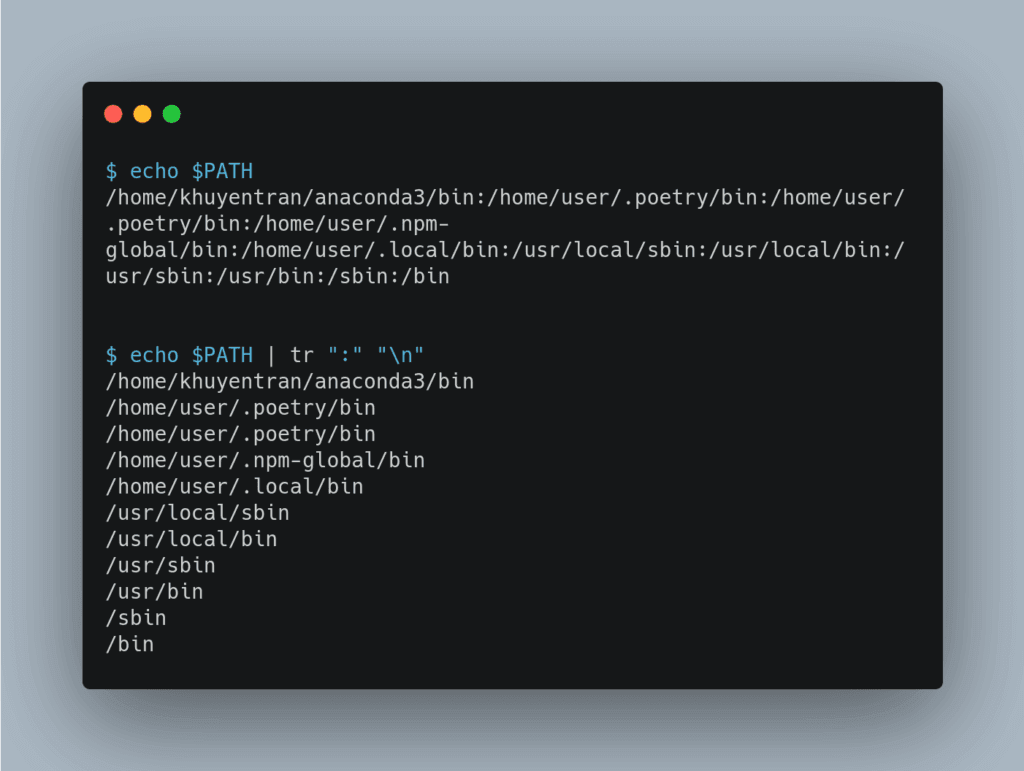
tr Command: Translate Characters to Improve Readability In Unix/Linux

To check what directories are in your $PATH, you can use echo $PATH. But since directories are separated by a colon, the output can be difficult to read.
Use tr ":" "\n" to translate ":" to "\n" and the directories will be separated by a new line instead.
Read this article if you don’t know what is $PATH IN Unix/Linux.
 

tr Command: Translate Characters to Improve Readability In Unix/Linux Read More »

Bash For Loop: Stop Staring at your Screen. Write a Bash For Loop instead

Have you ever wanted to write one command instead of multiple commands to run a script with different parameters? That is when bash for loop comes in handy.
The code above uses bash for loop to process data 1, 3, and 5. Now you can do something else while waiting for all your data to be processed.

Bash For Loop: Stop Staring at your Screen. Write a Bash For Loop instead Read More »

Create a Beautiful Dashboard in your Terminal with WTF

As a data scientist or programmer, the terminal might be your to-go tool for much of your work. Wouldn’t it be nice if you can view your schedule, to-do list, system information, docker, git, and updates of your favorite blogs like below?
That is when WTF comes in handy. In my latest article, I will show you how to create a terminal dashboard exactly like above using WTF.
Link to the article about WTF.

Create a Beautiful Dashboard in your Terminal with WTF Read More »

Difference Between “|” and “&&” When Running 2 Commands at Once

Have you ever wanted to run 2 commands at once? If you want to run 2 commands at the same time, use | . If you want the first command to run successfully before running the second command, use &&.
In the video above, I use sleep 5 to pauses the execution for 5 seconds.
When using |, “Hello” was displayed right away. When using &&, “Hello” was displayed after 5 s.

Difference Between “|” and “&&” When Running 2 Commands at Once Read More »

organize: Automate Organizing Files with Command Line

If you don’t take time to organize your local files frequently, your machine can be messy with files of different types and different purposes. But it is time-consuming to organize files frequently.
Is there a way that you can automate organizing your files using the command line? That is when the organize package comes in handy.
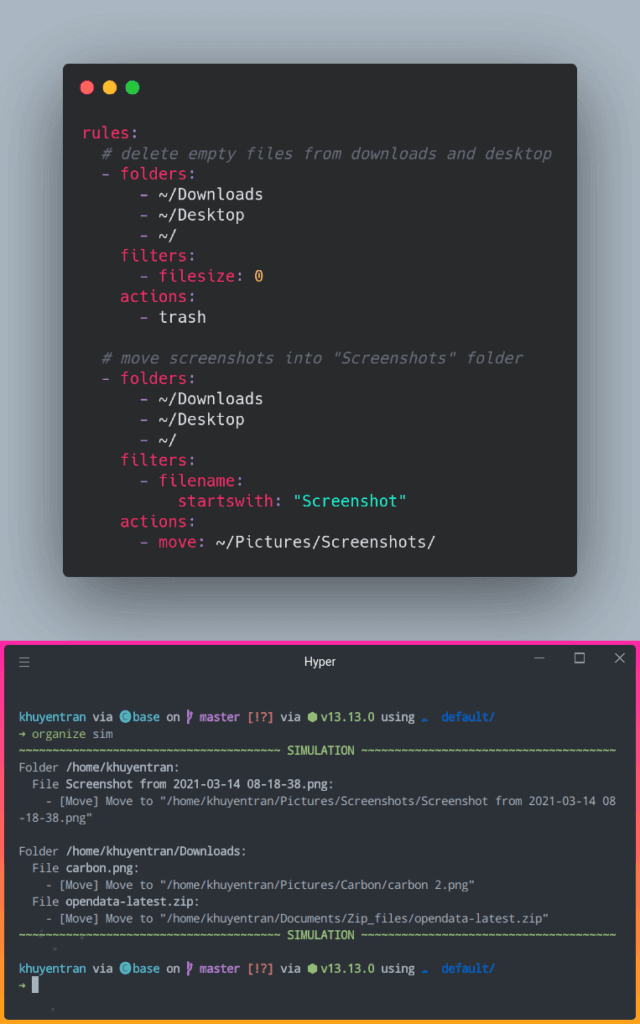
In the code above, I use organize to set rules to delete empty files, move screenshots into “Screenshots” folder, and many more. After setting the rules, I can:

Use organize sim command to simulate how rules can be executed.
Use organize run to execute the rules.

Now, every time you want your machine to be cleaner, just type organize sim and organize run and your files are organized!
Link to organize.
Rules I set to organize my local files.

organize: Automate Organizing Files with Command Line Read More »

sumy: Summarize Text in One Line of Code

If you want to summarize text using Python or command line, try sumy.
The great things about sumy compared to other summarization tools are that it is easy to use and it allows you to use 7 different methods to summarize the text.
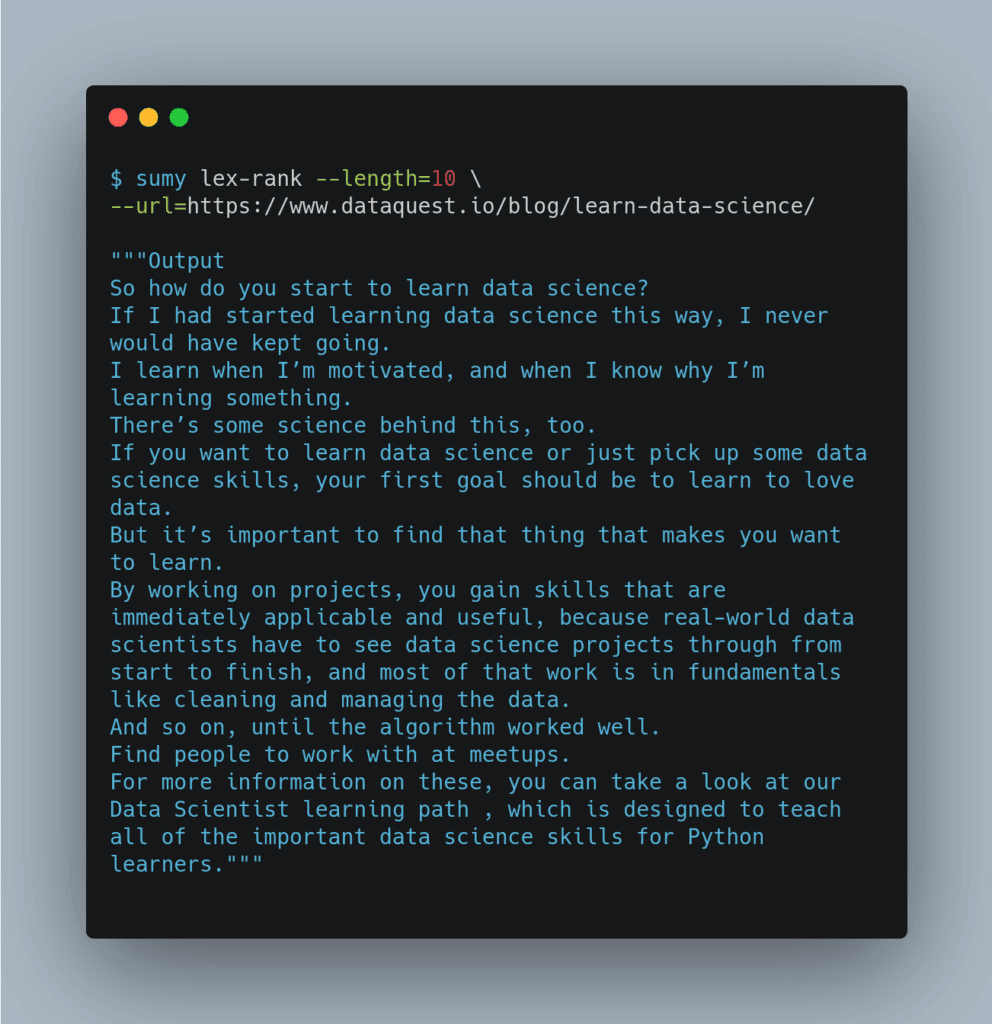
Above is how sumy summarizes the article How to Learn Data Science (Step-By-Step) in 2020 at DataQuest.
Check out the outputs of other algorithms here.
Link to Sumy.

sumy: Summarize Text in One Line of Code Read More »

terminalizer: Record and Share your Terminal Sessions

Have you ever wanted to record your terminal to share the recording with others? If so, use terminalizer.
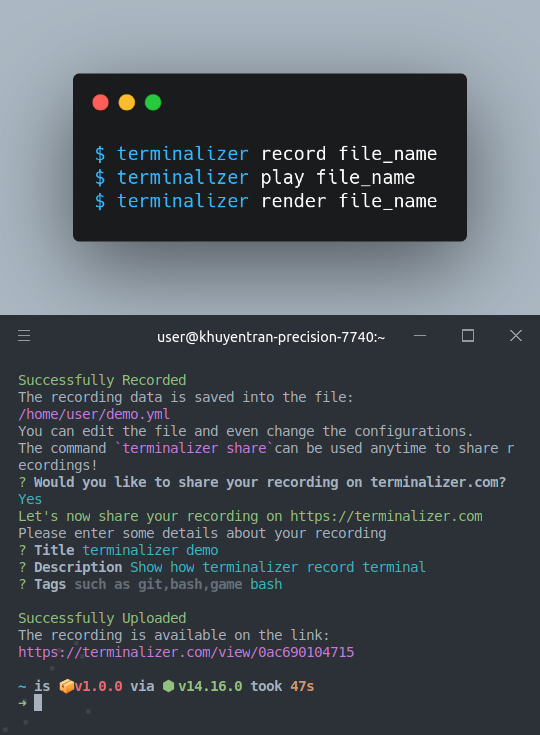
terminalizer allows you to record your terminal, upload it to its website, and render it as GIF.
You can also customize how recording shows up with terminalizer.
Here is a video that I recorded using terminalizer.
Link to terminalizer.

terminalizer: Record and Share your Terminal Sessions Read More »

Time Command: Track the Time it Takes to Execute a File in Linux

If you want to track the time it takes to execute a file in Linux, use time command. The snippet below shows how it works.

real is the time from start to finish of the call. It is the time from the moment you hit the Enter key until the moment the execution is finished.

user – amount of CPU time spent in user mode.

sys – amount of CPU time spent in kernel mode.

Time Command: Track the Time it Takes to Execute a File in Linux Read More »

Scroll to Top

Work with Khuyen Tran

Work with Khuyen Tran