
Stack Columns into Rows in Pandas
If you want to stack the columns into rows in pandas, use DataFrame.stack().

If you want to stack the columns into rows in pandas, use DataFrame.stack().

assert_frame_equal compares two DataFrames and outputs any differences.
If you want to compare the DataFrames while ignoring the order of their index and column labels, use the argument check_like=True.
Ignore the Order of Index When Comparing Two DataFrames Read More »
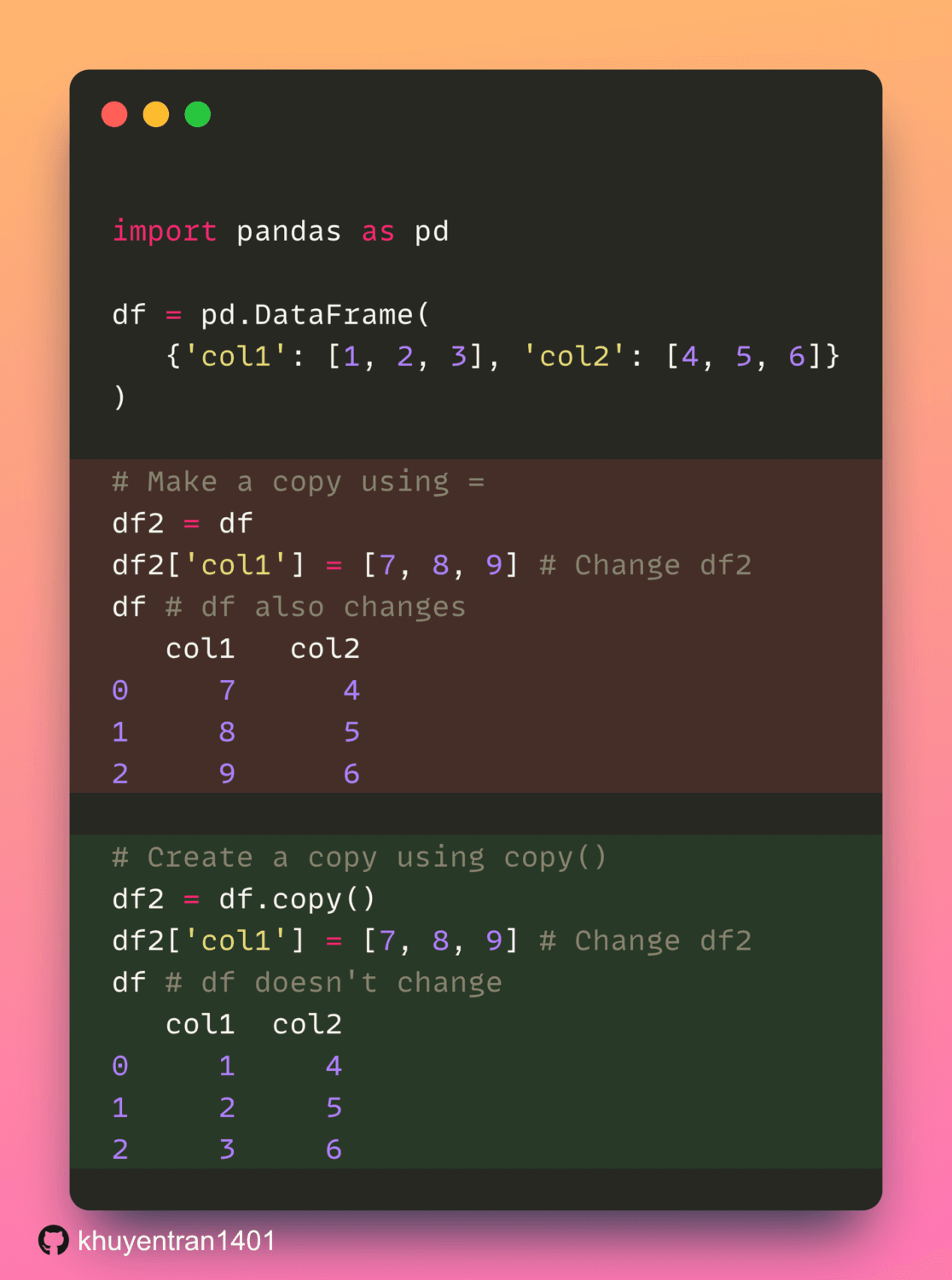
Using = to make a copy of a DataFrame creates a reference to the original DataFrame. Thus, any changes made to the new DataFrame will also be reflected in the original.
To make changes to the copy without affecting the original, use the .copy() method.

If you want to analyze the difference between the predictions from different models, use df.style to highlight cells based on their values.

Sometimes, you might want to format your DataFrame before writing it to a file such as an Excel sheet. df.style.format allows you to do that.

If you want to color the background of a pandas DataFrame in a gradient style, use df.style.background_gradient. The color of the cell will change based on its value.
Color the Background of a pandas DataFrame in a Gradient Style Read More »

If you want to turn a pandas Series into a pandas DataFrame, use str.get_dummies().

If you want to print a DataFrame in LaTeX format, use df.style.to_latex(). This is useful when you want to include your DataFrame in a LaTeX editor.

You can access a group of rows by either using loc or iloc.
iloc selects values based on positions while loc selects values based on labels.
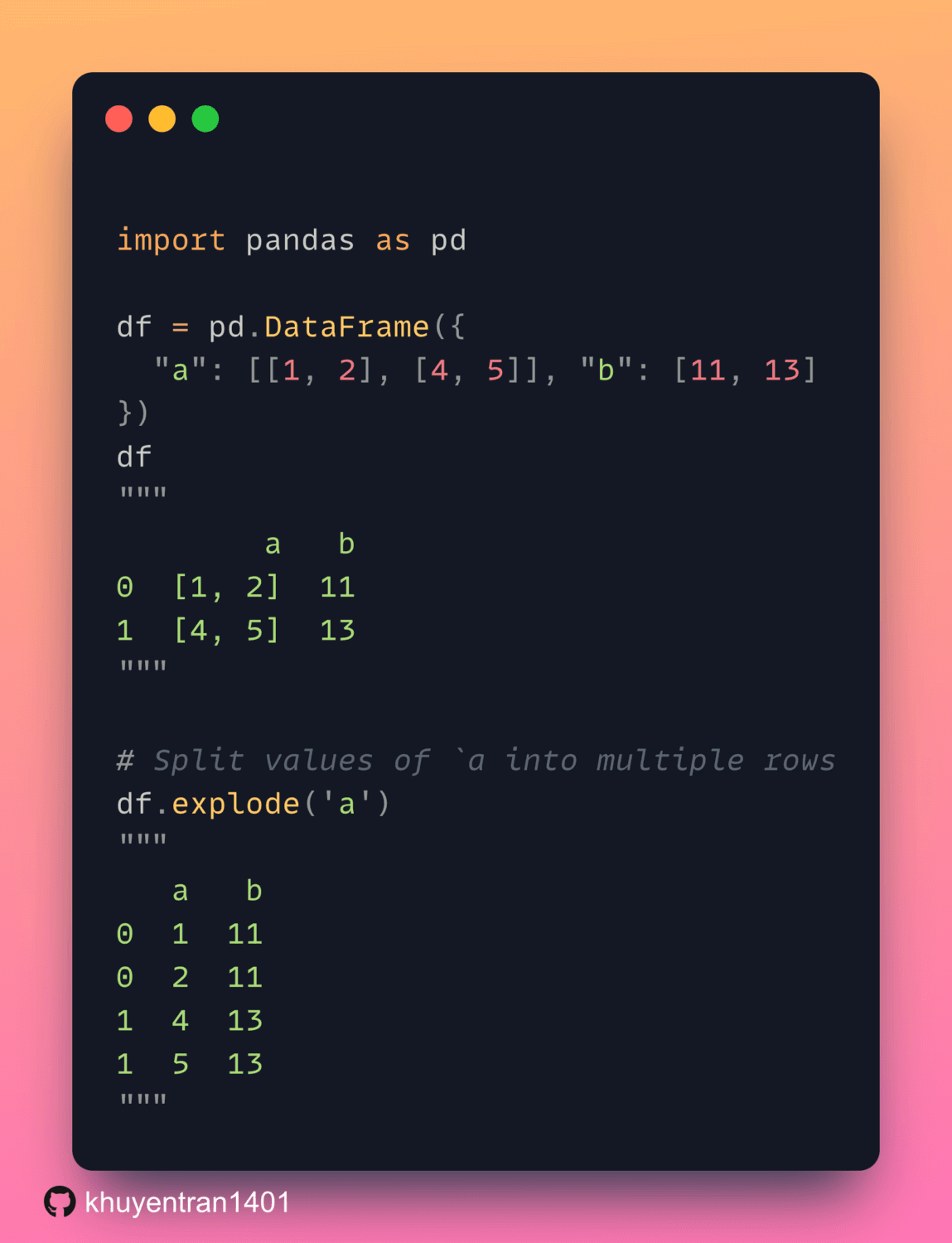
When working with pandas DataFrame, if you want to transform each element in an iterable to a row, use explode
Transform Each Element in an Iterable to a Row with DataFrame.explode Read More »