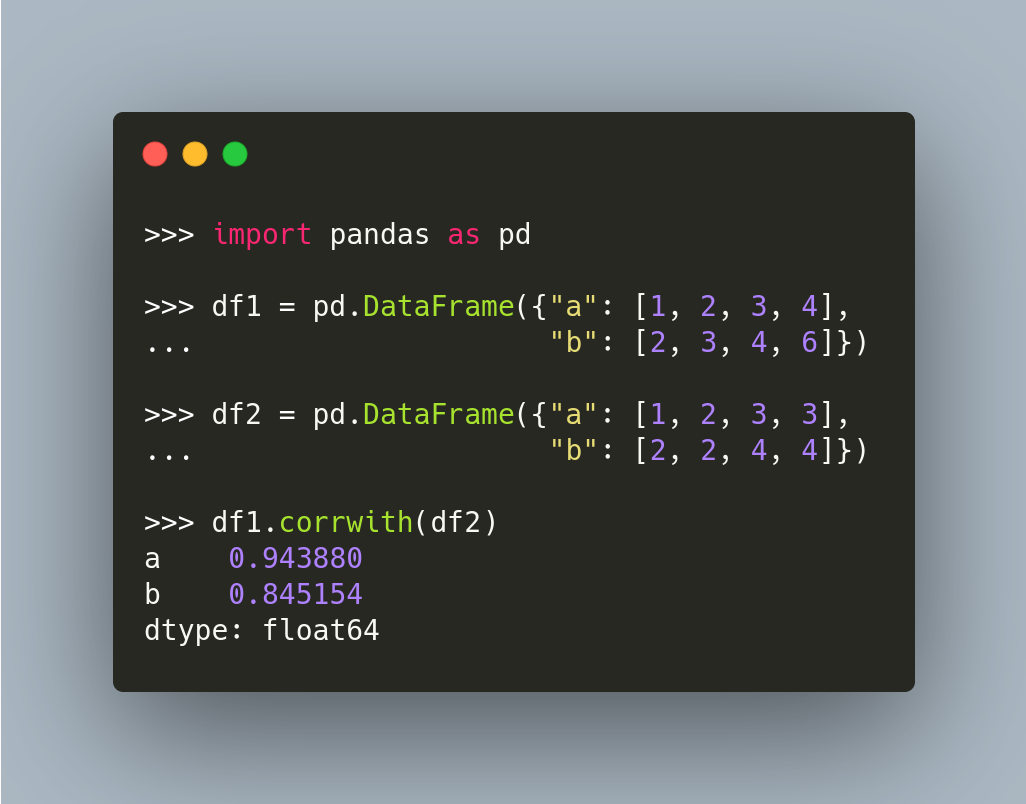
pandas.DataFrame.corrwith: Compute Pairwise Correlation Between 2 DataFrame
If you want to compute between rows or columns of two DataFrame, use corrwith.
pandas.DataFrame.corrwith: Compute Pairwise Correlation Between 2 DataFrame Read More »

If you want to compute between rows or columns of two DataFrame, use corrwith.
pandas.DataFrame.corrwith: Compute Pairwise Correlation Between 2 DataFrame Read More »
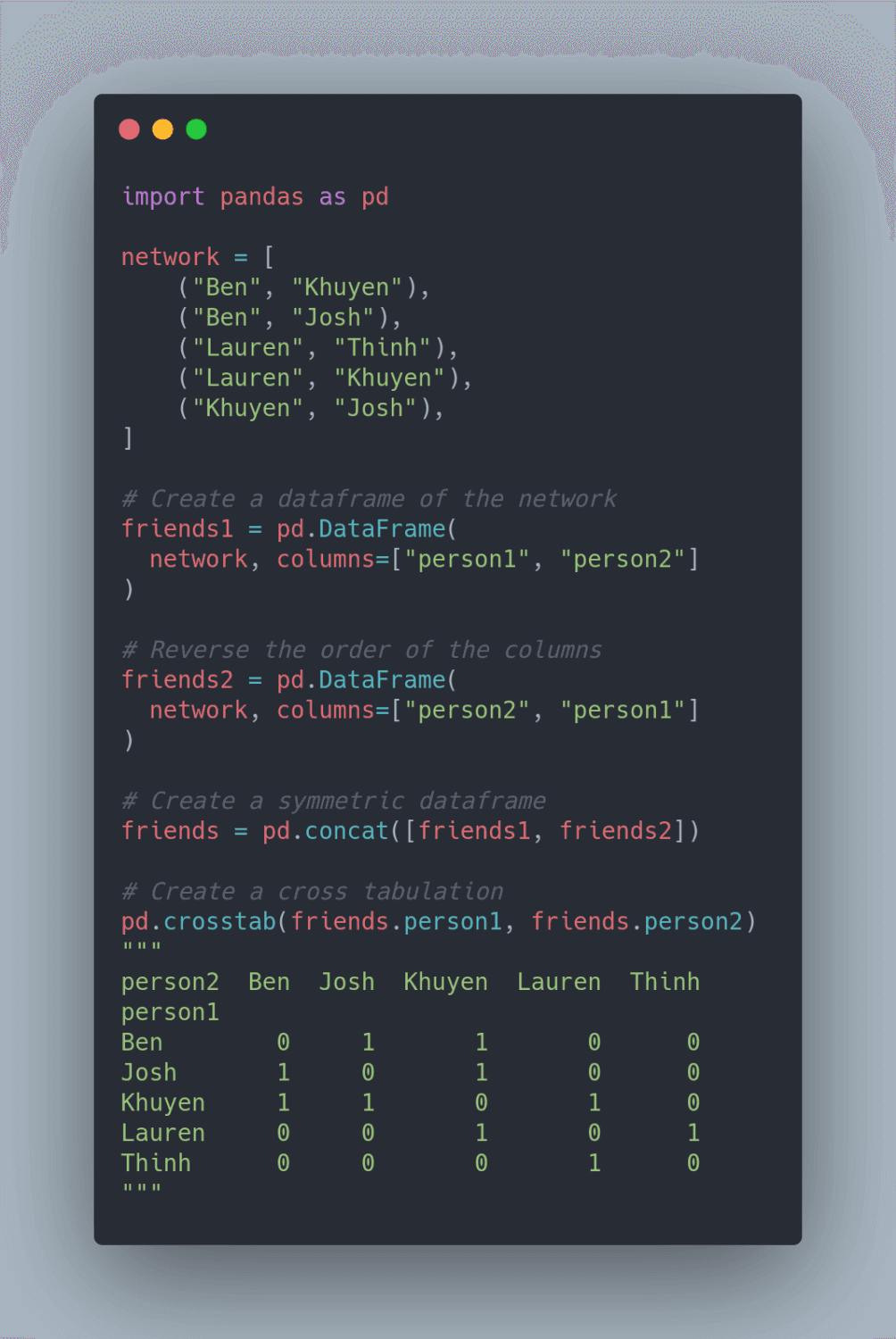
Cross tabulation allows you to analyze the relationship between multiple variables. To turn a pandas DataFrame into a cross tabulation, use pandas.crosstab.
pandas.crosstab: Create a Cross Tabulation from a Pandas DataFrame Read More »

It can be lengthy to filter columns of a pandas DataFrame using brackets. To shorten the filtering statements, use df.query instead.
df.query: Query Columns Using Boolean Expression Read More »

If you want to unpivot a DataFrame from wide to long format, use pandas.melt.
For example, you can use pandas.melt to turn multiple columns (Aldi, Walmart, Costco) into values of one column (store).
Google Colab notebook of the code above.

By default, aggregating a column returns the name of that column. If you want to assign a new name to the aggregation, use name = (column, agg_method).

If you want to get the count of a value in a column, use value_counts. However, if you want to get the percentage of a value in a column, add normalize=True to value_counts.

To filter a pandas DataFrame based on the occurrences of categories, you might attempt to use df.groupby and df.count. However, since the Series returned by the count method is shorter than the original DataFrame, you will get an error when filtering.
Instead of using count, use transform. This method will return the Series with the same length as the original DataFrame. Now you can filter without encountering any error.
You can play with the code in this Colab notebook.

If you want to fill null values in one DataFrame with non-null values at the same locations from another DataFrame, use pandas.DataFrame.combine_first.
In the code above, the values at the first row of store1 are updated with the values at the first row of store2.
pandas.DataFrame.combine_first: Update Null Elements Using Another DataFrame Read More »

To turn a DataFrame into a Python dictionary, use df.to_dict(). This will return a dictionary whose keys are columns.
If you prefer to get a list of dictionaries whose elements are rows, use df.to_dict(orient='records') instead.

If you want to add days, months, or other time intervals to a pandas Timestamp, use pandas.DateOffset.
You can also increase the timestamp by n business days using BDay.
Link to previous tips on methods to change values in pandas.
pandas’ DateOffset: Add a Time Interval to a pandas Timestamp Read More »