Generic selectors
Exact matches only
Search in title
Search in content
Post Type Selectors
Filter by Categories
About Article
Analyze Data
Archive
Best Practices
Better Outputs
Blog
Code Optimization
Code Quality
Command Line
Course
Daily tips
Dashboard
Data Analysis & Manipulation
Data Engineer
Data Visualization
DataFrame
Delta Lake
DevOps
DuckDB
Environment Management
Feature Engineer
Git
Jupyter Notebook
LLM
LLM Tools
Machine Learning
Machine Learning & AI
Machine Learning Tools
Manage Data
MLOps
Natural Language Processing
Newsletter Archive
NumPy
Pandas
Polars
PySpark
Python Helpers
Python Tips
Python Utilities
Scrape Data
SQL
Testing
Time Series
Tools
Visualization
Visualization & Reporting
Workflow & Automation
Workflow Automation

Python Tips

Use Python Built-in Functions to Speed your Code

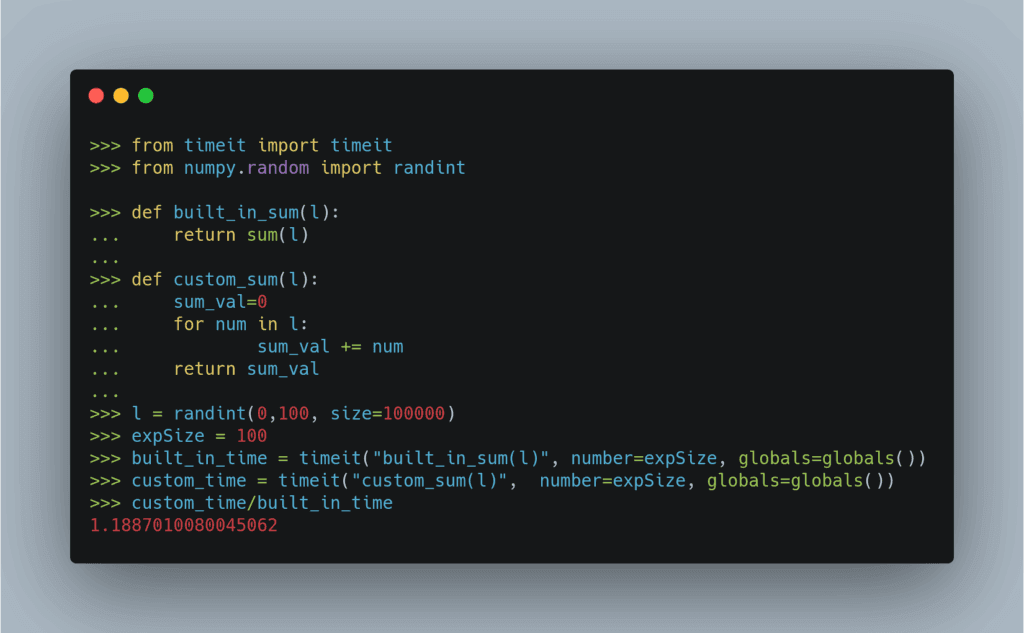
Don’t create your own function if there is already a built-in Python function for that task. Built-in functions like sum, max, filter, map, etc are implemented in C so they are very efficient. Use them if you can.
Above is the comparison between the speed of using a built-in sum and the speed of using a custom sum. A little bit different in speed matters when you work with a large array.
Find a full list of Python built-in functions here.

Use Python Built-in Functions to Speed your Code Read More »
Stop using = operator to create a copy of a Python list. Use copy method instead

When you create a copy of a Python list using the = operator, a change in the new list will lead to the change in the old list. It is because both lists point to the same object.
Instead of using = operator, use copy() method. Now your old list will not change when you change your new list. Find an example above.
Link to the source code.

Stop using = operator to create a copy of a Python list. Use copy method instead Read More »

Return Multiple Values from a Function Using Python Dictionary

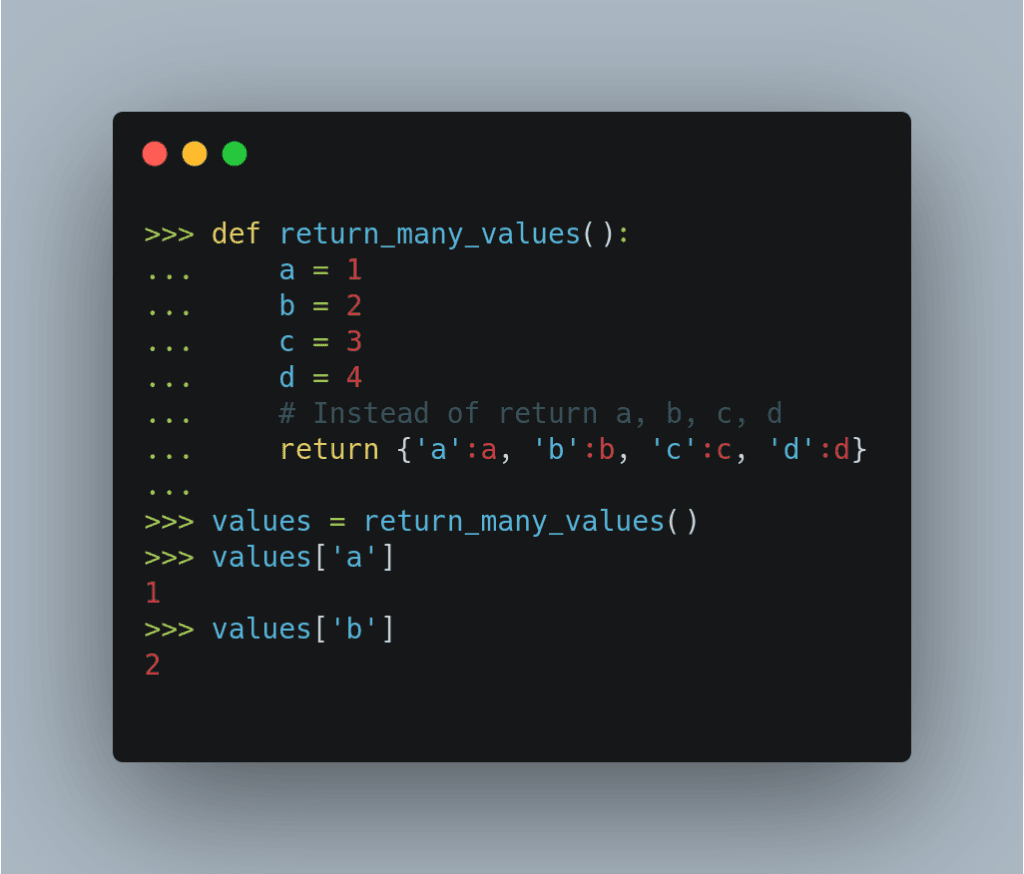
When a Python function returns many values, it can be confusing as to which value is returned first, second, or third, etc. A better idea is to return using a Python dictionary like below.
To access 'a', for example, you just need to call values['a']. You don’t need to be worried that you will access the wrong value because of the wrong order.
If you happen to change the order of the outputs in your function, you still access the right value.
 

Return Multiple Values from a Function Using Python Dictionary Read More »

Scroll to Top

Work with Khuyen Tran

Work with Khuyen Tran