Generic selectors
Exact matches only
Search in title
Search in content
Post Type Selectors
Filter by Categories
About Article
Analyze Data
Archive
Best Practices
Better Outputs
Blog
Code Optimization
Code Quality
Command Line
Course
Daily tips
Dashboard
Data Analysis & Manipulation
Data Engineer
Data Visualization
DataFrame
Delta Lake
DevOps
DuckDB
Environment Management
Feature Engineer
Git
Jupyter Notebook
LLM
LLM Tools
Machine Learning
Machine Learning & AI
Machine Learning Tools
Manage Data
MLOps
Natural Language Processing
Newsletter Archive
NumPy
Pandas
Polars
PySpark
Python Helpers
Python Tips
Python Utilities
Scrape Data
SQL
Testing
Time Series
Tools
Visualization
Visualization & Reporting
Workflow & Automation
Workflow Automation

SQL

Accelerating Complex Calculations: From Pandas to DuckDB

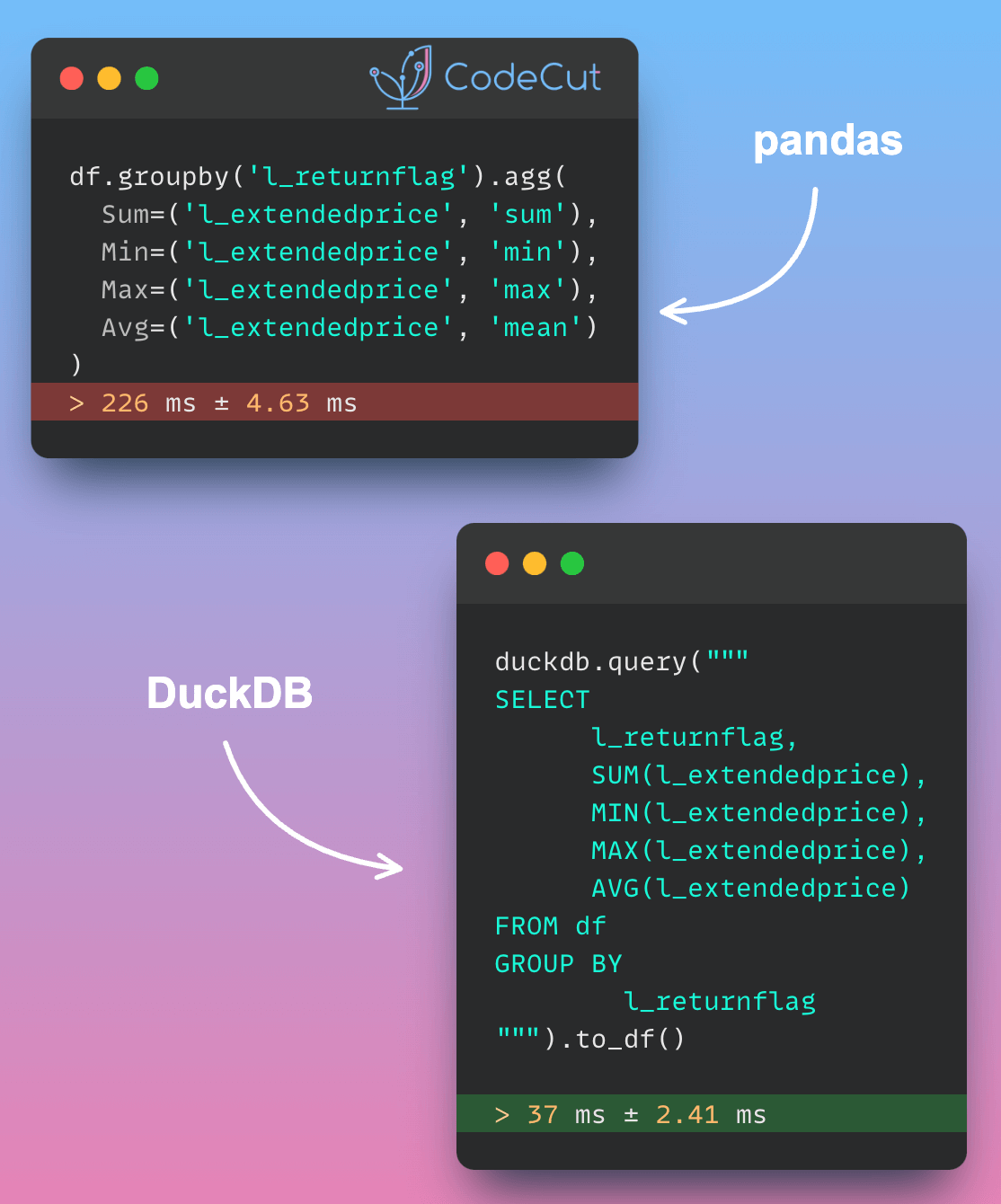
For complex aggregations, Pandas repeatedly scans the full dataset to compute metrics like averages and sums. This approach becomes increasingly inefficient as aggregation complexity or data volume grows.

DuckDB reads only necessary data columns and processes information in chunks. This approach makes it much faster for complex calculations, especially with large datasets

In the code below, aggregating data using DuckDB is nearly 6 times faster compared to aggregating with pandas.

import pandas as pd
import duckdb

df = pd.read_parquet("lineitemsf1.snappy.parquet")

%%timeit
df.groupby('l_returnflag').agg(
Sum=('l_extendedprice', 'sum'),
Min=('l_extendedprice', 'min'),
Max=('l_extendedprice', 'max'),
Avg=('l_extendedprice', 'mean')
)

Output:

226 ms ± 4.63 ms per loop (mean ± std. dev. of 7 runs, 1 loop each)

%%timeit
duckdb.query("""
SELECT
l_returnflag,
SUM(l_extendedprice),
MIN(l_extendedprice),
MAX(l_extendedprice),
AVG(l_extendedprice)
FROM df
GROUP BY
l_returnflag
""").to_df()

Output:

37 ms ± 2.41 ms per loop (mean ± std. dev. of 7 runs, 10 loops each)

Link to DuckDB.

Accelerating Complex Calculations: From Pandas to DuckDB Read More »

postgres-new: AI-Powered, Browser-Based Postgres for Rapid Prototyping

If you’re looking to create sample data and visualizations for proof-of-concept presentations, setting up a local Postgres environment can be a hassle. 

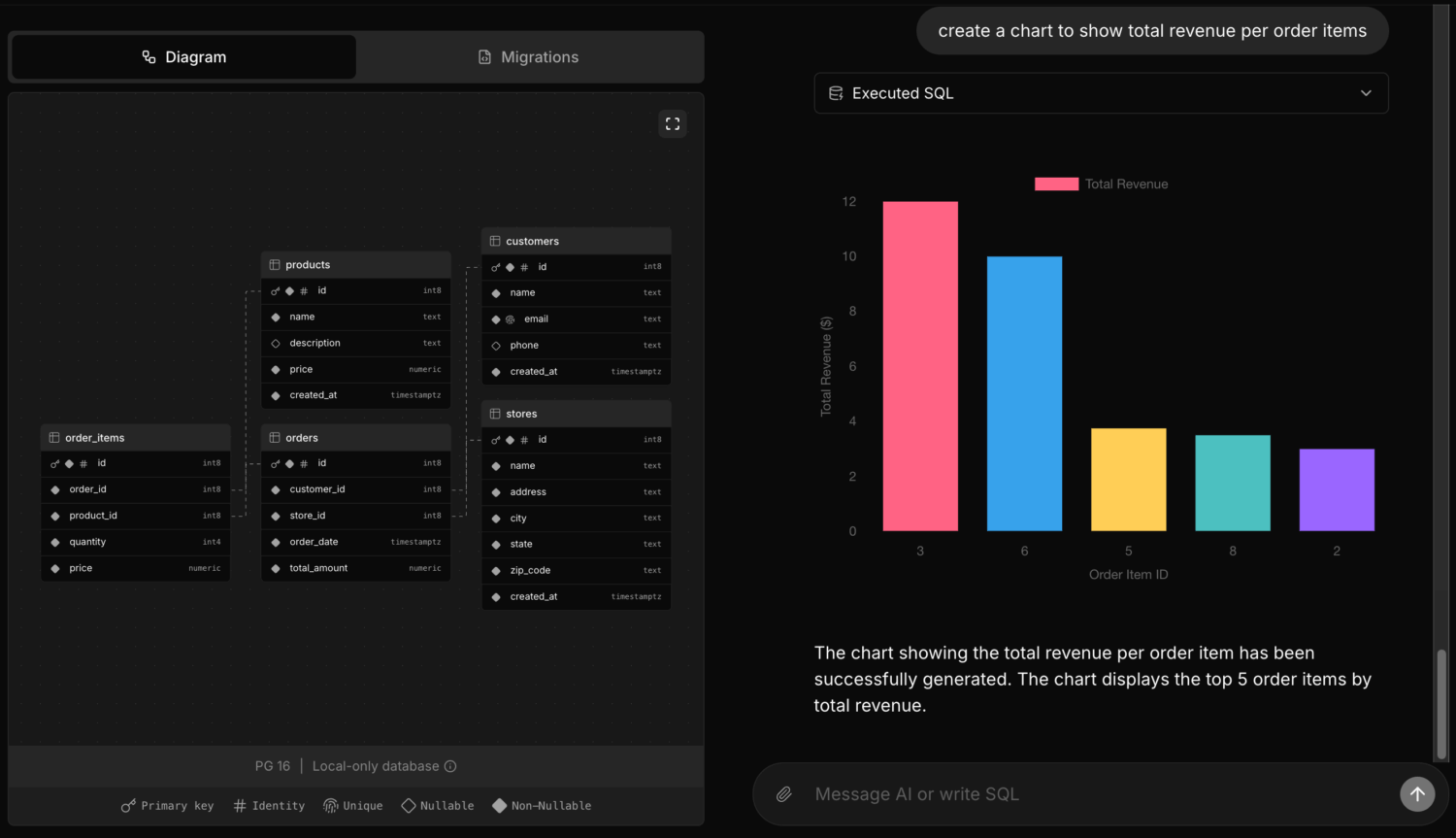
postgres-new simplifies this by allowing instant launch of multiple Postgres databases in your web browser, providing a safe environment for experimentation.

Each database comes with AI assistance, powered by a large language model (LLM), enabling:

Data scientists to experiment with structures and relationships

Analysts to import data, run queries, and generate real-time charts

Database architects to design and refine diagrams with AI help

Link to postgres-new.

postgres-new: AI-Powered, Browser-Based Postgres for Rapid Prototyping Read More »

SQL Studio: Simplify Database Exploration Across Multiple Platforms

Understanding the database structure can be challenging without proper tools, hindering users’ ability to work effectively.

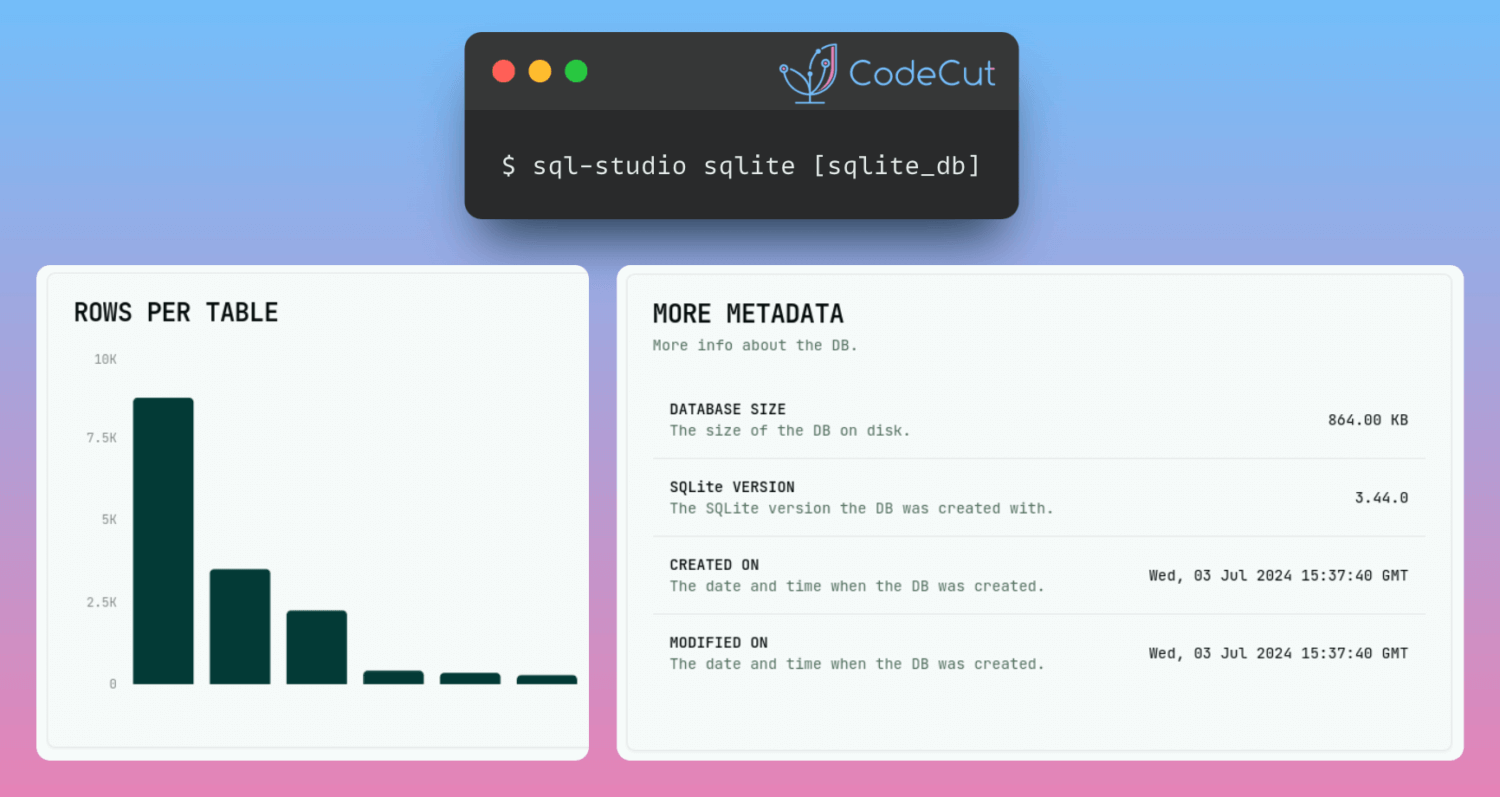
SQL Studio is a single command SQL database explorer that provides an intuitive way to navigate and understand database structures. SQL studio supports SQLite, libSQL, PostgreSQL, MySQL and DuckDB.

Link to SQL Studio.

SQL Studio: Simplify Database Exploration Across Multiple Platforms Read More »

Enhance Code Modularity and Reusability with Temporary Views in PySpark

In PySpark, temporary views are virtual tables that can be queried using SQL, enabling code reusability and modularity.

To demonstrate this, let’s create a PySpark DataFrame called orders_df.

# Create a sample DataFrame
data = [
(1001, "John Doe", 500.0),
(1002, "Jane Smith", 750.0),
(1003, "Bob Johnson", 300.0),
(1004, "Sarah Lee", 400.0),
(1005, "Tom Wilson", 600.0),
]

columns = ["customer_id", "customer_name", "revenue"]
orders_df = spark.createDataFrame(data, columns)

Next, create a temporary view called orders from the orders_df DataFrame using the createOrReplaceTempView method.

# Create a temporary view
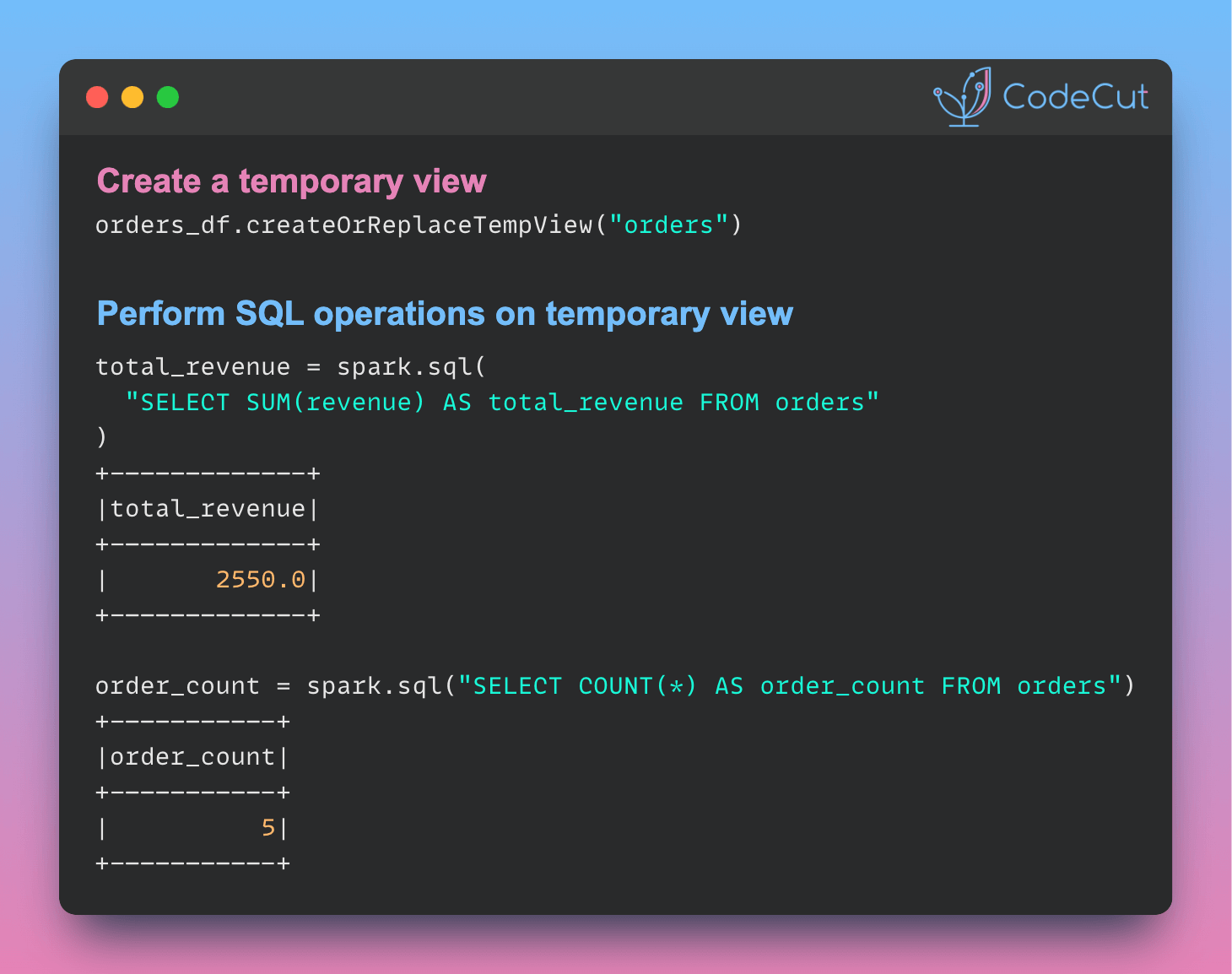
orders_df.createOrReplaceTempView("orders")

With the temporary view created, we can perform various operations on it using SQL queries.

# Perform operations on the temporary view
total_revenue = spark.sql("SELECT SUM(revenue) AS total_revenue FROM orders")
order_count = spark.sql("SELECT COUNT(*) AS order_count FROM orders")

# Display the results
print("Total Revenue:")
total_revenue.show()

print("\nNumber of Orders:")
order_count.show()

Output:

Total Revenue:
+————-+
|total_revenue|
+————-+
| 2550.0|
+————-+

Number of Orders:
+———–+
|order_count|
+———–+
| 5|
+———–+

Run in Google Colab.

Enhance Code Modularity and Reusability with Temporary Views in PySpark Read More »

Optimizing PySpark Queries: DataFrame API or SQL?

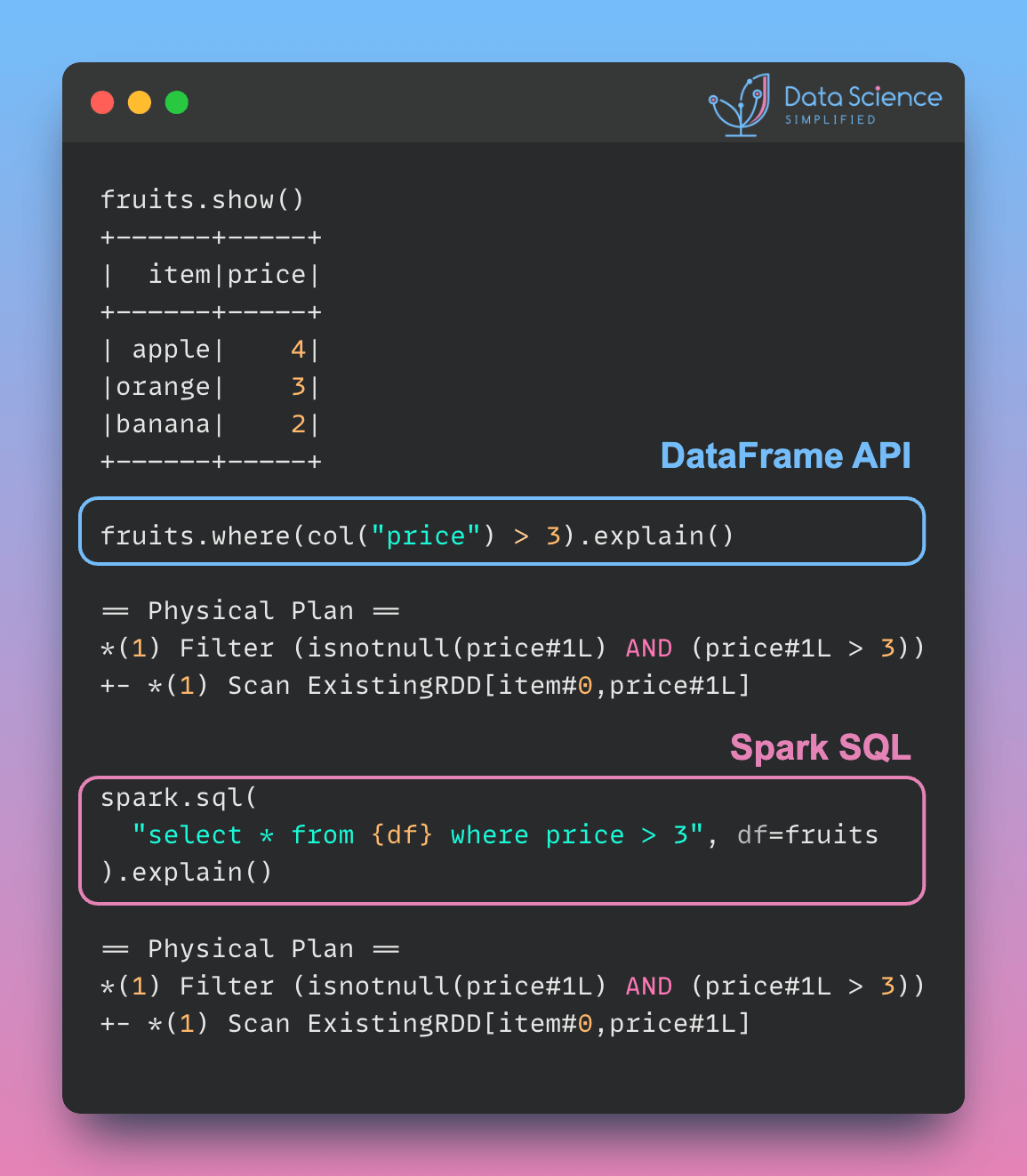
PySpark queries with different syntax (DataFrame API or parameterized SQL) can have the same performance, as the physical plan is identical. Here is an example:

from pyspark.sql.functions import col

fruits = spark.createDataFrame(
[("apple", 4), ("orange", 3), ("banana", 2)], ["item", "price"]
)
fruits.show()

Use the DataFrame API to filter rows where the price is greater than 3.

fruits.where(col("price") > 3).explain()

== Physical Plan ==
*(1) Filter (isnotnull(price#1L) AND (price#1L > 3))
+- *(1) Scan ExistingRDD[item#0,price#1L]

Use the spark.sql() method to execute an equivalent SQL query.

spark.sql("select * from {df} where price > 3", df=fruits).explain()

== Physical Plan ==
*(1) Filter (isnotnull(price#1L) AND (price#1L > 3))
+- *(1) Scan ExistingRDD[item#0,price#1L]

The physical plan for both queries is the same, indicating identical performance.

The choice between DataFrame API and spark.sql() depends on the following:

Familiarity: Use spark.sql() if your team prefers SQL syntax. Use the DataFrame API if chained method calls are more intuitive for your team.

Complexity of Transformations: The DataFrame API is more flexible for complex manipulations, while SQL is more concise for simpler queries.

Run this code in Google Colab.

Optimizing PySpark Queries: DataFrame API or SQL? Read More »

Streamline dbt Testing with DataPilot’s Power User VSCode Extension

Ensuring data quality and reliability is crucial in dbt projects.

DataPilot’s Power User VSCode extension provide a seamless testing experience in dbt, enabling you to catch data issues early in the development process. With the extension, you can:

Validate your dbt code against best practices

Troubleshoot using real-time column lineage

Generate dbt tests with ease

Link to DataPilot VSCode extension.

Streamline dbt Testing with DataPilot’s Power User VSCode Extension Read More »

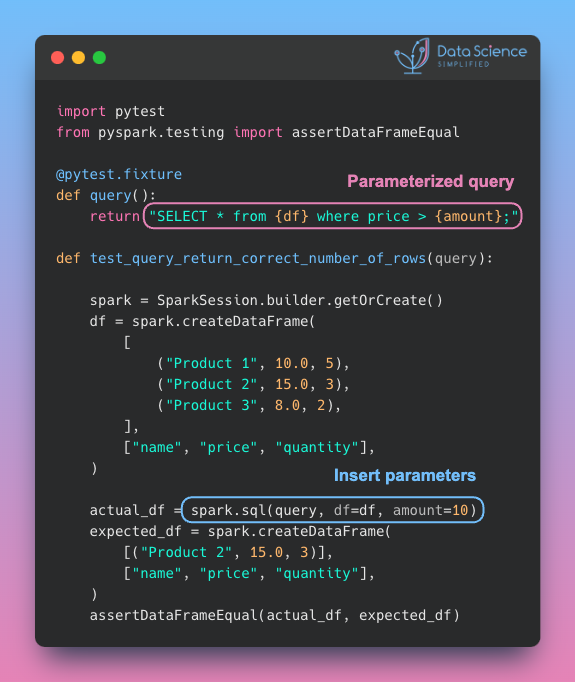
Simplify Unit Testing of SQL Queries with PySpark

Testing your SQL queries helps to ensure that they are correct and functioning as intended.

PySpark enables users to parameterize queries, which simplifies unit testing of SQL queries. In this example, the df and amount variables are parameterized to verify whether the actual_df matches the expected_df.

Learn more about parameterized queries in PySpark.

Simplify Unit Testing of SQL Queries with PySpark Read More »

Scroll to Top

Work with Khuyen Tran

Work with Khuyen Tran