
Quadratic: Where Spreadsheets Meet Python and SQL
If you want to use Python or SQL in an Excel sheet, use quadratic.
Quadratic: Where Spreadsheets Meet Python and SQL Read More »

If you want to use Python or SQL in an Excel sheet, use quadratic.
Quadratic: Where Spreadsheets Meet Python and SQL Read More »
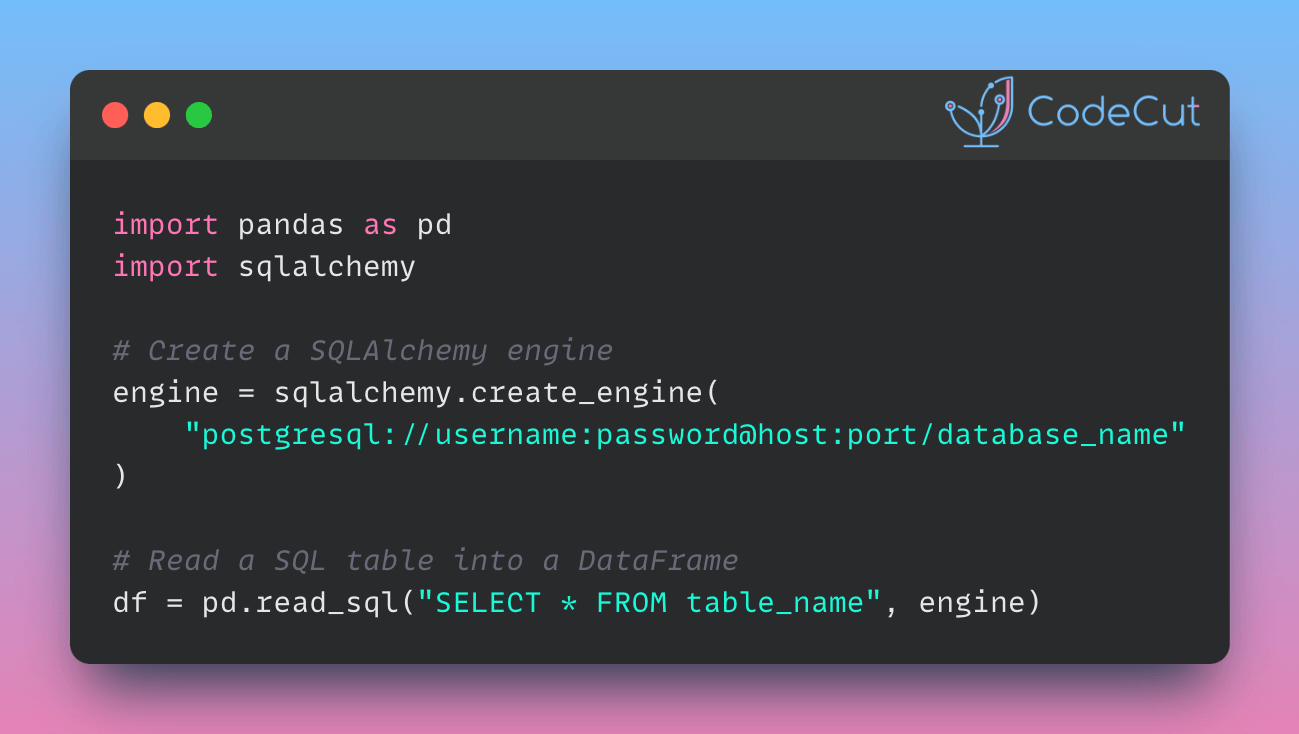
Loading SQL tables into DataFrames allows you to analyze and preprocess the data using the rich functionality of pandas.
To read a SQL table into a pandas DataFrame, pass the database connection obtained from the SQLAlchemy Engine to the pandas.read_sql method.
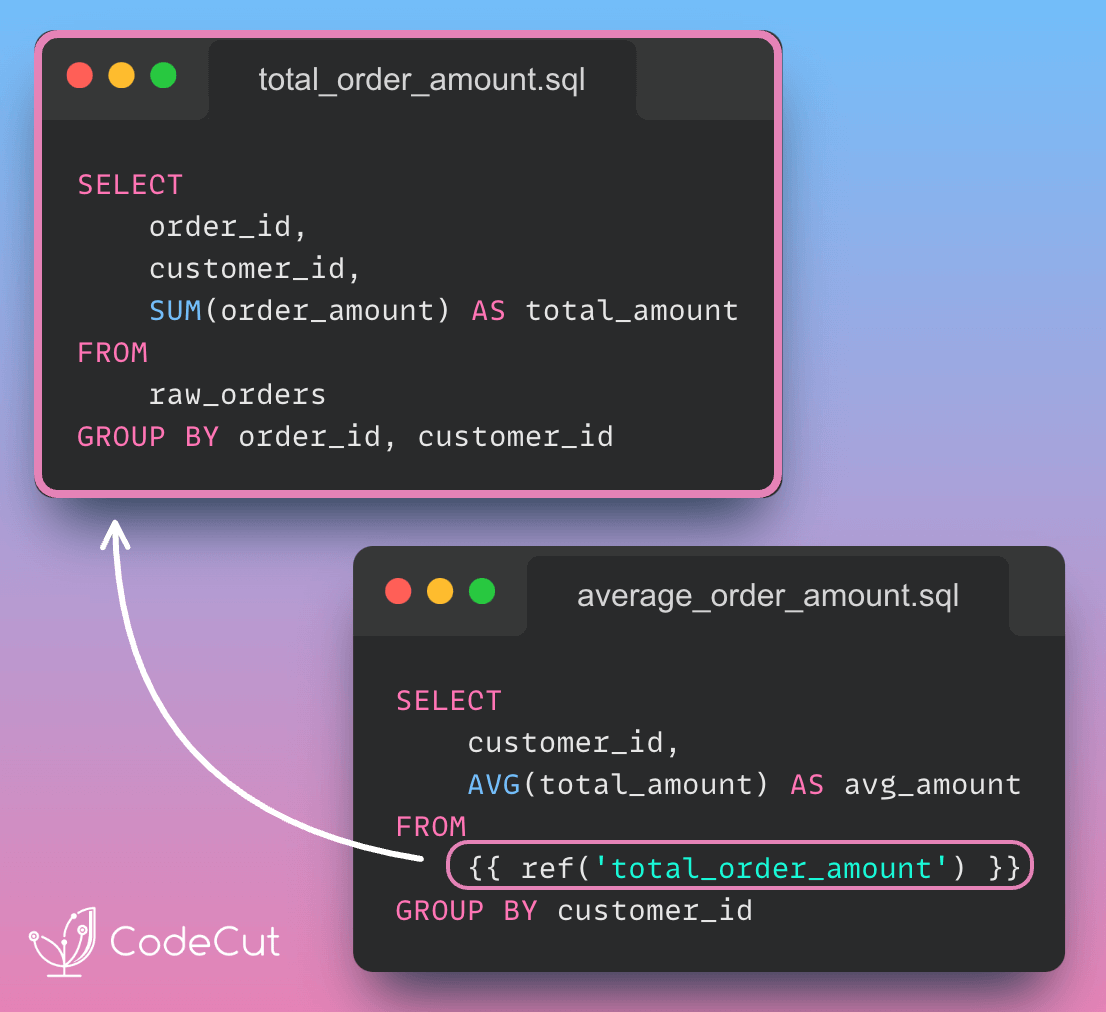
Modular SQL code makes it easy to develop, maintain, test, and reuse code across various queries.
With dbt, you can use the ref function to break down a long SQL statement into smaller components.
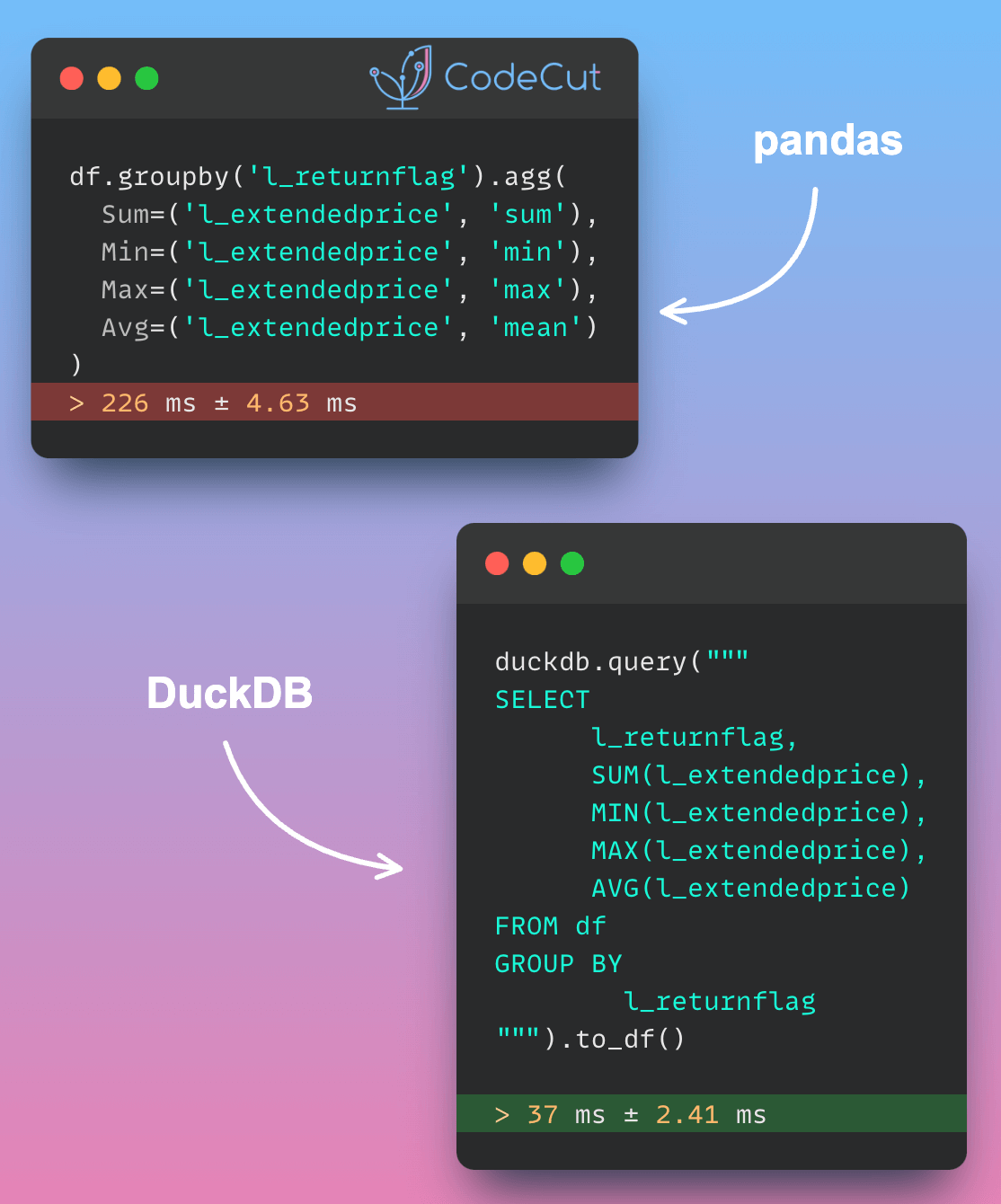
For complex aggregations, Pandas repeatedly scans the full dataset to compute metrics like averages and sums. This approach becomes increasingly inefficient as aggregation complexity or data volume grows.
DuckDB reads only necessary data columns and processes information in chunks. This approach makes it much faster for complex calculations, especially with large datasets
In the code below, aggregating data using DuckDB is nearly 6 times faster compared to aggregating with pandas.
import pandas as pd
import duckdb
df = pd.read_parquet("lineitemsf1.snappy.parquet")
%%timeit
df.groupby('l_returnflag').agg(
Sum=('l_extendedprice', 'sum'),
Min=('l_extendedprice', 'min'),
Max=('l_extendedprice', 'max'),
Avg=('l_extendedprice', 'mean')
)
Output:
226 ms ± 4.63 ms per loop (mean ± std. dev. of 7 runs, 1 loop each)
%%timeit
duckdb.query("""
SELECT
l_returnflag,
SUM(l_extendedprice),
MIN(l_extendedprice),
MAX(l_extendedprice),
AVG(l_extendedprice)
FROM df
GROUP BY
l_returnflag
""").to_df()
Output:
37 ms ± 2.41 ms per loop (mean ± std. dev. of 7 runs, 10 loops each)
Accelerating Complex Calculations: From Pandas to DuckDB Read More »
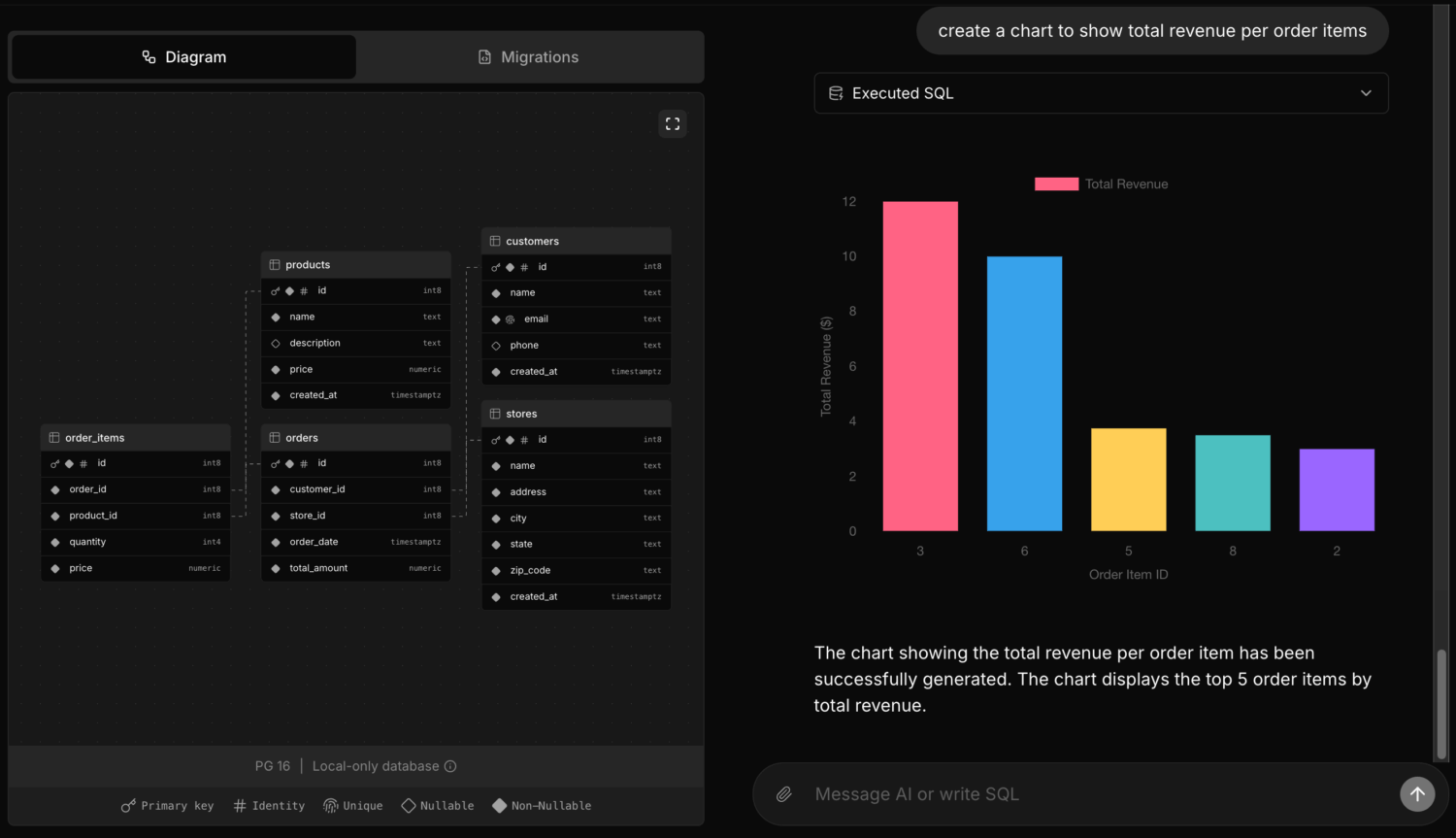
If you’re looking to create sample data and visualizations for proof-of-concept presentations, setting up a local Postgres environment can be a hassle.
postgres-new simplifies this by allowing instant launch of multiple Postgres databases in your web browser, providing a safe environment for experimentation.
Each database comes with AI assistance, powered by a large language model (LLM), enabling:
Data scientists to experiment with structures and relationships
Analysts to import data, run queries, and generate real-time charts
Database architects to design and refine diagrams with AI help
postgres-new: AI-Powered, Browser-Based Postgres for Rapid Prototyping Read More »
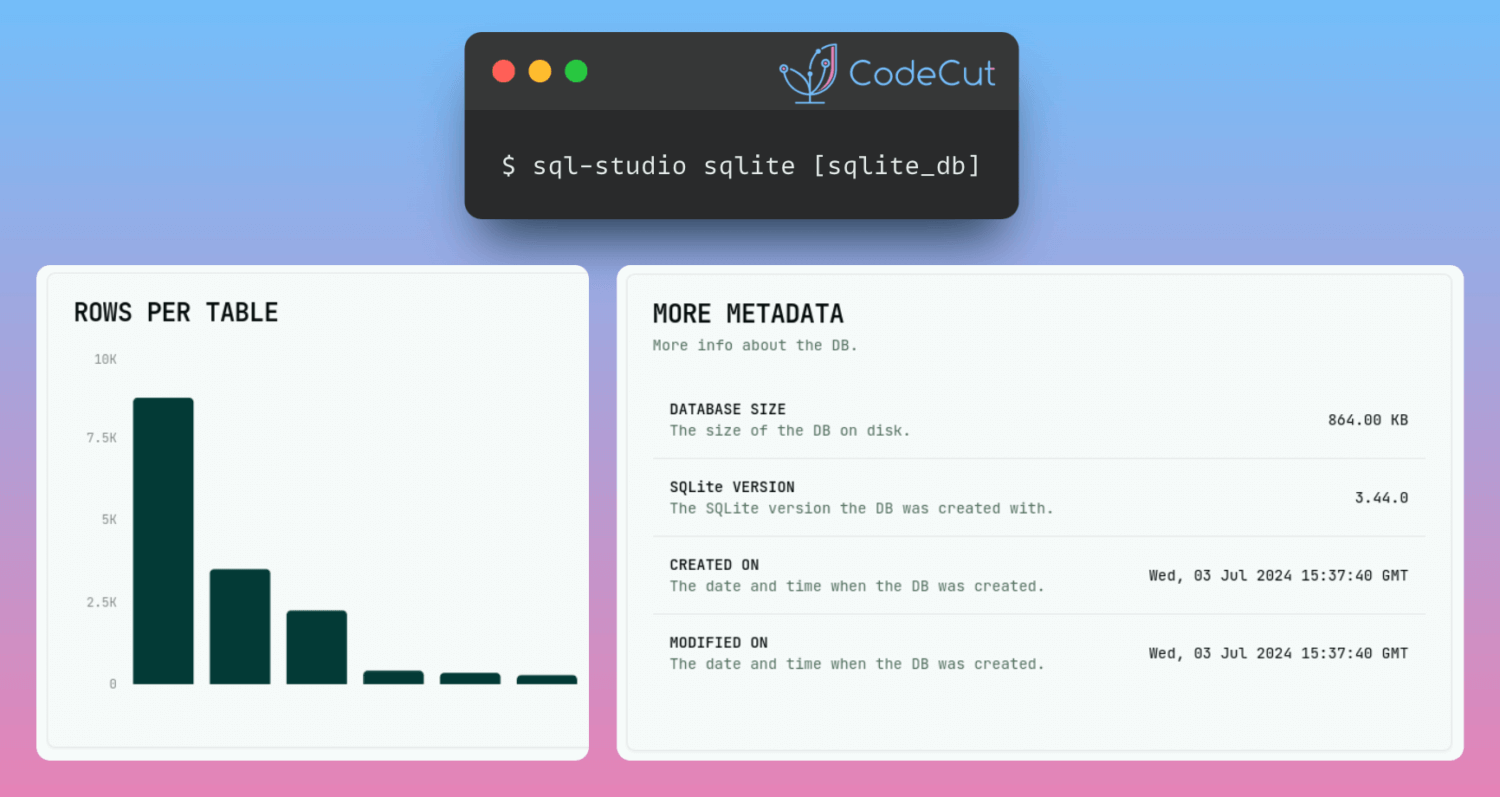
Understanding the database structure can be challenging without proper tools, hindering users’ ability to work effectively.
SQL Studio is a single command SQL database explorer that provides an intuitive way to navigate and understand database structures. SQL studio supports SQLite, libSQL, PostgreSQL, MySQL and DuckDB.
SQL Studio: Simplify Database Exploration Across Multiple Platforms Read More »
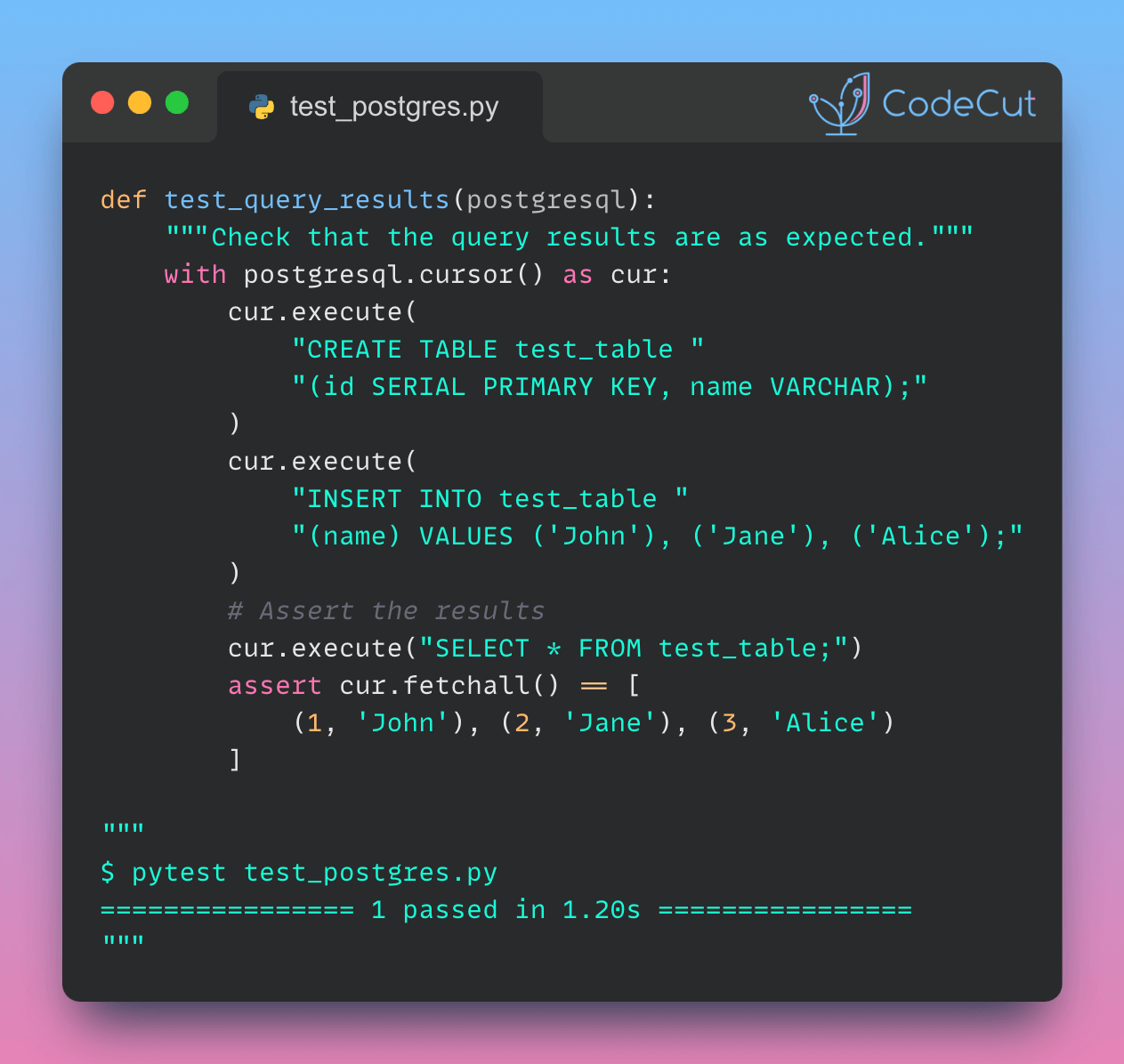
If you want to incorporate database testing seamlessly within your pytest test suite, use pytest-postgresql.
pytest-postgres provides fixtures that manage the setup and cleanup of test databases, ensuring repeatable tests. Additionally, each test runs in isolation, preventing any impact on the production database from testing changes.
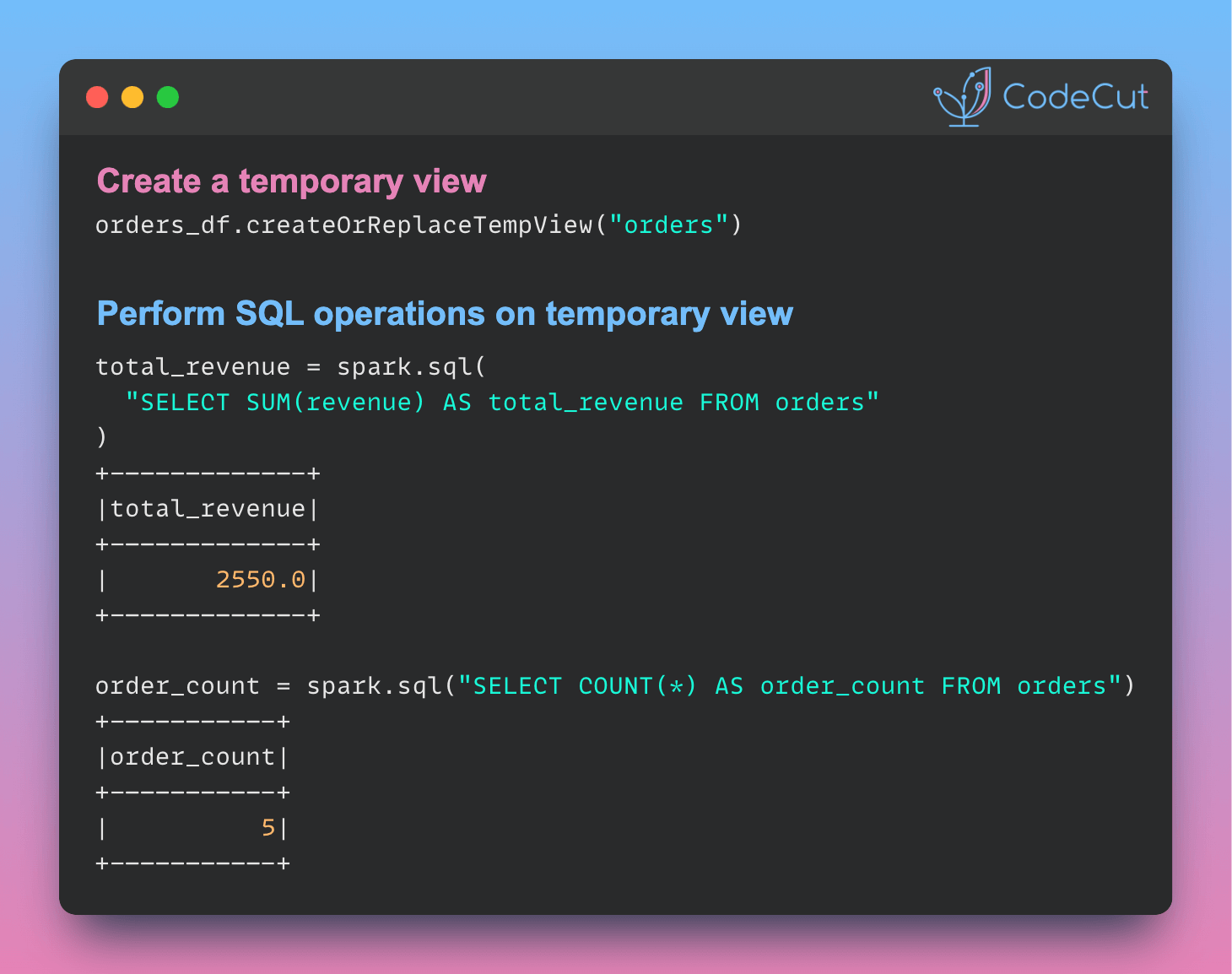
In PySpark, temporary views are virtual tables that can be queried using SQL, enabling code reusability and modularity.
To demonstrate this, let’s create a PySpark DataFrame called orders_df.
# Create a sample DataFrame
data = [
(1001, "John Doe", 500.0),
(1002, "Jane Smith", 750.0),
(1003, "Bob Johnson", 300.0),
(1004, "Sarah Lee", 400.0),
(1005, "Tom Wilson", 600.0),
]
columns = ["customer_id", "customer_name", "revenue"]
orders_df = spark.createDataFrame(data, columns)
Next, create a temporary view called orders from the orders_df DataFrame using the createOrReplaceTempView method.
# Create a temporary view
orders_df.createOrReplaceTempView("orders")
With the temporary view created, we can perform various operations on it using SQL queries.
# Perform operations on the temporary view
total_revenue = spark.sql("SELECT SUM(revenue) AS total_revenue FROM orders")
order_count = spark.sql("SELECT COUNT(*) AS order_count FROM orders")
# Display the results
print("Total Revenue:")
total_revenue.show()
print("\nNumber of Orders:")
order_count.show()
Output:
Total Revenue:
+————-+
|total_revenue|
+————-+
| 2550.0|
+————-+
Number of Orders:
+———–+
|order_count|
+———–+
| 5|
+———–+
Enhance Code Modularity and Reusability with Temporary Views in PySpark Read More »
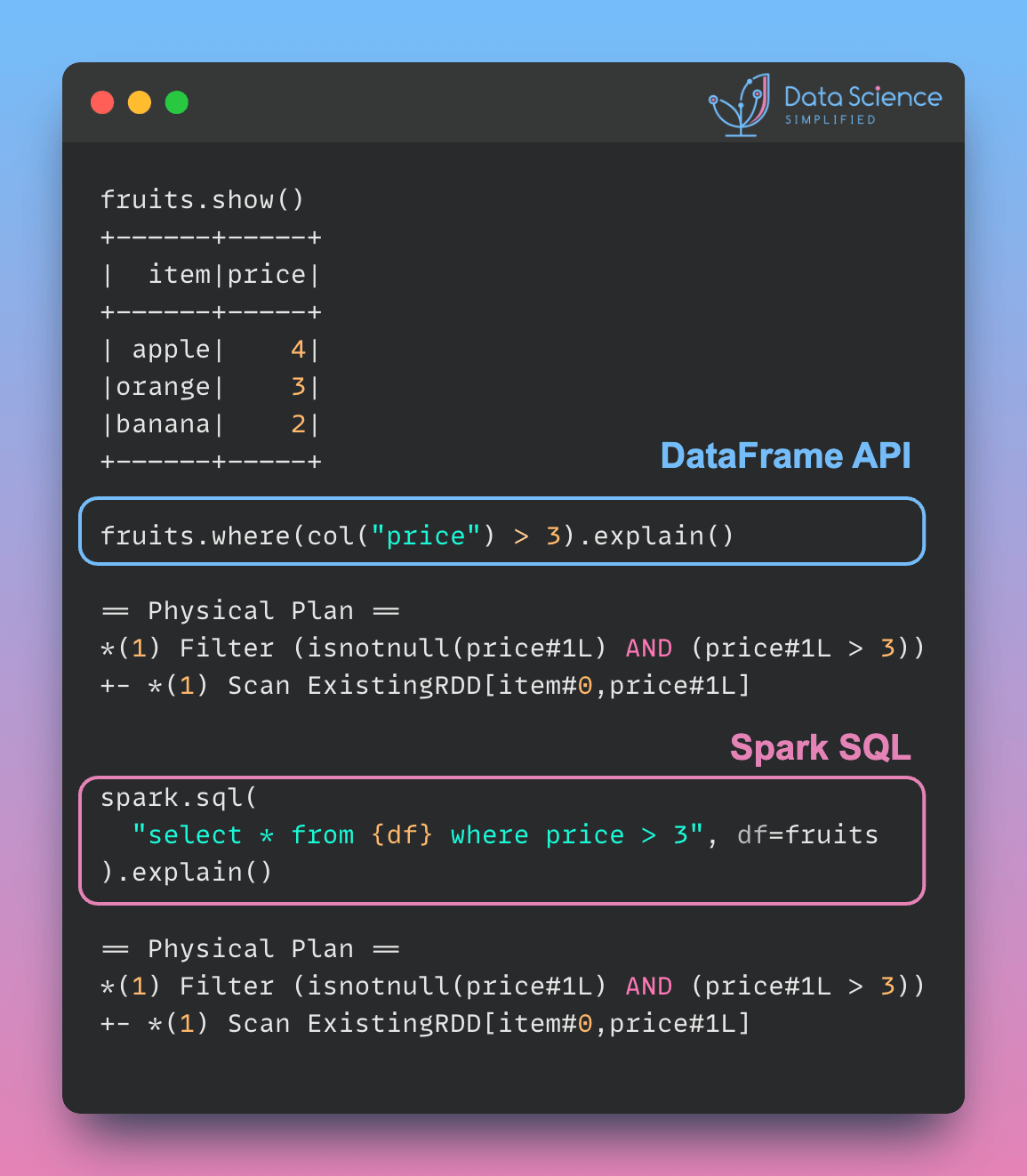
PySpark queries with different syntax (DataFrame API or parameterized SQL) can have the same performance, as the physical plan is identical. Here is an example:
from pyspark.sql.functions import col
fruits = spark.createDataFrame(
[("apple", 4), ("orange", 3), ("banana", 2)], ["item", "price"]
)
fruits.show()
Use the DataFrame API to filter rows where the price is greater than 3.
fruits.where(col("price") > 3).explain()
== Physical Plan ==
*(1) Filter (isnotnull(price#1L) AND (price#1L > 3))
+- *(1) Scan ExistingRDD[item#0,price#1L]
Use the spark.sql() method to execute an equivalent SQL query.
spark.sql("select * from {df} where price > 3", df=fruits).explain()
== Physical Plan ==
*(1) Filter (isnotnull(price#1L) AND (price#1L > 3))
+- *(1) Scan ExistingRDD[item#0,price#1L]
The physical plan for both queries is the same, indicating identical performance.
The choice between DataFrame API and spark.sql() depends on the following:
Familiarity: Use spark.sql() if your team prefers SQL syntax. Use the DataFrame API if chained method calls are more intuitive for your team.
Complexity of Transformations: The DataFrame API is more flexible for complex manipulations, while SQL is more concise for simpler queries.
Optimizing PySpark Queries: DataFrame API or SQL? Read More »

Ensuring data quality and reliability is crucial in dbt projects.
DataPilot’s Power User VSCode extension provide a seamless testing experience in dbt, enabling you to catch data issues early in the development process. With the extension, you can:
Validate your dbt code against best practices
Troubleshoot using real-time column lineage
Generate dbt tests with ease
Streamline dbt Testing with DataPilot’s Power User VSCode Extension Read More »