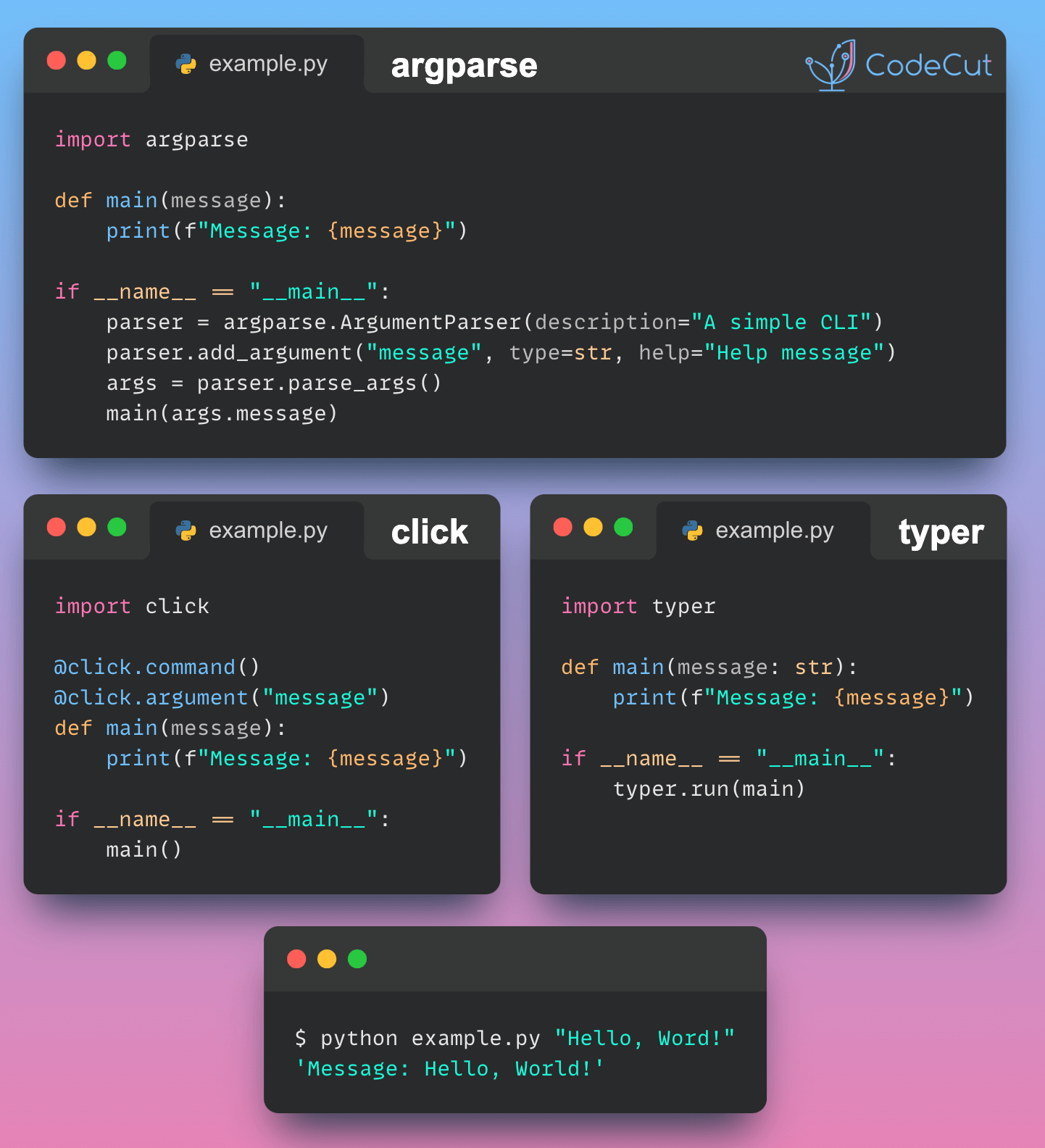

Python has several tools for creating CLIs, each with its own approach and syntax. Three popular choices for parsing command-line arguments and options are argparse, click, and typer.
- argparse: Requires manual argument parsing setup with verbose syntax.
- click: Offers a more concise and declarative way to define commands with decorators.
- typer: Utilizes Python type hints to create a clean and modern CLI interface with minimal boilerplate.
Here’s a comparison of how to create a simple CLI application with a single command that accepts a string argument using argparse, click, and typer.
argparse
# argparse_example.py
import argparse

def main(message):
    print(f"Message: {message}")

if __name__ == "__main__":
    parser = argparse.ArgumentParser(description="A simple CLI with argparse")
    parser.add_argument("message", type=str, help="The message to print")
    args = parser.parse_args()
    main(args.message)
Usage:
python argparse_example.py "Hello, World!"click
# click_example.py
import click

@click.command()
@click.argument("message")
def main(message):
    print(f"Message: {message}")

if __name__ == "__main__":
    main()
Usage:
python click_example.py "Hello, World!"typer
# typer_example.py
import typer

def main(message: str):
    print(f"Message: {message}")

if __name__ == "__main__":
    typer.run(main)
Usage:
python typer_example.py "Hello, World!"
Conclusion
Choosing the right CLI tool in Python comes down to how much structure you want, how complex your interface needs to be, and how much boilerplate you are willing to maintain.
If you need full control and zero dependencies, argparse is reliable and built into the standard library, but it can become verbose as your CLI grows. click strikes a strong balance with a clean decorator-based API and mature ecosystem, making it a solid choice for production-ready tools. typer builds on that simplicity even further by leveraging type hints, giving you a modern, minimal, and highly readable way to define CLIs with less code.
For simple scripts, any of the three will get the job done. But as your tooling becomes more complex, the differences in developer experience and maintainability start to matter. Choosing the right foundation early can save you time as your CLI evolves from a quick utility into something you rely on daily.
If you are thinking about modernizing your Python workflow beyond just CLIs, the tooling you choose for environments, dependencies, and execution plays just as important a role.
Read More
Modernizing your Python tooling? Read our deep dive: Goodbye Pip and Poetry. Why UV Might Be All You Need. The all-in-one tool for dependencies, virtual environments, and CLI scripts.