📅 Today’s Picks
Build Fuzzy Text Matching with difflib Over regex
Problem
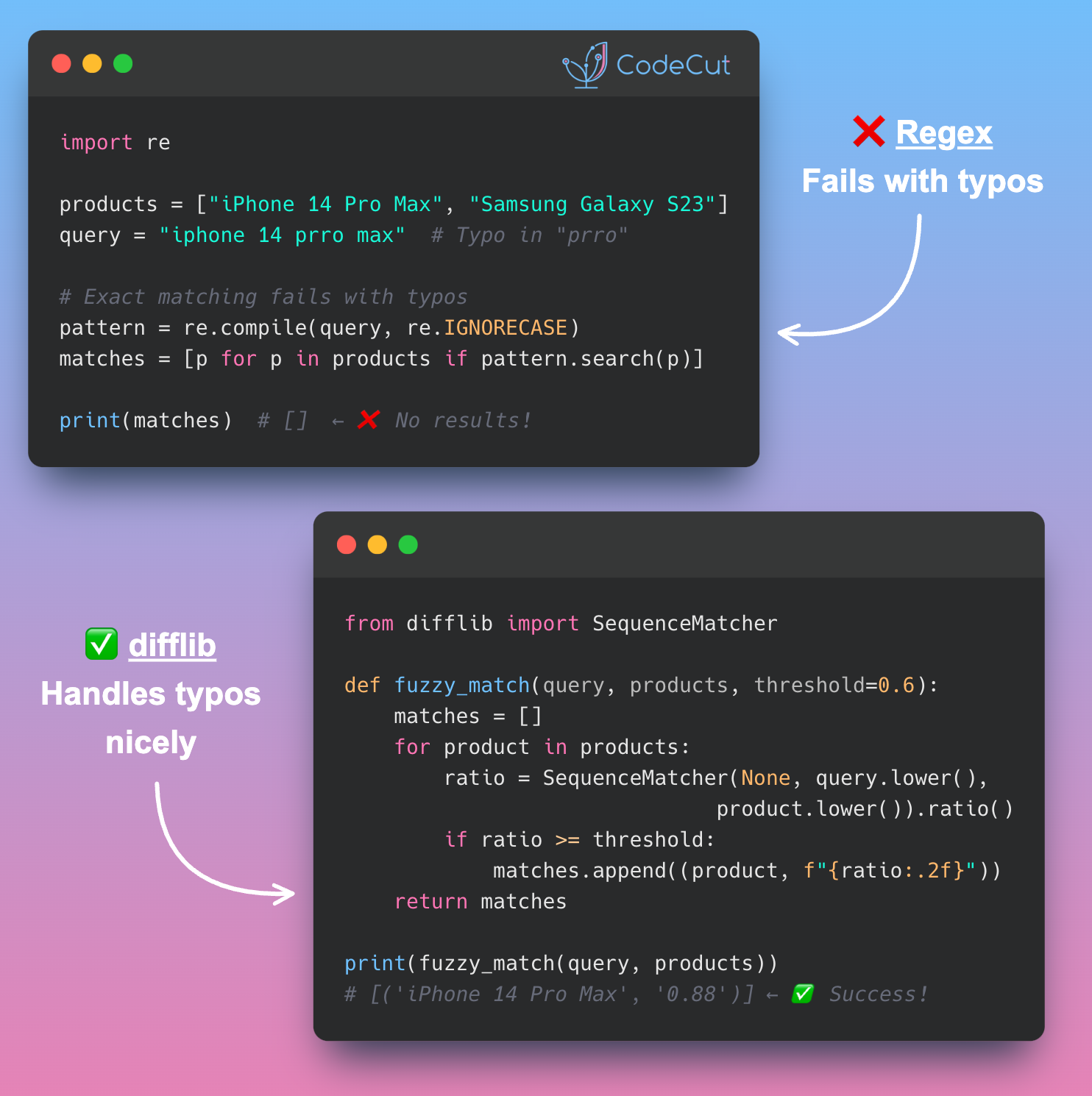
Have you ever spent hours cleaning text data with regex, only to find that “iPhone 14 Pro Max” still doesn’t match “iPhone 14 Prro Max”?
Regex preprocessing achieves only exact matching after cleaning, failing completely with typos and character variations that exact matching cannot handle.
Solution
difflib provides similarity scoring that tolerates typos and character variations, enabling approximate matching where regex fails.
The library calculates similarity ratios between strings:
- Handles typos like “Prro” vs “Pro” automatically
- Returns similarity scores from 0.0 to 1.0 for ranking matches
- Works with character-level variations without preprocessing
- Enables fuzzy matching for real-world messy data
Perfect for product matching, name deduplication, and any scenario where exact matches aren’t realistic.
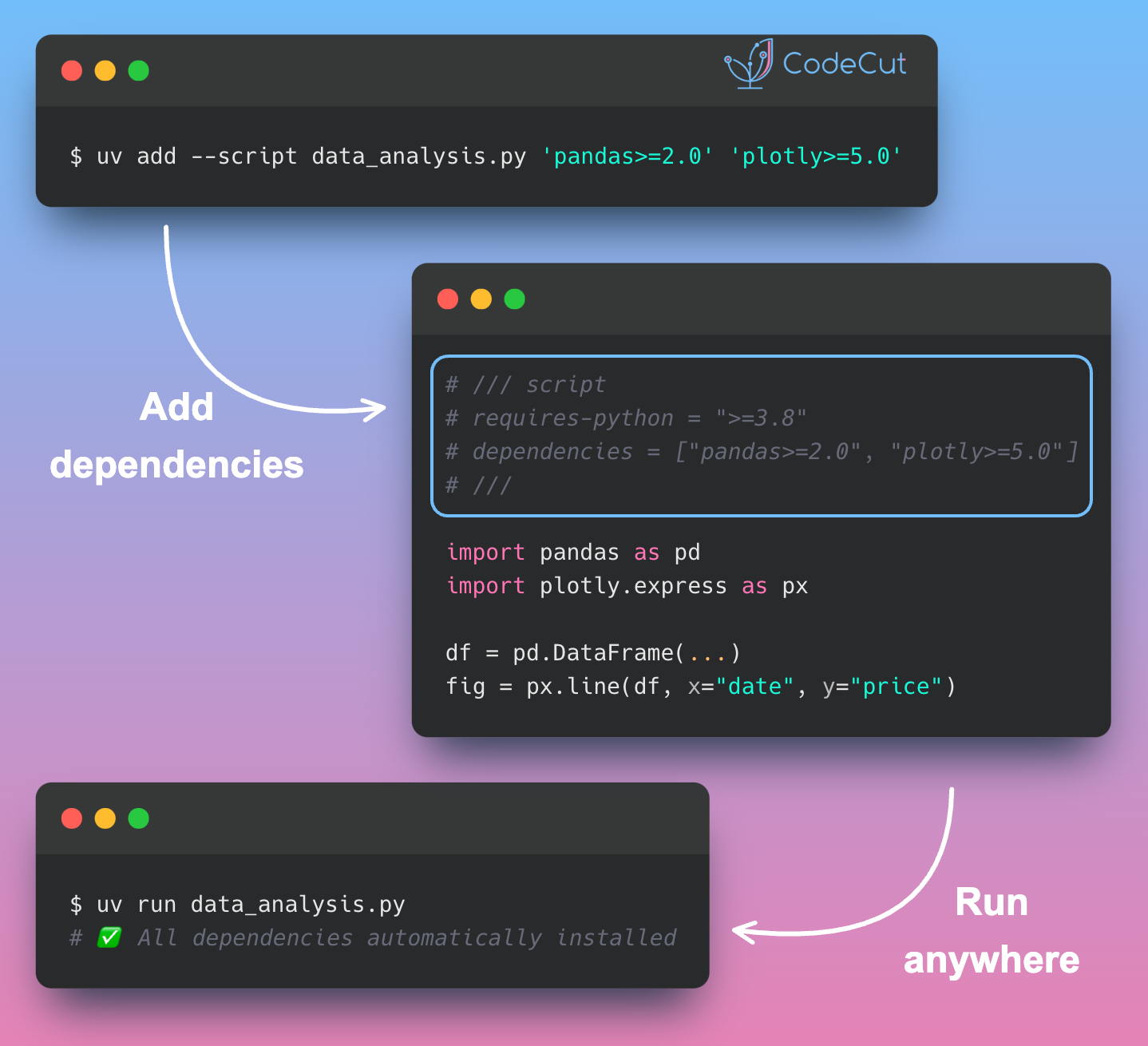
Build Portable Python Scripts with uv PEP 723
Problem
Python scripts break when moved between environments because dependencies are scattered across requirements.txt files, virtual environments, or undocumented assumptions.
Solution
uv enables PEP 723 inline script dependencies, embedding all requirements directly in the script header for true portability.
Use uv add –script script.py dependency to automatically add metadata to any Python file.
Key benefits:
- Self-contained scripts with zero external files
- Easy command-line dependency management
- Perfect for sharing data analysis code across teams
Stay Current with CodeCut
Actionable Python tips, curated for busy data pros. Skim in under 2 minutes, three times a week.