Polars v1.37.0: Faster Lookups with min_by and max_by
📅 Today’s Picks
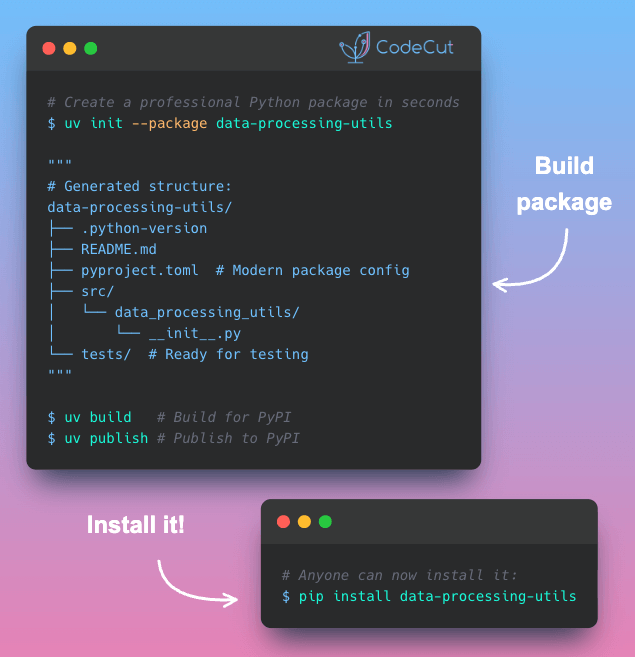
Stop Manually Tracing Dependencies with uv tree
Problem
Debugging version conflicts requires knowing which packages depend on what. But tracing these relationships manually through nested dependencies is tedious.
Solution
uv tree handles this automatically, displaying the full dependency graph so you can trace any package back to its source.
Key capabilities:
Complete dependency visualization
Flag dependencies with available updates
Find which packages depend on a specific library
Filter the tree to show only a specific package’s dependencies
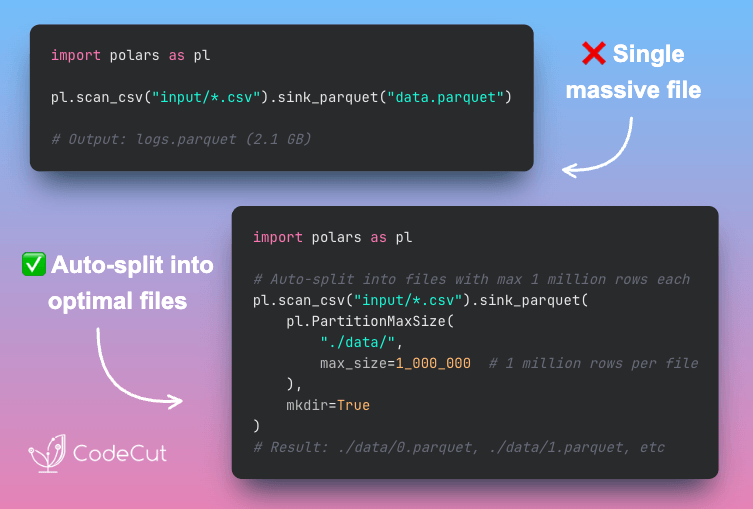
Polars v1.37.0: Faster Lookups with min_by and max_by
Problem
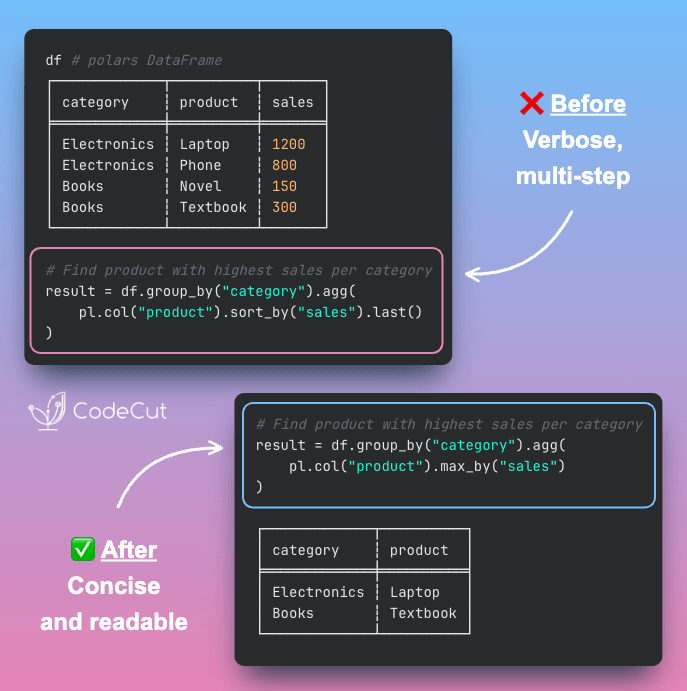
Finding the row with the minimum or maximum value based on another column requires sorting, grouping, or complex filter expressions.
Solution
Polars v1.37.0 adds min_by and max_by expression methods. These methods find minimum or maximum values based on any column in a single, readable expression.
☕️ Weekly Finds
lmql
[LLM]
– A programming language for constraint-guided and efficient LLM programming based on a superset of Python.
helicone
[MLOps]
– Open-source LLM observability platform with one-line integration for monitoring, analytics, and management.
responses
[Python Utils]
– A utility library for mocking out the Python Requests library in tests.
Looking for a specific tool? Explore 70+ Python tools →
📚 Latest Deep Dives
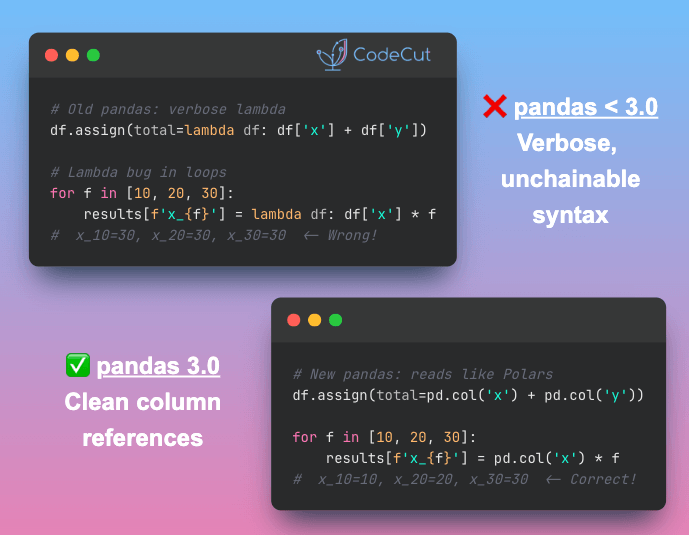
What’s New in pandas 3.0: Expressions, Copy-on-Write, and Faster Strings
– Learn what’s new in pandas 3.0: pd.col expressions for cleaner code, Copy-on-Write for predictable behavior, and PyArrow-backed strings for 5-10x faster operations.
Stay Current with CodeCut
Actionable Python tips, curated for busy data pros. Skim in under 2 minutes, three times a week.
.codecut-subscribe-form .codecut-input {
background: #2F2D2E !important;
border: 1px solid #72BEFA !important;
color: #FFFFFF !important;
}
.codecut-subscribe-form .codecut-input::placeholder {
color: #999999 !important;
}
.codecut-subscribe-form .codecut-subscribe-btn {
background: #72BEFA !important;
color: #2F2D2E !important;
}
.codecut-subscribe-form .codecut-subscribe-btn:hover {
background: #5aa8e8 !important;
}
.codecut-subscribe-form {
max-width: 650px;
display: flex;
flex-direction: column;
gap: 8px;
}
.codecut-input {
-webkit-appearance: none;
-moz-appearance: none;
appearance: none;
background: #FFFFFF;
border-radius: 8px !important;
padding: 8px 12px;
font-family: ‘Comfortaa’, sans-serif !important;
font-size: 14px !important;
color: #333333;
border: none !important;
outline: none;
width: 100%;
box-sizing: border-box;
}
input[type=”email”].codecut-input {
border-radius: 8px !important;
}
.codecut-input::placeholder {
color: #666666;
}
.codecut-email-row {
display: flex;
align-items: stretch;
height: 36px;
gap: 8px;
}
.codecut-email-row .codecut-input {
flex: 1;
}
.codecut-subscribe-btn {
background: #72BEFA;
color: #2F2D2E;
border: none;
border-radius: 8px;
padding: 8px 14px;
font-family: ‘Comfortaa’, sans-serif;
font-size: 14px;
font-weight: 500;
cursor: pointer;
text-decoration: none;
display: flex;
align-items: center;
justify-content: center;
transition: background 0.3s ease;
}
.codecut-subscribe-btn:hover {
background: #5aa8e8;
}
.codecut-subscribe-btn:disabled {
background: #999;
cursor: not-allowed;
}
.codecut-message {
font-family: ‘Comfortaa’, sans-serif;
font-size: 12px;
padding: 8px;
border-radius: 6px;
display: none;
}
.codecut-message.success {
background: #d4edda;
color: #155724;
display: block;
}
@media (max-width: 480px) {
.codecut-email-row {
flex-direction: column;
height: auto;
gap: 8px;
}
.codecut-input {
border-radius: 8px;
height: 36px;
}
.codecut-subscribe-btn {
width: 100%;
text-align: center;
border-radius: 8px;
height: 36px;
}
}
Subscribe
Polars v1.37.0: Faster Lookups with min_by and max_by Read More »