Grab your coffee. Here are this week’s highlights.
📅 Today’s Picks
LM Studio – Pick Local Models That Fit Your Machine
Problem
Choosing a local LLM is not just about picking the smartest model.
You also need to know whether your machine can actually run it.
Model size, quantization, GPU memory, and system RAM all affect whether the model will load successfully.
Solution
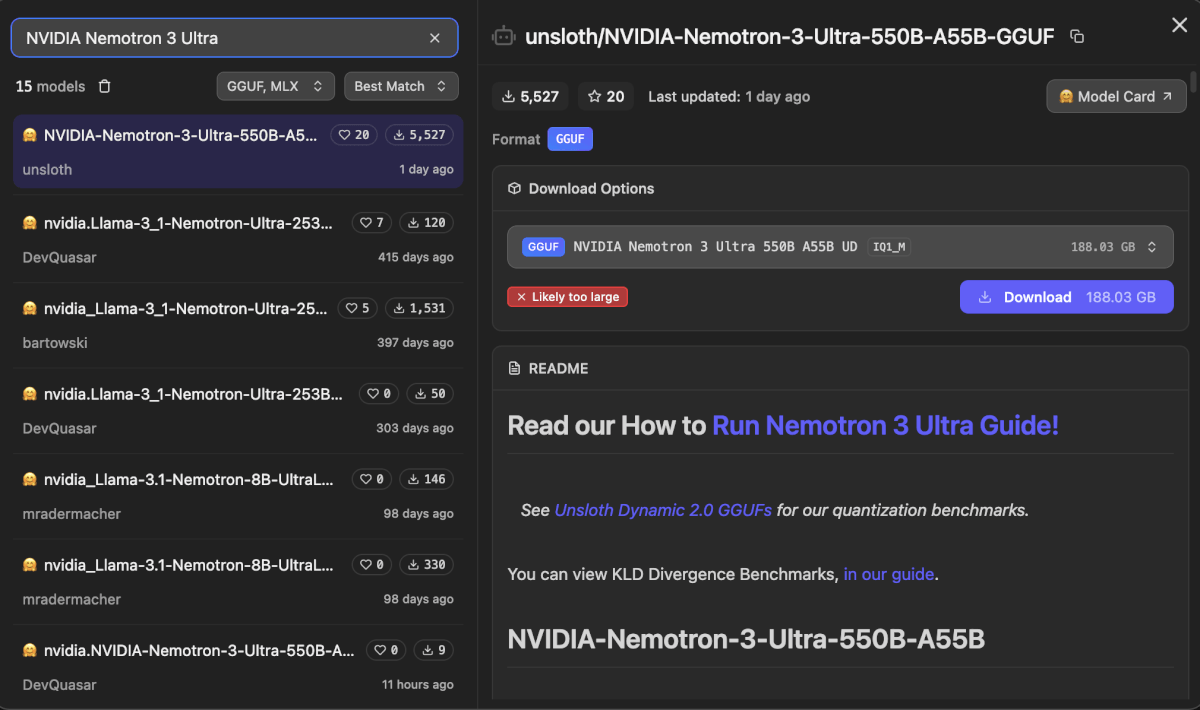
LM Studio makes local model selection easier by showing the details that affect whether a model will run well.
What LM Studio shows:
- Download options: choose among model variants by comparing format, quantization, and download size.
- Fit signal: see whether the model is likely to fit your machine before downloading.
- README: review model-specific instructions and benchmarks from the model page.
PP-OCRv6 – Extract Text from Receipts with Small OCR Models
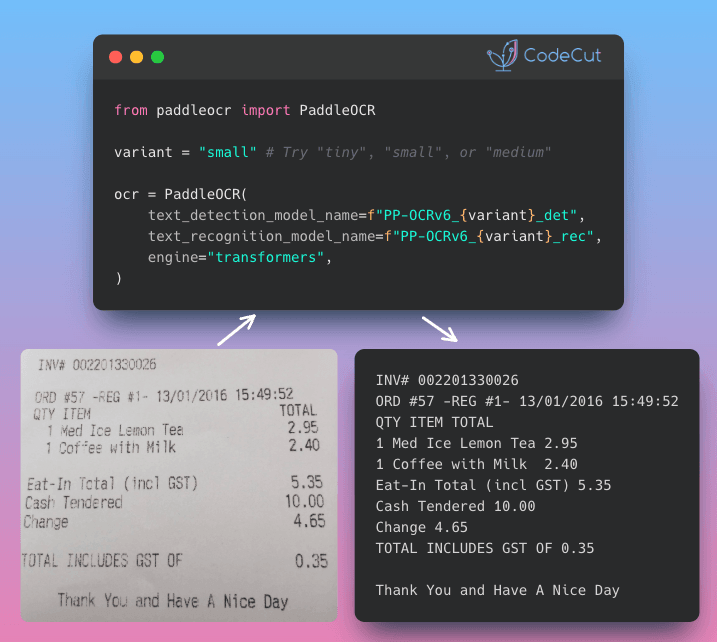
Problem
When extracting text from messy documents, many teams now reach for large vision-language models.
But if you only need to find and read text, a smaller OCR-specific model may be faster and cheaper to run.
Solution
PP-OCRv6 is designed for reading text from images, rather than broad vision-language reasoning, so it can focus on text extraction efficiently.
It delivers strong text detection and recognition while staying much smaller than billion-parameter VLMs.
With tiny, small, and medium variants, you can start lightweight and switch to a larger model only when the extracted text needs better accuracy.
Stay Current with CodeCut
Actionable Python tips, curated for busy data pros. Skim in under 2 minutes, three times a week.