Grab your coffee. Here are this week’s highlights.
📅 Today’s Picks
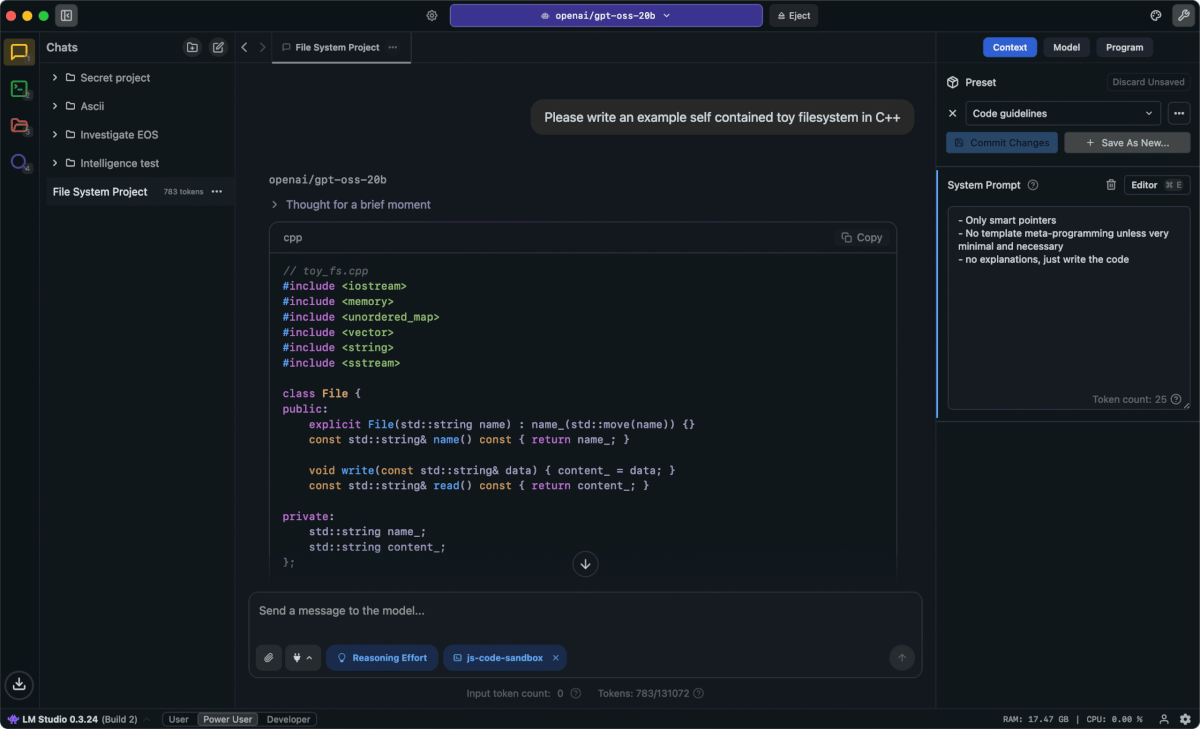
LM Studio – Try local LLMs without setup code
Problem
Tools like Ollama and Hugging Face Transformers are powerful, but they can still require CLI commands, Python setup, model configuration, or server management before you send your first prompt.
That friction makes cloud APIs feel easier, even when local models are better for privacy, cost, or offline experimentation.
Solution
LM Studio gives you a clean desktop interface for browsing, downloading, and running local models without writing setup code.
Clean Code Skills – Turn AI-generated code into cleaner Python
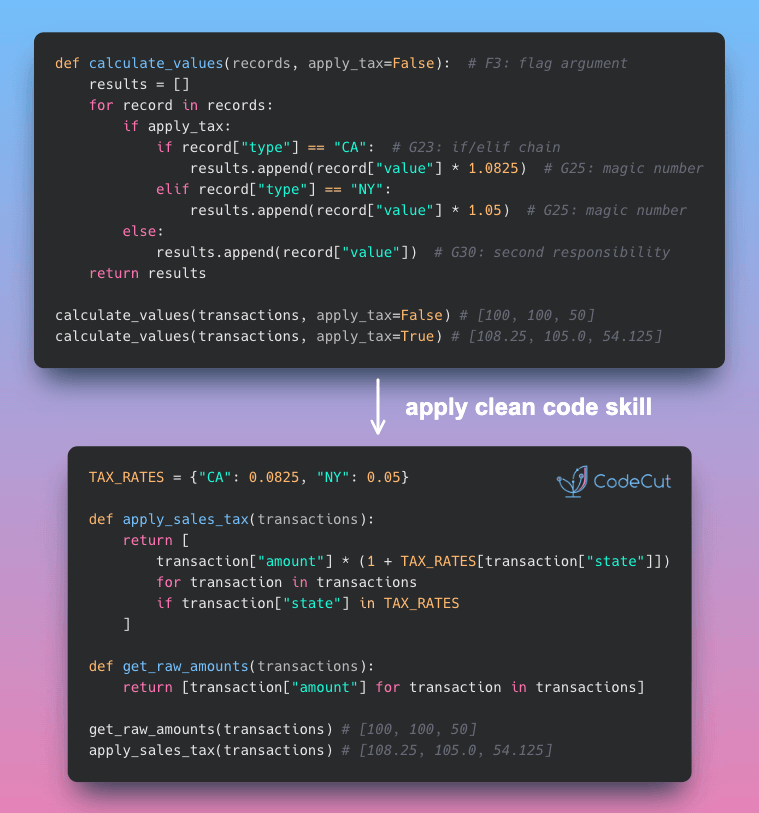
Problem
AI-generated code often works on the first run, but the structure can be hard to follow.
You might see long functions, duplicated logic, vague names, or deeply nested conditionals that make future changes slower.
Solution
Clean Code Skills gives your AI agent focused guidance based on Robert C. Martin’s Clean Code rules for Python and TypeScript.
Each skill targets a maintenance problem:
- boy-scout: improve the code it touches
- clean-functions: keep functions small and focused
- clean-names: choose names that explain intent
- clean-tests: write tests around clear behavior
- clean-general: reduce duplication, magic numbers, long branching paths, and more
I use this skill when asking my agent to write Python code, refactor existing code, review a change, or add tests.
Stay Current with CodeCut
Actionable Python tips, curated for busy data pros. Skim in under 2 minutes, three times a week.