Generic selectors
Exact matches only
Search in title
Search in content
Post Type Selectors
Filter by Categories
About Article
Analyze Data
Archive
Best Practices
Better Outputs
Blog
Code Optimization
Code Quality
Command Line
Course
Daily tips
Dashboard
Data Analysis & Manipulation
Data Engineer
Data Visualization
DataFrame
Delta Lake
DevOps
DuckDB
Environment Management
Feature Engineer
Git
Jupyter Notebook
LLM
LLM Tools
Machine Learning
Machine Learning & AI
Machine Learning Tools
Manage Data
MLOps
Natural Language Processing
Newsletter Archive
NumPy
Pandas
Polars
PySpark
Python Helpers
Python Tips
Python Utilities
Scrape Data
SQL
Testing
Time Series
Tools
Visualization
Visualization & Reporting
Workflow & Automation
Workflow Automation

python

Auto-created tag for python

Newsletter #244: Handle Large Data with Polars Streaming Mode

📅 Today’s Picks

Handle Large Data with Polars Streaming Mode

Problem
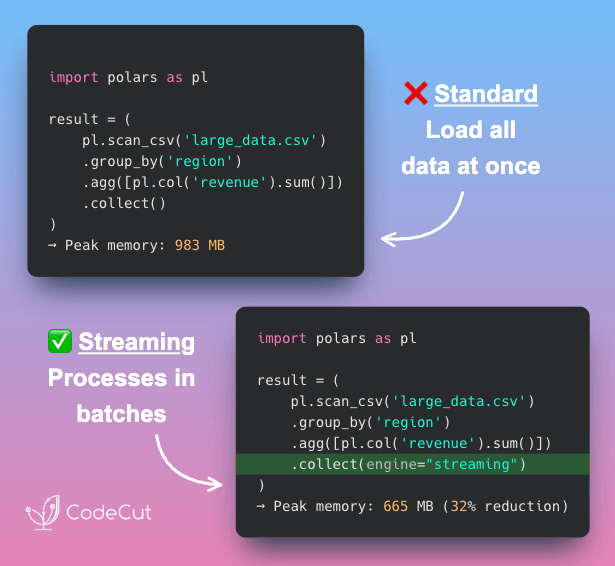
In Polars, the .collect() method executes a lazy query and loads the entire dataset into memory. This works well for smaller data, but once the dataset grows beyond your available RAM, it can easily crash your process.
Solution
Add engine=”streaming” to .collect() to process large datasets in small batches without running out of memory.
How it works:

Breaks the dataset into smaller, memory-friendly chunks
Processes one batch at a time while freeing memory as it goes
Combines all partial results into a single DataFrame

📖 View Full Article

🧪 Run code

⭐ View GitHub

Build Professional Python Packages with UV –package

Problem
Python packages turn your code into reusable modules you can share across projects.
But building them requires complex setup with setuptools, managing build systems, and understanding distribution mechanics.
Solution
UV, a fast Python package installer and resolver, reduces the entire process to 2 simple commands:

uv init –package sets up your package structure instantly
uv build and uv publish to create and distribute to PyPI

📖 Learn more

⭐ View GitHub

☕️ Weekly Finds

whenever
[Python Utils]
– Modern datetime library for Python that ensures correct and type-checked datetime manipulations. It is DST-safe and way faster than standard datetime libraries.

lancedb
[MLOps]
– Developer-friendly, embedded retrieval database for AI/ML applications. The ultimate multimodal data platform designed for fast, scalable, and production-ready vector search.

grip
[Python Utils]
– Preview GitHub README.md files locally before committing them. A command-line server that uses GitHub’s Markdown API to render local readme files.

Looking for a specific tool? Explore 70+ Python tools →

Stay Current with CodeCut

Actionable Python tips, curated for busy data pros. Skim in under 2 minutes, three times a week.

.codecut-subscribe-form .codecut-input {
background: #2F2D2E !important;
border: 1px solid #72BEFA !important;
color: #FFFFFF !important;
}
.codecut-subscribe-form .codecut-input::placeholder {
color: #999999 !important;
}
.codecut-subscribe-form .codecut-subscribe-btn {
background: #72BEFA !important;
color: #2F2D2E !important;
}
.codecut-subscribe-form .codecut-subscribe-btn:hover {
background: #5aa8e8 !important;
}

.codecut-subscribe-form {
max-width: 650px;
display: flex;
flex-direction: column;
gap: 8px;
}
.codecut-input {
-webkit-appearance: none;
-moz-appearance: none;
appearance: none;
background: #FFFFFF;
border-radius: 8px !important;
padding: 8px 12px;
font-family: ‘Comfortaa’, sans-serif !important;
font-size: 14px !important;
color: #333333;
border: none !important;
outline: none;
width: 100%;
box-sizing: border-box;
}
input[type=”email”].codecut-input {
border-radius: 8px !important;
}
.codecut-input::placeholder {
color: #666666;
}
.codecut-email-row {
display: flex;
align-items: stretch;
height: 36px;
gap: 8px;
}
.codecut-email-row .codecut-input {
flex: 1;
}
.codecut-subscribe-btn {
background: #72BEFA;
color: #2F2D2E;
border: none;
border-radius: 8px;
padding: 8px 14px;
font-family: ‘Comfortaa’, sans-serif;
font-size: 14px;
font-weight: 500;
cursor: pointer;
text-decoration: none;
display: flex;
align-items: center;
justify-content: center;
transition: background 0.3s ease;
}
.codecut-subscribe-btn:hover {
background: #5aa8e8;
}
.codecut-subscribe-btn:disabled {
background: #999;
cursor: not-allowed;
}
.codecut-message {
font-family: ‘Comfortaa’, sans-serif;
font-size: 12px;
padding: 8px;
border-radius: 6px;
display: none;
}
.codecut-message.success {
background: #d4edda;
color: #155724;
display: block;
}
@media (max-width: 480px) {
.codecut-email-row {
flex-direction: column;
height: auto;
gap: 8px;
}
.codecut-input {
border-radius: 8px;
height: 36px;
}
.codecut-subscribe-btn {
width: 100%;
text-align: center;
border-radius: 8px;
height: 36px;
}
}

Subscribe

Newsletter #244: Handle Large Data with Polars Streaming Mode Read More »

Newsletter #243: Turn Your ML Tests Into Plain English with Behave

📅 Today’s Picks

Turn Your ML Tests Into Plain English with Behave

Problem
Unit testing matters in data science, but writing tests that business stakeholders can actually understand is a challenge.
If they can’t read the tests, they can’t confirm the logic matches business expectations.
Solution
Behave turns test cases into plain-English specifications using the Given/When/Then format.
How to use Behave for readable tests:

Write .feature files with Given/When/Then syntax
Implement steps in Python using @given, @when, @then decorators
Run “behave” to execute tests

This lets technical and business teams stay aligned without confusion.

📖 View Full Article

🧪 Run code

⭐ View GitHub

Build Powerful Data Pipelines with DuckDB + pandas

Problem
Pandas is great for data cleaning and feature engineering, while SQL excels at complex aggregations.
But moving data from pandas to a database and back can be tedious.
Solution
DuckDB solves this by letting you run SQL directly on pandas DataFrames and return the results back into pandas for further analysis.

📖 View Full Article

🧪 Run code

⭐ View GitHub

☕️ Weekly Finds

feast
[MLOps]
– Open source feature store for machine learning that manages existing infrastructure to productionize ML models with fast data consistency and leakage prevention

git-who
[Python Utils]
– CLI tool for industrial-scale git blaming that shows who is responsible for entire components or subsystems in your codebase, not just individual lines

organize
[Python Utils]
– File management automation tool for safe moving, renaming, copying files with conflict resolution, duplicate detection, and Exif tag extraction

Looking for a specific tool? Explore 70+ Python tools →

Stay Current with CodeCut

Actionable Python tips, curated for busy data pros. Skim in under 2 minutes, three times a week.

.codecut-subscribe-form .codecut-input {
background: #2F2D2E !important;
border: 1px solid #72BEFA !important;
color: #FFFFFF !important;
}
.codecut-subscribe-form .codecut-input::placeholder {
color: #999999 !important;
}
.codecut-subscribe-form .codecut-subscribe-btn {
background: #72BEFA !important;
color: #2F2D2E !important;
}
.codecut-subscribe-form .codecut-subscribe-btn:hover {
background: #5aa8e8 !important;
}

.codecut-subscribe-form {
max-width: 650px;
display: flex;
flex-direction: column;
gap: 8px;
}
.codecut-input {
-webkit-appearance: none;
-moz-appearance: none;
appearance: none;
background: #FFFFFF;
border-radius: 8px !important;
padding: 8px 12px;
font-family: ‘Comfortaa’, sans-serif !important;
font-size: 14px !important;
color: #333333;
border: none !important;
outline: none;
width: 100%;
box-sizing: border-box;
}
input[type=”email”].codecut-input {
border-radius: 8px !important;
}
.codecut-input::placeholder {
color: #666666;
}
.codecut-email-row {
display: flex;
align-items: stretch;
height: 36px;
gap: 8px;
}
.codecut-email-row .codecut-input {
flex: 1;
}
.codecut-subscribe-btn {
background: #72BEFA;
color: #2F2D2E;
border: none;
border-radius: 8px;
padding: 8px 14px;
font-family: ‘Comfortaa’, sans-serif;
font-size: 14px;
font-weight: 500;
cursor: pointer;
text-decoration: none;
display: flex;
align-items: center;
justify-content: center;
transition: background 0.3s ease;
}
.codecut-subscribe-btn:hover {
background: #5aa8e8;
}
.codecut-subscribe-btn:disabled {
background: #999;
cursor: not-allowed;
}
.codecut-message {
font-family: ‘Comfortaa’, sans-serif;
font-size: 12px;
padding: 8px;
border-radius: 6px;
display: none;
}
.codecut-message.success {
background: #d4edda;
color: #155724;
display: block;
}
@media (max-width: 480px) {
.codecut-email-row {
flex-direction: column;
height: auto;
gap: 8px;
}
.codecut-input {
border-radius: 8px;
height: 36px;
}
.codecut-subscribe-btn {
width: 100%;
text-align: center;
border-radius: 8px;
height: 36px;
}
}

Subscribe
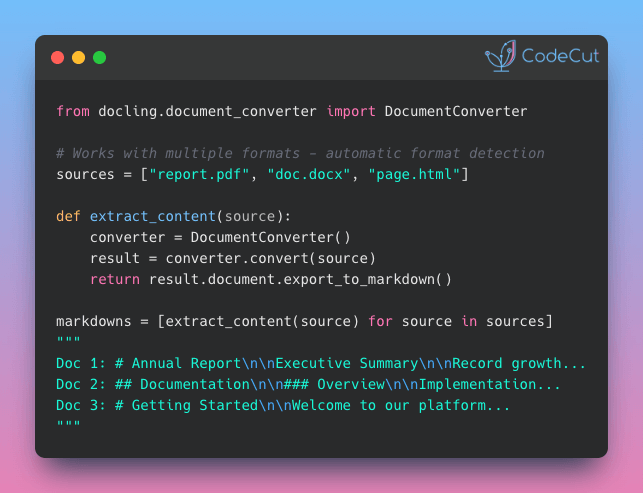
Newsletter #243: Turn Your ML Tests Into Plain English with Behave Read More »

Behave: Write Readable ML Tests with Behavior-Driven Development

Table of Contents

Motivation
What is behave?
Invariance Testing
Directional Testing
Minimum Functionality Testing
Behave’s Trade-offs
Conclusion

Motivation
Imagine you create an ML model to predict customer sentiment based on reviews. Upon deploying it, you realize that the model incorrectly labels certain positive reviews as negative when they’re rephrased using negative words.

This is just one example of how an extremely accurate ML model can fail without proper testing. Thus, testing your model for accuracy and reliability is crucial before deployment.
But how do you test your ML model? One straightforward approach is to use unit-test:
from textblob import TextBlob

def test_sentiment_the_same_after_paraphrasing():
sent = "The hotel room was great! It was spacious, clean and had a nice view of the city."
sent_paraphrased = "The hotel room wasn't bad. It wasn't cramped, dirty, and had a decent view of the city."

sentiment_original = TextBlob(sent).sentiment.polarity
sentiment_paraphrased = TextBlob(sent_paraphrased).sentiment.polarity

both_positive = (sentiment_original > 0) and (sentiment_paraphrased > 0)
both_negative = (sentiment_original < 0) and (sentiment_paraphrased < 0)
assert both_positive or both_negative

This approach works but can be challenging for non-technical or business participants to understand. Wouldn’t it be nice if you could incorporate project objectives and goals into your tests, expressed in natural language?
Feature: Sentiment Analysis
As a data scientist
I want to ensure that my model is invariant to paraphrasing
So that my model can produce consistent results.

Scenario: Paraphrased text
Given a text
When the text is paraphrased
Then both text should have the same sentiment

That is when behave comes in handy.

💻 Get the Code: The complete source code and Jupyter notebook for this tutorial are available on GitHub. Clone it to follow along!

Stay Current with CodeCut
Actionable Python tips, curated for busy data pros. Skim in under 2 minutes, three times a week.

.codecut-subscribe-form .codecut-input {
background: #2F2D2E !important;
border: 1px solid #72BEFA !important;
color: #FFFFFF !important;
}
.codecut-subscribe-form .codecut-input::placeholder {
color: #999999 !important;
}
.codecut-subscribe-form .codecut-subscribe-btn {
background: #72BEFA !important;
color: #2F2D2E !important;
}
.codecut-subscribe-form .codecut-subscribe-btn:hover {
background: #5aa8e8 !important;
}

.codecut-subscribe-form {
max-width: 650px;
display: flex;
flex-direction: column;
gap: 8px;
}

.codecut-input {
-webkit-appearance: none;
-moz-appearance: none;
appearance: none;
background: #FFFFFF;
border-radius: 8px !important;
padding: 8px 12px;
font-family: ‘Comfortaa’, sans-serif !important;
font-size: 14px !important;
color: #333333;
border: none !important;
outline: none;
width: 100%;
box-sizing: border-box;
}

input[type=”email”].codecut-input {
border-radius: 8px !important;
}

.codecut-input::placeholder {
color: #666666;
}

.codecut-email-row {
display: flex;
align-items: stretch;
height: 36px;
gap: 8px;
}

.codecut-email-row .codecut-input {
flex: 1;
}

.codecut-subscribe-btn {
background: #72BEFA;
color: #2F2D2E;
border: none;
border-radius: 8px;
padding: 8px 14px;
font-family: ‘Comfortaa’, sans-serif;
font-size: 14px;
font-weight: 500;
cursor: pointer;
text-decoration: none;
display: flex;
align-items: center;
justify-content: center;
transition: background 0.3s ease;
}

.codecut-subscribe-btn:hover {
background: #5aa8e8;
}

.codecut-subscribe-btn:disabled {
background: #999;
cursor: not-allowed;
}

.codecut-message {
font-family: ‘Comfortaa’, sans-serif;
font-size: 12px;
padding: 8px;
border-radius: 6px;
display: none;
}

.codecut-message.success {
background: #d4edda;
color: #155724;
display: block;
}

/* Mobile responsive */
@media (max-width: 480px) {
.codecut-email-row {
flex-direction: column;
height: auto;
gap: 8px;
}

.codecut-input {
border-radius: 8px;
height: 36px;
}

.codecut-subscribe-btn {
width: 100%;
text-align: center;
border-radius: 8px;
height: 36px;
}
}

Subscribe
What is behave?
behave is a Python framework for behavior-driven development (BDD). BDD is a software development methodology that:

Emphasizes collaboration between stakeholders (such as business analysts, developers, and testers)
Enables users to define requirements and specifications for a software application

Since behave provides a common language and format for expressing requirements and specifications, it can be ideal for defining and validating the behavior of machine learning models.
To install behave, type:
pip install behave

Let’s use behave to perform various tests on machine learning models.

📚 For comprehensive unit testing strategies and best practices, check out Production-Ready Data Science.

Invariance Testing
Invariance testing tests whether an ML model produces consistent results under different conditions.
An example of invariance testing involves verifying if a model is invariant to paraphrasing. An ideal model should maintain consistent sentiment scores even when a positive review is rephrased using negative words like “wasn’t bad” instead of “was good.”

Feature File
To use behave for invariance testing, create a directory called features. Under that directory, create a file called invariant_test_sentiment.feature.
└── features/
└─── invariant_test_sentiment.feature

Within the invariant_test_sentiment.feature file, we will specify the project requirements:
Feature: Sentiment Analysis
As a data scientist
I want to ensure that my model is invariant to paraphrasing
So that my model can produce consistent results.

Scenario: Paraphrased text
Given a text
When the text is paraphrased
Then both text should have the same sentiment

The “Given,” “When,” and “Then” parts of this file present the actual steps that will be executed by behave during the test.
The Feature section serves as living documentation to provide context but does not trigger test execution.
Python Step Implementation
To implement the steps used in the scenarios with Python, start with creating the features/steps directory and a file called invariant_test_sentiment.py within it:
└── features/
├──── invariant_test_sentiment.feature
└──── steps/
└──── invariant_test_sentiment.py

The invariant_test_sentiment.py file contains the following code, which tests whether the sentiment produced by the TextBlob model is consistent between the original text and its paraphrased version.
from behave import given, then, when
from textblob import TextBlob

@given("a text")
def step_given_positive_sentiment(context):
context.sent = "The hotel room was great! It was spacious, clean and had a nice view of the city."

@when("the text is paraphrased")
def step_when_paraphrased(context):
context.sent_paraphrased = "The hotel room wasn't bad. It wasn't cramped, dirty, and had a decent view of the city."

@then("both text should have the same sentiment")
def step_then_sentiment_analysis(context):
# Get sentiment of each sentence
sentiment_original = TextBlob(context.sent).sentiment.polarity
sentiment_paraphrased = TextBlob(context.sent_paraphrased).sentiment.polarity

# Print sentiment
print(f"Sentiment of the original text: {sentiment_original:.2f}")
print(f"Sentiment of the paraphrased sentence: {sentiment_paraphrased:.2f}")

# Assert that both sentences have the same sentiment
both_positive = (sentiment_original > 0) and (sentiment_paraphrased > 0)
both_negative = (sentiment_original < 0) and (sentiment_paraphrased < 0)
assert both_positive or both_negative

Explanation of the code above:

The steps are identified using decorators matching the feature’s predicate: given, when, and then.
The decorator accepts a string containing the rest of the phrase in the matching scenario step.
The context variable allows you to share values between steps.

Run the Test
To run the invariant_test_sentiment.feature test, type the following command:
behave features/invariant_test_sentiment.feature

Output:
Feature: Sentiment Analysis # features/invariant_test_sentiment.feature:1
As a data scientist
I want to ensure that my model is invariant to paraphrasing
So that my model can produce consistent results in real-world scenarios.
Scenario: Paraphrased text
Given a text
When the text is paraphrased
Then both text should have the same sentiment
Traceback (most recent call last):
assert both_positive or both_negative
AssertionError

Captured stdout:
Sentiment of the original text: 0.66
Sentiment of the paraphrased sentence: -0.38

Failing scenarios:
features/invariant_test_sentiment.feature:6 Paraphrased text

0 features passed, 1 failed, 0 skipped
0 scenarios passed, 1 failed, 0 skipped
2 steps passed, 1 failed, 0 skipped, 0 undefined

The output shows that the first two steps passed and the last step failed, indicating that the model is affected by paraphrasing.
Directional Testing
Directional testing is a statistical method used to assess whether the impact of an independent variable on a dependent variable is in a particular direction, either positive or negative.
An example of directional testing is to check whether the presence of a specific word has a positive or negative effect on the sentiment score of a given text.

To use behave for directional testing, we will create two files directional_test_sentiment.feature and directional_test_sentiment.py.
└── features/
├──── directional_test_sentiment.feature
└──── steps/
└──── directional_test_sentiment.py

Feature File
The code in directional_test_sentiment.feature specifies the requirements of the project as follows:
Feature: Sentiment Analysis with Specific Word
As a data scientist
I want to ensure that the presence of a specific word
has a positive or negative effect on the sentiment score of a text

Scenario: Sentiment analysis with specific word
Given a sentence
And the same sentence with the addition of the word 'awesome'
When I input the new sentence into the model
Then the sentiment score should increase

Notice that “And” is added to the prose. Since the preceding step starts with “Given,” behave will rename “And” to “Given.”
Python Step Implementation
The code in directional_test_sentiment.py implements a test scenario, which checks whether the presence of the word “awesome ” positively affects the sentiment score generated by the TextBlob model.
from behave import given, then, when
from textblob import TextBlob

@given("a sentence")
def step_given_positive_word(context):
context.sent = "I love this product"

@given("the same sentence with the addition of the word '{word}'")
def step_given_a_positive_word(context, word):
context.new_sent = f"I love this {word} product"

@when("I input the new sentence into the model")
def step_when_use_model(context):
context.sentiment_score = TextBlob(context.sent).sentiment.polarity
context.adjusted_score = TextBlob(context.new_sent).sentiment.polarity

@then("the sentiment score should increase")
def step_then_positive(context):
assert context.adjusted_score > context.sentiment_score

The second step uses the parameter syntax {word}. When the .feature file is run, the value specified for {word} in the scenario is automatically passed to the corresponding step function.
This means that if the scenario states that the same sentence should include the word “awesome,” behave will automatically replace {word} with “awesome.”

This conversion is useful when you want to use different values for the {word} parameter without changing both the .feature file and the .py file.

Run the Test
behave features/directional_test_sentiment.feature

Output:
Feature: Sentiment Analysis with Specific Word
As a data scientist
I want to ensure that the presence of a specific word has a positive or negative effect on the sentiment score of a text
Scenario: Sentiment analysis with specific word
Given a sentence
And the same sentence with the addition of the word 'awesome'
When I input the new sentence into the model
Then the sentiment score should increase

1 feature passed, 0 failed, 0 skipped
1 scenario passed, 0 failed, 0 skipped
4 steps passed, 0 failed, 0 skipped, 0 undefined

Since all the steps passed, we can infer that the sentiment score increases due to the new word’s presence.
Minimum Functionality Testing
Minimum functionality testing is a type of testing that verifies if the system or product meets the minimum requirements and is functional for its intended use.
One example of minimum functionality testing is to check whether the model can handle different types of inputs, such as numerical, categorical, or textual data. To test with diverse inputs, generate test data using Faker for more comprehensive validation.

To use minimum functionality testing for input validation, create two files minimum_func_test_input.feature and minimum_func_test_input.py.
└── features/
├──── minimum_func_test_input.feature
└──── steps/
└──── minimum_func_test_input.py

Feature File
The code in minimum_func_test_input.feature specifies the project requirements as follows:
Feature: Test my_ml_model

Scenario: Test integer input
Given I have an integer input of 42
When I run the model
Then the output should be an array of one number

Scenario: Test float input
Given I have a float input of 3.14
When I run the model
Then the output should be an array of one number

Scenario: Test list input
Given I have a list input of [1, 2, 3]
When I run the model
Then the output should be an array of three numbers

Python Step Implementation
The code in minimum_func_test_input.py implements the requirements, checking if the output generated by predict for a specific input type meets the expectations.
from behave import given, then, when

import numpy as np
from sklearn.linear_model import LinearRegression
from typing import Union

def predict(input_data: Union[int, float, str, list]):
"""Create a model to predict input data"""

# Reshape the input data
if isinstance(input_data, (int, float, list)):
input_array = np.array(input_data).reshape(-1, 1)
else:
raise ValueError("Input type not supported")

# Create a linear regression model
model = LinearRegression()

# Train the model on a sample dataset
X = np.array([[1], [2], [3], [4], [5]])
y = np.array([2, 4, 6, 8, 10])
model.fit(X, y)

# Predict the output using the input array
return model.predict(input_array)

@given("I have an integer input of {input_value}")
def step_given_integer_input(context, input_value):
context.input_value = int(input_value)

@given("I have a float input of {input_value}")
def step_given_float_input(context, input_value):
context.input_value = float(input_value)

@given("I have a list input of {input_value}")
def step_given_list_input(context, input_value):
context.input_value = eval(input_value)

@when("I run the model")
def step_when_run_model(context):
context.output = predict(context.input_value)

@then("the output should be an array of one number")
def step_then_check_output(context):
assert isinstance(context.output, np.ndarray)
assert all(isinstance(x, (int, float)) for x in context.output)
assert len(context.output) == 1

@then("the output should be an array of three numbers")
def step_then_check_output(context):
assert isinstance(context.output, np.ndarray)
assert all(isinstance(x, (int, float)) for x in context.output)
assert len(context.output) == 3

Run the Test
behave features/minimum_func_test_input.feature

Output:
Feature: Test my_ml_model

Scenario: Test integer input
Given I have an integer input of 42
When I run the model
Then the output should be an array of one number

Scenario: Test float input
Given I have a float input of 3.14
When I run the model
Then the output should be an array of one number

Scenario: Test list input
Given I have a list input of [1, 2, 3]
When I run the model
Then the output should be an array of three numbers

1 feature passed, 0 failed, 0 skipped
3 scenarios passed, 0 failed, 0 skipped
9 steps passed, 0 failed, 0 skipped, 0 undefined

Since all the steps passed, we can conclude that the model outputs match our expectations.
Behave’s Trade-offs
This section will outline some drawbacks of using behave compared to pytest, and explain why it may still be worth considering the tool.
Learning Curve
Using Behavior-Driven Development (BDD) in behavior may result in a steeper learning curve than the more traditional testing approach used by pytest.

Counter argument: The focus on collaboration in BDD can lead to better alignment between business requirements and software development, resulting in a more efficient development process overall.

Slower performance
behave tests can be slower than pytest tests because behave must parse the feature files and map them to step definitions before running the tests.

Counter argument: behave’s focus on well-defined steps can lead to tests that are easier to understand and modify, reducing the overall effort required for test maintenance.

Less flexibility
behave is more rigid in its syntax, while pytest allows more flexibility in defining tests and fixtures.

Counter argument: behave’s rigid structure can help ensure consistency and readability across tests, making them easier to understand and maintain over time.

Conclusion
You’ve learned how to use behave to write readable tests for a data science project.
Key takeaways:
How behave works:

Feature files serve as living documentation: They communicate test intent in natural language while driving actual test execution
Step decorators bridge features and code: @given, @when, and @then decorators map feature file steps to Python test implementations

Three essential test types:

Invariance testing: Ensures your model produces consistent results when inputs are paraphrased or slightly modified
Directional testing: Validates that specific changes have the expected positive or negative impact on predictions
Minimum functionality testing: Verifies your model handles different input types correctly

Despite trade-offs like a steeper learning curve and slower performance compared to pytest, behave excels where it matters most for ML testing: making model behavior transparent and testable by both technical and non-technical team members.
Related Tutorials

Configuration Management: Hydra for Python Configuration for managing test specifications with YAML-like syntax

📚 Want to go deeper? Learning new techniques is the easy part. Knowing how to structure, test, and deploy them is what separates side projects from real work. My book shows you how to build data science projects that actually make it to production. Get the book →

Stay Current with CodeCut
Actionable Python tips, curated for busy data pros. Skim in under 2 minutes, three times a week.

.codecut-subscribe-form .codecut-input {
background: #2F2D2E !important;
border: 1px solid #72BEFA !important;
color: #FFFFFF !important;
}
.codecut-subscribe-form .codecut-input::placeholder {
color: #999999 !important;
}
.codecut-subscribe-form .codecut-subscribe-btn {
background: #72BEFA !important;
color: #2F2D2E !important;
}
.codecut-subscribe-form .codecut-subscribe-btn:hover {
background: #5aa8e8 !important;
}

.codecut-subscribe-form {
max-width: 650px;
display: flex;
flex-direction: column;
gap: 8px;
}

.codecut-input {
-webkit-appearance: none;
-moz-appearance: none;
appearance: none;
background: #FFFFFF;
border-radius: 8px !important;
padding: 8px 12px;
font-family: ‘Comfortaa’, sans-serif !important;
font-size: 14px !important;
color: #333333;
border: none !important;
outline: none;
width: 100%;
box-sizing: border-box;
}

input[type=”email”].codecut-input {
border-radius: 8px !important;
}

.codecut-input::placeholder {
color: #666666;
}

.codecut-email-row {
display: flex;
align-items: stretch;
height: 36px;
gap: 8px;
}

.codecut-email-row .codecut-input {
flex: 1;
}

.codecut-subscribe-btn {
background: #72BEFA;
color: #2F2D2E;
border: none;
border-radius: 8px;
padding: 8px 14px;
font-family: ‘Comfortaa’, sans-serif;
font-size: 14px;
font-weight: 500;
cursor: pointer;
text-decoration: none;
display: flex;
align-items: center;
justify-content: center;
transition: background 0.3s ease;
}

.codecut-subscribe-btn:hover {
background: #5aa8e8;
}

.codecut-subscribe-btn:disabled {
background: #999;
cursor: not-allowed;
}

.codecut-message {
font-family: ‘Comfortaa’, sans-serif;
font-size: 12px;
padding: 8px;
border-radius: 6px;
display: none;
}

.codecut-message.success {
background: #d4edda;
color: #155724;
display: block;
}

/* Mobile responsive */
@media (max-width: 480px) {
.codecut-email-row {
flex-direction: column;
height: auto;
gap: 8px;
}

.codecut-input {
border-radius: 8px;
height: 36px;
}

.codecut-subscribe-btn {
width: 100%;
text-align: center;
border-radius: 8px;
height: 36px;
}
}

Subscribe

Behave: Write Readable ML Tests with Behavior-Driven Development Read More »

Newsletter #242: Build Faster Test Workflows with pytest Markers

📅 Today’s Picks

Build Faster Test Workflows with pytest Markers

Problem
Large projects often contain hundreds of tests, and executing them all for every minor change quickly becomes inefficient.
Solution
Pytest markers let you group tests by type, speed, or resource usage so you can run only what matters for your current task.
Quick guide to pytest markers:

Define markers in pytest.ini
Tag tests, for example: @pytest.mark.fast
Run specific tests: pytest -m fast
Skip certain tests: pytest -m “not slow”

📖 Learn more

🧪 Run code

📢 ANNOUNCEMENTS

Production-Ready Data Science Is Now on Leanpub
I am excited to share that Production-Ready Data Science is now live on Leanpub!
On Leanpub, you can choose your price and get updates as more examples and chapters roll out.
This book dives into the real engineering skills behind dependable data systems, including:

Testing
CI and CD
Environments and packaging
Data validation and logging
Reproducible workflows

If you want to take your data work beyond notebooks and into reliable production environments, this is for you.

Get the Book

☕️ Weekly Finds

AutoViz
[Data Viz]
– Automatically Visualize any dataset, any size with a single line of code

cognee
[LLM]
– Memory for AI Agents in 6 lines of code

niquests
[Python Utils]
– Simple, yet elegant, Python HTTP library: a drop-in replacement for python-requests

Looking for a specific tool? Explore 70+ Python tools →

Stay Current with CodeCut

Actionable Python tips, curated for busy data pros. Skim in under 2 minutes, three times a week.

.codecut-subscribe-form .codecut-input {
background: #2F2D2E !important;
border: 1px solid #72BEFA !important;
color: #FFFFFF !important;
}
.codecut-subscribe-form .codecut-input::placeholder {
color: #999999 !important;
}
.codecut-subscribe-form .codecut-subscribe-btn {
background: #72BEFA !important;
color: #2F2D2E !important;
}
.codecut-subscribe-form .codecut-subscribe-btn:hover {
background: #5aa8e8 !important;
}

.codecut-subscribe-form {
max-width: 650px;
display: flex;
flex-direction: column;
gap: 8px;
}
.codecut-input {
-webkit-appearance: none;
-moz-appearance: none;
appearance: none;
background: #FFFFFF;
border-radius: 8px !important;
padding: 8px 12px;
font-family: ‘Comfortaa’, sans-serif !important;
font-size: 14px !important;
color: #333333;
border: none !important;
outline: none;
width: 100%;
box-sizing: border-box;
}
input[type=”email”].codecut-input {
border-radius: 8px !important;
}
.codecut-input::placeholder {
color: #666666;
}
.codecut-email-row {
display: flex;
align-items: stretch;
height: 36px;
gap: 8px;
}
.codecut-email-row .codecut-input {
flex: 1;
}
.codecut-subscribe-btn {
background: #72BEFA;
color: #2F2D2E;
border: none;
border-radius: 8px;
padding: 8px 14px;
font-family: ‘Comfortaa’, sans-serif;
font-size: 14px;
font-weight: 500;
cursor: pointer;
text-decoration: none;
display: flex;
align-items: center;
justify-content: center;
transition: background 0.3s ease;
}
.codecut-subscribe-btn:hover {
background: #5aa8e8;
}
.codecut-subscribe-btn:disabled {
background: #999;
cursor: not-allowed;
}
.codecut-message {
font-family: ‘Comfortaa’, sans-serif;
font-size: 12px;
padding: 8px;
border-radius: 6px;
display: none;
}
.codecut-message.success {
background: #d4edda;
color: #155724;
display: block;
}
@media (max-width: 480px) {
.codecut-email-row {
flex-direction: column;
height: auto;
gap: 8px;
}
.codecut-input {
border-radius: 8px;
height: 36px;
}
.codecut-subscribe-btn {
width: 100%;
text-align: center;
border-radius: 8px;
height: 36px;
}
}

Subscribe
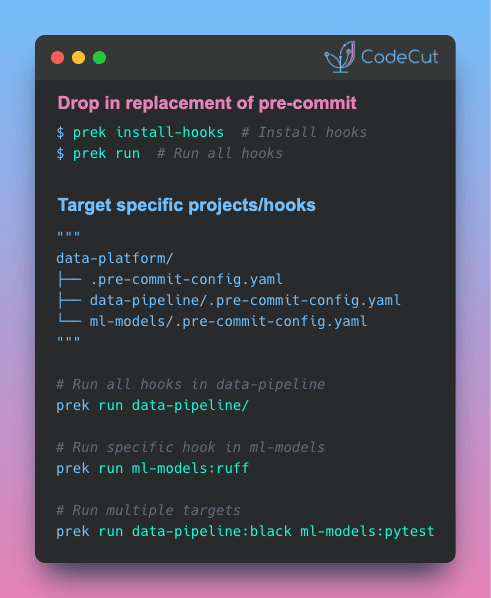
Newsletter #242: Build Faster Test Workflows with pytest Markers Read More »

Newsletter #241: Polars: Lazy CSV Loading with Query Optimization

📅 Today’s Picks

Polars: Lazy CSV Loading with Query Optimization

Problem
Pandas loads entire CSV files into memory immediately, even when you only need filtered or aggregated results.
This eager evaluation wastes memory and processing time on data you’ll never use.
Solution
Polars’ scan_csv() uses lazy evaluation to optimize queries before loading data.
How scan_csv() works:

Analyzes your entire query before loading any data
Identifies which columns you actually need
Applies filters while reading the CSV file
Loads only the relevant data into memory

📖 View Full Article

🧪 Run code

⭐ View GitHub

Build Structured AI Agents with LangChain TodoList

Problem
Complex workflows require structured planning. Without it, agents may execute subtasks out of order or miss crucial ones entirely.
Solution
LangChain v1.0 introduces TodoListMiddleware, which gives agents automatic task planning and progress tracking.
Key benefits:

Decomposes complex requests into sequential steps
Marks each task as pending, in_progress, or completed
Ensures agents follow logical execution order

📖 View Full Article

🧪 Run code

⭐ View GitHub

☕️ Weekly Finds

RAGxplorer
[LLM]
– Open-source tool to visualize your RAG embeddings and document chunks

nbQA
[Python Utils]
– Run ruff, isort, pyupgrade, mypy, pylint, flake8, and more on Jupyter Notebooks

prometheus-eval
[LLM]
– Evaluate your LLM’s response with specialized language models for reproducible assessment

Looking for a specific tool? Explore 70+ Python tools →

Stay Current with CodeCut

Actionable Python tips, curated for busy data pros. Skim in under 2 minutes, three times a week.

.codecut-subscribe-form .codecut-input {
background: #2F2D2E !important;
border: 1px solid #72BEFA !important;
color: #FFFFFF !important;
}
.codecut-subscribe-form .codecut-input::placeholder {
color: #999999 !important;
}
.codecut-subscribe-form .codecut-subscribe-btn {
background: #72BEFA !important;
color: #2F2D2E !important;
}
.codecut-subscribe-form .codecut-subscribe-btn:hover {
background: #5aa8e8 !important;
}

.codecut-subscribe-form {
max-width: 650px;
display: flex;
flex-direction: column;
gap: 8px;
}
.codecut-input {
-webkit-appearance: none;
-moz-appearance: none;
appearance: none;
background: #FFFFFF;
border-radius: 8px !important;
padding: 8px 12px;
font-family: ‘Comfortaa’, sans-serif !important;
font-size: 14px !important;
color: #333333;
border: none !important;
outline: none;
width: 100%;
box-sizing: border-box;
}
input[type=”email”].codecut-input {
border-radius: 8px !important;
}
.codecut-input::placeholder {
color: #666666;
}
.codecut-email-row {
display: flex;
align-items: stretch;
height: 36px;
gap: 8px;
}
.codecut-email-row .codecut-input {
flex: 1;
}
.codecut-subscribe-btn {
background: #72BEFA;
color: #2F2D2E;
border: none;
border-radius: 8px;
padding: 8px 14px;
font-family: ‘Comfortaa’, sans-serif;
font-size: 14px;
font-weight: 500;
cursor: pointer;
text-decoration: none;
display: flex;
align-items: center;
justify-content: center;
transition: background 0.3s ease;
}
.codecut-subscribe-btn:hover {
background: #5aa8e8;
}
.codecut-subscribe-btn:disabled {
background: #999;
cursor: not-allowed;
}
.codecut-message {
font-family: ‘Comfortaa’, sans-serif;
font-size: 12px;
padding: 8px;
border-radius: 6px;
display: none;
}
.codecut-message.success {
background: #d4edda;
color: #155724;
display: block;
}
@media (max-width: 480px) {
.codecut-email-row {
flex-direction: column;
height: auto;
gap: 8px;
}
.codecut-input {
border-radius: 8px;
height: 36px;
}
.codecut-subscribe-btn {
width: 100%;
text-align: center;
border-radius: 8px;
height: 36px;
}
}

Subscribe
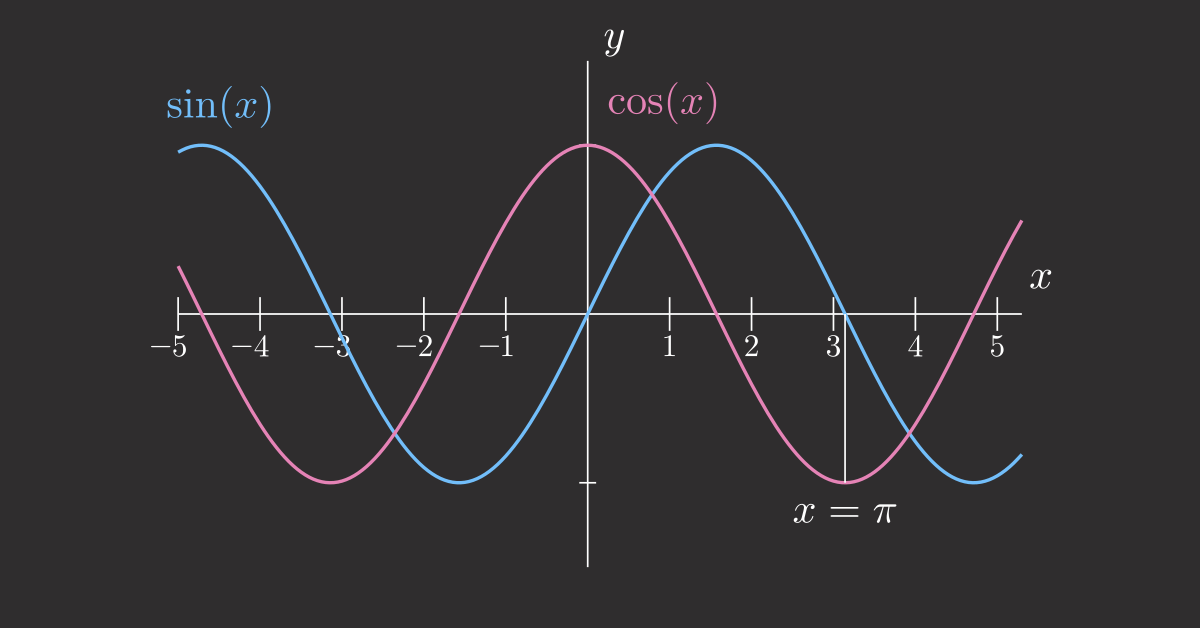
Newsletter #241: Polars: Lazy CSV Loading with Query Optimization Read More »

Newsletter #240: Auto-Summarize Chat History with LangChain Middleware

📅 Today’s Picks

Auto-Summarize Chat History with LangChain Middleware

Problem
Long chat histories can quickly increase token usage, leading to higher API costs and slower responses.
Solution
LangChain v1.0 introduces SummarizationMiddleware that automatically condenses older messages when token thresholds are exceeded.
Key features:

Integrates into existing LangChain agents with minimal code changes
Automatic summarization when token limits are reached
Preserves recent context with configurable message retention
Uses efficient models for summarization (e.g., gpt-4o-mini)

📖 View Full Article

🧪 Run code

⭐ View GitHub

Batch Process DataFrames with PySpark Pandas UDF Vectorization

Problem
Traditional UDFs (User-Defined Functions) run your custom Python function on each row individually, which can significantly slow down DataFrame operations.
Solution
Pandas UDFs solve this by batching data into chunks and applying vectorized pandas transformations across entire columns, rather than looping through rows.
As a result, they can be 10 to 100 times faster on large DataFrames.

📖 View Full Article

🧪 Run code

⭐ View GitHub

☕️ Weekly Finds

lifelines
[ML]
– Survival analysis in Python with Kaplan Meier, Cox regression, and parametric models

nb-clean
[Python Utils]
– Clean Jupyter notebooks for version control by removing outputs, metadata, and execution counts

FuzzTypes
[Python Utils]
– Pydantic extension for autocorrecting field values using fuzzy string matching

Looking for a specific tool? Explore 70+ Python tools →

Stay Current with CodeCut

Actionable Python tips, curated for busy data pros. Skim in under 2 minutes, three times a week.

.codecut-subscribe-form .codecut-input {
background: #2F2D2E !important;
border: 1px solid #72BEFA !important;
color: #FFFFFF !important;
}
.codecut-subscribe-form .codecut-input::placeholder {
color: #999999 !important;
}
.codecut-subscribe-form .codecut-subscribe-btn {
background: #72BEFA !important;
color: #2F2D2E !important;
}
.codecut-subscribe-form .codecut-subscribe-btn:hover {
background: #5aa8e8 !important;
}

.codecut-subscribe-form {
max-width: 650px;
display: flex;
flex-direction: column;
gap: 8px;
}
.codecut-input {
-webkit-appearance: none;
-moz-appearance: none;
appearance: none;
background: #FFFFFF;
border-radius: 8px !important;
padding: 8px 12px;
font-family: ‘Comfortaa’, sans-serif !important;
font-size: 14px !important;
color: #333333;
border: none !important;
outline: none;
width: 100%;
box-sizing: border-box;
}
input[type=”email”].codecut-input {
border-radius: 8px !important;
}
.codecut-input::placeholder {
color: #666666;
}
.codecut-email-row {
display: flex;
align-items: stretch;
height: 36px;
gap: 8px;
}
.codecut-email-row .codecut-input {
flex: 1;
}
.codecut-subscribe-btn {
background: #72BEFA;
color: #2F2D2E;
border: none;
border-radius: 8px;
padding: 8px 14px;
font-family: ‘Comfortaa’, sans-serif;
font-size: 14px;
font-weight: 500;
cursor: pointer;
text-decoration: none;
display: flex;
align-items: center;
justify-content: center;
transition: background 0.3s ease;
}
.codecut-subscribe-btn:hover {
background: #5aa8e8;
}
.codecut-subscribe-btn:disabled {
background: #999;
cursor: not-allowed;
}
.codecut-message {
font-family: ‘Comfortaa’, sans-serif;
font-size: 12px;
padding: 8px;
border-radius: 6px;
display: none;
}
.codecut-message.success {
background: #d4edda;
color: #155724;
display: block;
}
@media (max-width: 480px) {
.codecut-email-row {
flex-direction: column;
height: auto;
gap: 8px;
}
.codecut-input {
border-radius: 8px;
height: 36px;
}
.codecut-subscribe-btn {
width: 100%;
text-align: center;
border-radius: 8px;
height: 36px;
}
}

Subscribe
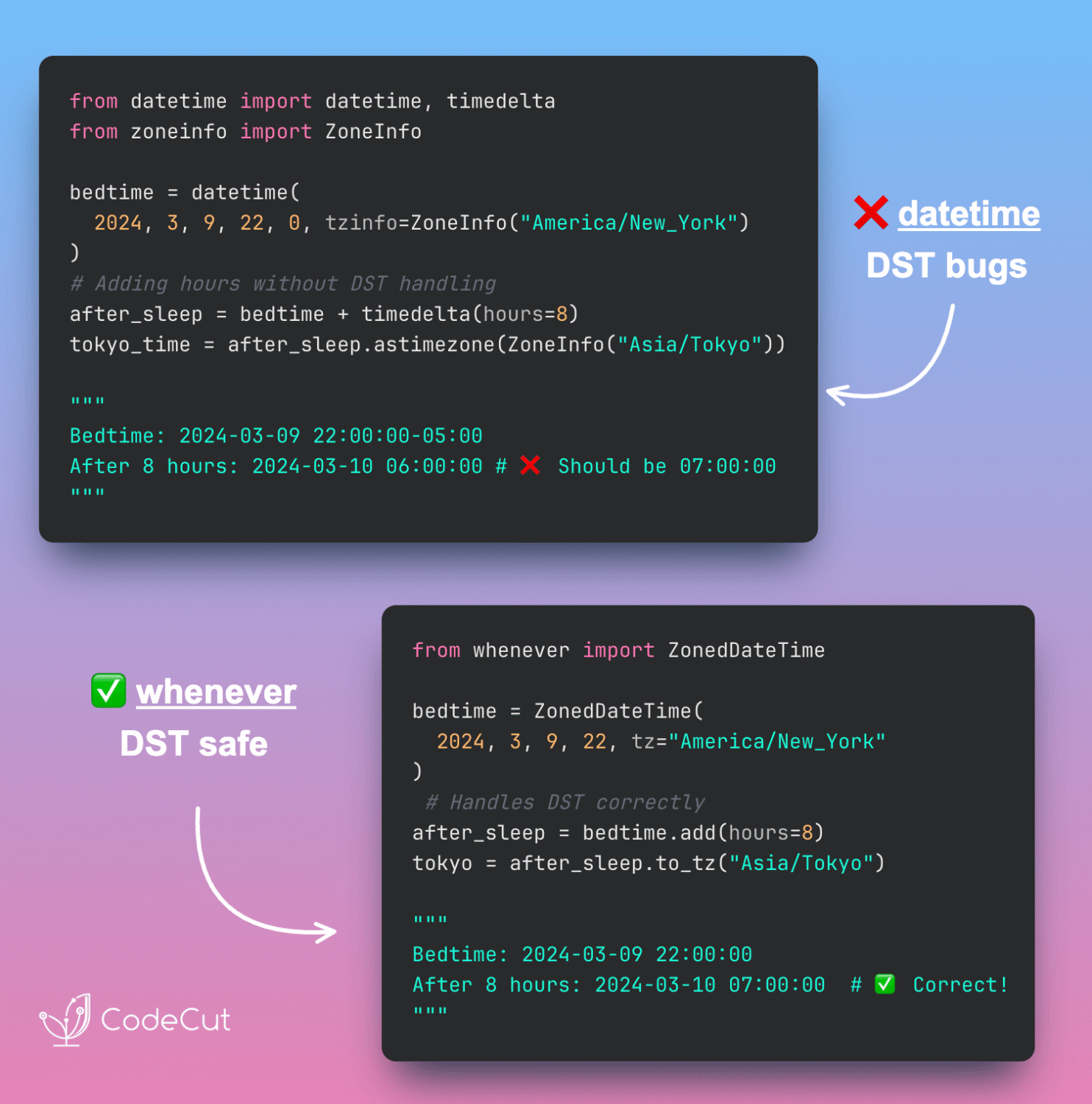
Newsletter #240: Auto-Summarize Chat History with LangChain Middleware Read More »

Newsletter #239: Delta Lake: Insert + Update in One Operation

📅 Today’s Picks

Delta Lake: Insert + Update in One Operation

Problem
In pandas, implementing upserts means running 3 separate operations: filter existing records, update matches, and append new ones.
Each step requires a full data scan, increasing both code complexity and execution time.
Solution
Delta Lake’s MERGE replaces this 3-step process with a single transaction that updates existing records and inserts new ones.
How it works:

Compares source data with existing table records
Updates matching records with new values
Inserts records that don’t exist yet
Executes all changes together with automatic rollback if any step fails

📖 View Full Article

🧪 Run code

⭐ View GitHub

☕️ Weekly Finds

Boruta-Shap
[ML]
– A tree-based feature selection tool combining the Boruta algorithm with SHAP values to identify the most important features for machine learning models.

a2a-python
[LLM]
– Official Python SDK for building agentic applications as A2A Servers following the Agent2Agent Protocol, with async support and optional integrations.

respx
[Python Utils]
– A Python library for mocking HTTPX and HTTP Core with request pattern matching and customizable response side effects for testing purposes.

Looking for a specific tool? Explore 70+ Python tools →

Stay Current with CodeCut

Actionable Python tips, curated for busy data pros. Skim in under 2 minutes, three times a week.

.codecut-subscribe-form .codecut-input {
background: #2F2D2E !important;
border: 1px solid #72BEFA !important;
color: #FFFFFF !important;
}
.codecut-subscribe-form .codecut-input::placeholder {
color: #999999 !important;
}
.codecut-subscribe-form .codecut-subscribe-btn {
background: #72BEFA !important;
color: #2F2D2E !important;
}
.codecut-subscribe-form .codecut-subscribe-btn:hover {
background: #5aa8e8 !important;
}

.codecut-subscribe-form {
max-width: 650px;
display: flex;
flex-direction: column;
gap: 8px;
}
.codecut-input {
-webkit-appearance: none;
-moz-appearance: none;
appearance: none;
background: #FFFFFF;
border-radius: 8px !important;
padding: 8px 12px;
font-family: ‘Comfortaa’, sans-serif !important;
font-size: 14px !important;
color: #333333;
border: none !important;
outline: none;
width: 100%;
box-sizing: border-box;
}
input[type=”email”].codecut-input {
border-radius: 8px !important;
}
.codecut-input::placeholder {
color: #666666;
}
.codecut-email-row {
display: flex;
align-items: stretch;
height: 36px;
gap: 8px;
}
.codecut-email-row .codecut-input {
flex: 1;
}
.codecut-subscribe-btn {
background: #72BEFA;
color: #2F2D2E;
border: none;
border-radius: 8px;
padding: 8px 14px;
font-family: ‘Comfortaa’, sans-serif;
font-size: 14px;
font-weight: 500;
cursor: pointer;
text-decoration: none;
display: flex;
align-items: center;
justify-content: center;
transition: background 0.3s ease;
}
.codecut-subscribe-btn:hover {
background: #5aa8e8;
}
.codecut-subscribe-btn:disabled {
background: #999;
cursor: not-allowed;
}
.codecut-message {
font-family: ‘Comfortaa’, sans-serif;
font-size: 12px;
padding: 8px;
border-radius: 6px;
display: none;
}
.codecut-message.success {
background: #d4edda;
color: #155724;
display: block;
}
@media (max-width: 480px) {
.codecut-email-row {
flex-direction: column;
height: auto;
gap: 8px;
}
.codecut-input {
border-radius: 8px;
height: 36px;
}
.codecut-subscribe-btn {
width: 100%;
text-align: center;
border-radius: 8px;
height: 36px;
}
}

Subscribe
Newsletter #239: Delta Lake: Insert + Update in One Operation Read More »

Build Production-Ready LLM Agents with LangChain 1.0 Middleware

Table of Contents

Introduction
Introduction to Middleware Pattern
Installation
Message Summarization
PII Detection and Filtering
Human-in-the-Loop
Task Planning
Intelligent Tool Selection
Building a Production Agent with Multiple Middleware
Final Thoughts

Introduction
Have you ever wanted to extend your LLM agent with custom behaviors like:

Summarizing messages to manage context windows
Filtering PII to protect sensitive data
Requesting human approval for critical actions

…but weren’t sure how to build them?
If you’ve tried this in LangChain v0.x, you probably ran into complex pre/post hooks that were hard to scale or test.
LangChain 1.0 introduces a composable middleware architecture that solves these problems by providing reusable, testable components that follow web server middleware patterns.

💻 Get the Code: The complete source code and Jupyter notebook for this tutorial are available on GitHub. Clone it to follow along!

Stay Current with CodeCut
Actionable Python tips, curated for busy data pros. Skim in under 2 minutes, three times a week.

.codecut-subscribe-form .codecut-input {
background: #2F2D2E !important;
border: 1px solid #72BEFA !important;
color: #FFFFFF !important;
}
.codecut-subscribe-form .codecut-input::placeholder {
color: #999999 !important;
}
.codecut-subscribe-form .codecut-subscribe-btn {
background: #72BEFA !important;
color: #2F2D2E !important;
}
.codecut-subscribe-form .codecut-subscribe-btn:hover {
background: #5aa8e8 !important;
}

.codecut-subscribe-form {
max-width: 650px;
display: flex;
flex-direction: column;
gap: 8px;
}

.codecut-input {
-webkit-appearance: none;
-moz-appearance: none;
appearance: none;
background: #FFFFFF;
border-radius: 8px !important;
padding: 8px 12px;
font-family: ‘Comfortaa’, sans-serif !important;
font-size: 14px !important;
color: #333333;
border: none !important;
outline: none;
width: 100%;
box-sizing: border-box;
}

input[type=”email”].codecut-input {
border-radius: 8px !important;
}

.codecut-input::placeholder {
color: #666666;
}

.codecut-email-row {
display: flex;
align-items: stretch;
height: 36px;
gap: 8px;
}

.codecut-email-row .codecut-input {
flex: 1;
}

.codecut-subscribe-btn {
background: #72BEFA;
color: #2F2D2E;
border: none;
border-radius: 8px;
padding: 8px 14px;
font-family: ‘Comfortaa’, sans-serif;
font-size: 14px;
font-weight: 500;
cursor: pointer;
text-decoration: none;
display: flex;
align-items: center;
justify-content: center;
transition: background 0.3s ease;
}

.codecut-subscribe-btn:hover {
background: #5aa8e8;
}

.codecut-subscribe-btn:disabled {
background: #999;
cursor: not-allowed;
}

.codecut-message {
font-family: ‘Comfortaa’, sans-serif;
font-size: 12px;
padding: 8px;
border-radius: 6px;
display: none;
}

.codecut-message.success {
background: #d4edda;
color: #155724;
display: block;
}

/* Mobile responsive */
@media (max-width: 480px) {
.codecut-email-row {
flex-direction: column;
height: auto;
gap: 8px;
}

.codecut-input {
border-radius: 8px;
height: 36px;
}

.codecut-subscribe-btn {
width: 100%;
text-align: center;
border-radius: 8px;
height: 36px;
}
}

Subscribe
Introduction to Middleware Pattern
Building on the LangChain fundamentals we covered earlier, LangChain 1.0 introduces middleware components that give you fine-grained control over agent execution. Each middleware is a self-contained component that:

Focuses on a single responsibility (monitor, modify, control, or enforce)
Can be tested independently
Composes with other middleware through a standard interface

The four middleware categories are:

Monitor: Track agent behavior with logging, analytics, and debugging
Modify: Transform prompts, tool selection, and output formatting
Control: Add retries, fallbacks, and early termination logic
Enforce: Apply rate limits, guardrails, and PII detection

This article covers five essential middleware components:

Message summarization (modify): Manage context windows by condensing long conversations
PII filtering (enforce): Protect sensitive data by redacting emails and phone numbers
Human-in-the-loop (control): Pause execution for critical actions requiring approval
Task planning (modify): Structure complex requests into manageable subtasks
Intelligent tool selection (modify): Pre-filter tools to reduce costs and improve accuracy

Let’s explore how each middleware component improves production agent workflows.
Installation
Install LangChain 1.0 and the OpenAI integration:
# Option 1: pip
pip install langchain langchain-openai

# Option 2: uv (faster alternative to pip)
uv add langchain langchain-openai

Note: If you’re upgrading from LangChain v0.x, add the –U flag: pip install –U langchain langchain-openai

You’ll also need an OpenAI API key:
export OPENAI_API_KEY="your-api-key-here"

Message Summarization
When building conversational agents, message history grows with each turn. Long conversations quickly exceed model context windows, causing API errors or degraded performance.
SummarizationMiddleware automates this by:

Monitoring token count across the conversation
Condensing older messages when thresholds are exceeded
Preserving recent context for immediate relevance

The benefits:

Reduced API costs from sending fewer tokens per request
Faster responses with smaller context windows
Complete context through summaries plus full recent history

Here’s how to use SummarizationMiddleware as part of an agent:
from langchain.agents import create_agent
from langchain.agents.middleware import SummarizationMiddleware

agent = create_agent(
model="openai:gpt-4o",
tools=[],
middleware=[
SummarizationMiddleware(
model="openai:gpt-4o-mini",
max_tokens_before_summary=400,
messages_to_keep=5
)
]
)

This configuration sets up automatic conversation management:

model="openai:gpt-4o" – The primary model for agent responses
max_tokens_before_summary=400 – Triggers summarization when conversation exceeds 400 tokens
messages_to_keep=5 – Preserves the 5 most recent messages in full
model="openai:gpt-4o-mini" – Uses a faster, cheaper model for creating summaries

Note: These configuration values are set low for demonstration purposes to quickly show summarization behavior. Production applications typically use max_tokens_before_summary=4000 and messages_to_keep=20 (the recommended defaults).

Let’s use this agent to simulate a customer support conversation and track token usage.
First, let’s set up a realistic customer support conversation with multiple turns:
# Simulate a customer support conversation
conversation_turns = [
"I ordered a laptop last week but haven't received it yet. Order #12345.",
"Can you check the shipping status? I need it for work next Monday.",
"Also, I originally wanted the 16GB RAM model but ordered 8GB by mistake.",
"Is it too late to change the order? Or should I return and reorder?",
"What's your return policy on laptops? Do I need the original packaging?",
"If I return it, how long does the refund take to process?",
"Can I get expedited shipping on the replacement 16GB model?",
"Does the 16GB version come with the same warranty as the 8GB?",
"Are there any promotional codes I can use for the new order?",
"What if the new laptop arrives damaged? What's the process?",
]

Next, define helper functions to track token usage and verify summarization:

estimate_token_count(): Calculates approximate tokens by counting words in all messages
get_actual_tokens(): Extracts the actual token count from the model’s response metadata
print_token_comparison(): Displays estimated vs actual tokens to show when summarization occurs

def estimate_token_count(messages):
"""Estimate total tokens in message history."""
return sum(len(msg.content.split()) * 1.3 for msg in messages)

def get_actual_tokens(response):
"""Extract actual token count from response metadata."""
last_ai_message = response["messages"][-1]
if hasattr(last_ai_message, 'usage_metadata') and last_ai_message.usage_metadata:
return last_ai_message.usage_metadata.get("input_tokens", 0)
return None

def print_token_comparison(turn_number, estimated, actual):
"""Print token count comparison for a conversation turn."""
if actual is not None:
print(f"Turn {turn_number}: ~{int(estimated)} tokens (estimated) → {actual} tokens (actual)")
else:
print(f"Turn {turn_number}: ~{int(estimated)} tokens (estimated)")

Finally, run the conversation and observe token usage across turns:
messages = []
for i, question in enumerate(conversation_turns, 1):
messages.append(HumanMessage(content=question))

estimated_tokens = estimate_token_count(messages)
response = agent.invoke({"messages": messages})
messages.extend(response["messages"][len(messages):])

actual_tokens = get_actual_tokens(response)
print_token_comparison(i, estimated_tokens, actual_tokens)

Output:
Turn 1: ~16 tokens (estimated) → 24 tokens (actual)
Turn 2: ~221 tokens (estimated) → 221 tokens (actual)
Turn 3: ~408 tokens (estimated) → 415 tokens (actual)
Turn 4: ~646 tokens (estimated) → 509 tokens (actual)
Turn 5: ~661 tokens (estimated) → 524 tokens (actual)
Turn 6: ~677 tokens (estimated) → 379 tokens (actual)
Turn 7: ~690 tokens (estimated) → 347 tokens (actual)
Turn 8: ~705 tokens (estimated) → 184 tokens (actual)
Turn 9: ~721 tokens (estimated) → 204 tokens (actual)
Turn 10: ~734 tokens (estimated) → 195 tokens (actual)

Notice the pattern in the token counts:

Turns 1-3: Tokens grow steadily (24 → 221 → 415) as the conversation builds
Turn 4: Summarization kicks in with actual tokens dropping to 509 despite 646 estimated
Turn 8: Most dramatic reduction with only 184 actual tokens sent vs 705 estimated (74% reduction!)

Once past the 400-token threshold, the middleware automatically condenses older messages while preserving the 5 most recent turns. This keeps token usage low even as the conversation continues.
PII Detection and Filtering
Customer support conversations often contain sensitive information like email addresses, phone numbers, and account IDs. Logging or storing this data without redaction creates compliance and security risks.
PIIMiddleware automatically protects personally identifiable information (PII) by:

Built-in detectors for common PII types (email, credit cards, IP addresses)
Custom regex patterns for domain-specific sensitive data
Multiple protection strategies: redact, mask, hash, or block
Automatic application to all messages before model processing

First, configure the agent with multiple PII detectors:
Each detector in this example demonstrates a different protection strategy:

Email detector: Uses built-in pattern with redact strategy (complete replacement)
Phone detector: Uses custom regex \b\d{3}-\d{3}-\d{4}\b with mask strategy (partial visibility)
Account ID detector: Uses custom pattern \b[A-Z]{2}\d{8}\b with redact strategy (complete removal)

from langchain.agents import create_agent
from langchain.agents.middleware import PIIMiddleware
from langchain_core.messages import HumanMessage

agent = create_agent(
model="openai:gpt-4o",
tools=[],
middleware=[
# Built-in email detector – replaces emails with [REDACTED_EMAIL]
PIIMiddleware("email", strategy="redact", apply_to_input=True),
# Custom phone number pattern – shows only last 4 digits
PIIMiddleware(
"phone",
detector=r"\b\d{3}-\d{3}-\d{4}\b",
strategy="mask",
apply_to_input=True,
),
# Custom regex pattern for account IDs (e.g., AB12345678)
PIIMiddleware(
"account_id",
detector=r"\b[A-Z]{2}\d{8}\b",
strategy="redact",
apply_to_input=True,
),
],
)

Next, create a message containing sensitive information and invoke the agent:
# Create a message with PII
original_message = HumanMessage(content="My email is john@example.com, phone is 555-123-4567, and account is AB12345678")
print(f"Original message: {original_message.content}")

# Invoke the agent
response = agent.invoke({"messages": [original_message]})

Output:
Original message: My email is john@example.com, phone is 555-123-4567, and account is AB12345678

Finally, inspect the message that was actually sent to the model to verify redaction:
# Check what was actually sent to the model (after PII redaction)
input_message = response["messages"][0]
print(f"Message sent to model: {input_message.content}")

Output:
Message sent to model: My email is [REDACTED_EMAIL], phone is ****4567, and account is [REDACTED_ACCOUNT_ID]

The middleware successfully processed all three types of sensitive information:

Email: Completely redacted to [REDACTED_EMAIL]
Phone: Masked to show only last 4 digits (****4567)
Account ID: Completely redacted to [REDACTED_ACCOUNT_ID]

Human-in-the-Loop
Autonomous agents can perform sensitive actions like processing refunds or modifying account settings. Executing these without human oversight creates risk of errors or abuse.
HumanInTheLoopMiddleware automates approval workflows by pausing execution and waiting for approval before proceeding:
from langchain.agents import create_agent
from langchain.agents.middleware import HumanInTheLoopMiddleware
from langchain_core.tools import tool
from langgraph.checkpoint.memory import MemorySaver

@tool
def process_refund(amount: float, reason: str) -> str:
"""Process a customer refund. Use this when a customer requests a refund."""
return f"Refund of ${amount} processed for reason: {reason}"

# Create memory checkpointer for state persistence
memory = MemorySaver()

agent = create_agent(
model="openai:gpt-4o",
tools=[process_refund],
middleware=[HumanInTheLoopMiddleware(interrupt_on={"process_refund": True})],
checkpointer=memory, # Required for state persistence
system_prompt="You are a customer support agent. Use the available tools to help customers. When a customer asks for a refund, use the process_refund tool.",
)

This configuration sets up an agent that:

Uses HumanInTheLoopMiddleware to pause execution before calling process_refund
Uses a checkpointer (MemorySaver) to save agent state during interruptions, allowing execution to resume after approval

Now let’s invoke the agent with a refund request:
# Agent pauses before executing sensitive tools
response = agent.invoke(
{"messages": [("user", "I need a refund of $100 for my damaged laptop")]},
config={"configurable": {"thread_id": "user-123"}},
)

The agent will pause when it tries to process the refund. To verify this happened, let’s define helper functions for interrupt detection.
def has_interrupt(response):
"""Check if response contains an interrupt."""
return "__interrupt__" in response

def display_action(action):
"""Display pending action details."""
print(f"Pending action: {action['name']}")
print(f"Arguments: {action['args']}")
print()

def get_user_approval():
"""Prompt user for approval and return decision."""
approval = input("Approve this action? (yes/no): ")
if approval.lower() == "yes":
print("✓ Action approved")
return True
else:
print("✗ Action rejected")
return False

Now use these helpers to check for interrupts and process approval:
if has_interrupt(response):
print("Execution interrupted – waiting for approval\n")

interrupts = response["__interrupt__"]
for interrupt in interrupts:
for action in interrupt.value["action_requests"]:
display_action(action)
approved = get_user_approval()

Output:
Execution interrupted – waiting for approval

Pending action: process_refund
Arguments: {'amount': 100, 'reason': 'Damaged Laptop'}

Approve this action? (yes/no): yes
✓ Action approved

The middleware successfully intercepted the process_refund tool call before execution, displaying all necessary details (action name and arguments) for human review. Only after explicit approval does the agent proceed with the sensitive operation.
Task Planning
Complex tasks like “refactor my codebase” or “analyze this dataset” require breaking down into smaller, manageable steps. Without explicit planning, agents often might jump between subtasks randomly or skip critical steps entirely.
TodoListMiddleware enables structured task management by:

Automatically providing a write_todos tool for task planning
Tracking completion status across multi-step workflows
Returning structured todo items in agent results

The benefits:

Better task decomposition through explicit step-by-step planning
Progress tracking to monitor complex workflow completion
Reduced errors from skipped or forgotten subtasks

Here’s how to enable planning for an agent:
from langchain.agents import create_agent
from langchain.agents.middleware import TodoListMiddleware
from langchain_core.tools import tool

@tool
def analyze_code(file_path: str) -> str:
"""Analyze code quality and find issues."""
return f"Analyzed {file_path}: Found 3 code smells, 2 security issues"

@tool
def refactor_code(file_path: str, changes: str) -> str:
"""Refactor code with specified changes."""
return f"Refactored {file_path}: {changes}"

agent = create_agent(
model="openai:gpt-4o",
tools=[analyze_code, refactor_code],
middleware=[TodoListMiddleware()]
)

This configuration automatically injects planning capabilities into the agent.
Now let’s ask the agent to perform a multi-step refactoring task:
from langchain_core.messages import HumanMessage

response = agent.invoke({
"messages": [HumanMessage("I need to refactor my authentication module. First analyze it, then suggest improvements, and finally implement the changes.")]
})

Check the agent’s todo list to see how it planned the work:
# Access the structured todo list from the response
if "todos" in response:
print("Agent's Task Plan:")
for i, todo in enumerate(response["todos"], 1):
status = todo.get("status", "pending")
print(f"{i}. [{status}] {todo['content']}")

Output:
Agent's Task Plan:
1. [in_progress] Analyze the authentication module code to identify quality issues and areas for improvement.
2. [pending] Suggest improvements based on the analysis of the authentication module.
3. [pending] Implement the suggested improvements in the authentication module code.

Nice! The agent automatically decomposed the multi-step refactoring request into 3 distinct tasks, with 1 in progress and 2 pending. This structured approach ensures systematic execution without skipping critical steps.
Intelligent Tool Selection
Agents with many tools (10+) face a scaling problem: sending all tool descriptions with every request wastes tokens and degrades performance. The model must process irrelevant options, increasing latency and cost.
LLMToolSelectorMiddleware solves this by using a smaller model to pre-filter relevant tools:

Uses a secondary LLM (separate from the main agent model) to pre-filter and limit tools sent to main model
Allows critical tools to always be included in selection
Analyzes queries to select only relevant tools

The benefits:

Lower costs from sending fewer tool descriptions per request
Faster responses with smaller tool context
Better accuracy when model isn’t distracted by irrelevant options

Let’s create an agent with many tools for a customer support scenario:
from langchain.agents import create_agent
from langchain.agents.middleware import LLMToolSelectorMiddleware
from langchain_core.tools import tool

# Define multiple tools for different support scenarios
@tool
def lookup_order(order_id: str) -> str:
"""Look up order details and shipping status."""
return f"Order {order_id}: Shipped on 2025-01-15"

@tool
def process_refund(order_id: str, amount: float) -> str:
"""Process a customer refund."""
return f"Refund of ${amount} processed for order {order_id}"

@tool
def check_inventory(product_id: str) -> str:
"""Check product inventory levels."""
return f"Product {product_id}: 42 units in stock"

@tool
def update_address(order_id: str, new_address: str) -> str:
"""Update shipping address for an order."""
return f"Address updated for order {order_id}"

@tool
def cancel_order(order_id: str) -> str:
"""Cancel an existing order."""
return f"Order {order_id} cancelled"

@tool
def track_shipment(tracking_number: str) -> str:
"""Track package location."""
return f"Package {tracking_number}: Out for delivery"

@tool
def apply_discount(order_id: str, code: str) -> str:
"""Apply discount code to order."""
return f"Discount {code} applied to order {order_id}"

@tool
def schedule_delivery(order_id: str, date: str) -> str:
"""Schedule delivery for specific date."""
return f"Delivery scheduled for {date}"

Configure the agent with intelligent tool selection:
agent = create_agent(
model="openai:gpt-4o",
tools=[
lookup_order, process_refund, check_inventory,
update_address, cancel_order, track_shipment,
apply_discount, schedule_delivery
],
middleware=[
LLMToolSelectorMiddleware(
model="openai:gpt-4o-mini", # Use cheaper model for selection
max_tools=3, # Limit to 3 most relevant tools
always_include=["lookup_order"], # Always include order lookup
)
]
)

This configuration creates an efficient filtering system:

model="openai:gpt-4o-mini" – Uses a smaller, faster model for tool selection
max_tools=3 – Limits to 3 most relevant tools per query
always_include=["lookup_order"] – Ensures order lookup is always available

Now test the agent with different customer requests:
First, define a helper function to display tool usage:
def show_tools_used(response):
"""Display which tools were called during agent execution."""
tools_used = []
for msg in response["messages"]:
if hasattr(msg, "tool_calls") and msg.tool_calls:
for tool_call in msg.tool_calls:
tools_used.append(tool_call["name"])

if tools_used:
print(f"Tools used: {', '.join(tools_used)}")
print(f"Response: {response['messages'][-1].content}\n")

Test with a package tracking query:
# Example 1: Package tracking query
response = agent.invoke({
"messages": [HumanMessage("Where is my package? Tracking number is 1Z999AA10123456784")]
})
show_tools_used(response)

Output:
Tools used: track_shipment
Response: Your package with tracking number 1Z999AA10123456784 is currently out for delivery.

Test with a refund request:
# Example 2: Refund request
response = agent.invoke({
"messages": [HumanMessage("I need a refund of $50 for order ORD-12345")]
})
show_tools_used(response)

Output:
Tools used: lookup_order, process_refund
Response: The refund of $50 for order ORD-12345 has been successfully processed.

Test with an inventory check:
# Example 3: Inventory check
response = agent.invoke({
"messages": [HumanMessage("Do you have product SKU-789 in stock?")]
})
show_tools_used(response)

Output:
Tools used: check_inventory
Response: Yes, we currently have 42 units of product SKU-789 in stock.

The middleware demonstrated precise tool selection across different query types:

track_shipment for tracking numbers
lookup_order + process_refund for refund requests
check_inventory for stock queries

Each request filtered out 5+ irrelevant tools, sending only what was needed to the main model.
Building a Production Agent with Multiple Middleware
Let’s combine three middleware components to build a production-ready customer support agent that handles a realistic scenario: a customer with a long conversation history requesting a refund and sharing their email address.
from langchain.agents import create_agent
from langchain.agents.middleware import (
SummarizationMiddleware,
PIIMiddleware,
HumanInTheLoopMiddleware
)
from langchain_core.tools import tool
from langgraph.checkpoint.memory import MemorySaver

@tool
def process_refund(amount: float, reason: str) -> str:
"""Process a customer refund."""
return f"Refund of ${amount} processed for reason: {reason}"

# Create agent with three middleware components
agent = create_agent(
model="openai:gpt-4o",
tools=[process_refund],
middleware=[
SummarizationMiddleware(
model="openai:gpt-4o-mini",
max_tokens_before_summary=400,
messages_to_keep=5
),
PIIMiddleware("email", strategy="redact", apply_to_input=True),
HumanInTheLoopMiddleware(interrupt_on={"process_refund": True})
],
checkpointer=MemorySaver()
)

Now test with a realistic customer interaction, processing each message to show how middleware handles them.
First, define a helper function to track middleware behavior using the helper functions defined earlier:
def process_message_with_tracking(agent, messages, thread_id, turn_num):
"""Process messages and show middleware behavior."""
print(f"\n— Turn {turn_num} —")
print(f"User: {messages[-1][1]}")

response = agent.invoke(
{"messages": messages},
config={"configurable": {"thread_id": thread_id}}
)

# Check for interrupts (human-in-the-loop)
if has_interrupt(response):
print("⏸ Execution paused for approval")
else:
# Show agent response
agent_message = response["messages"][-1].content
print(f"Agent: {agent_message}")

# Check for PII redaction
full_response = str(response["messages"])
if "[REDACTED_EMAIL]" in full_response:
print("🔒 PII detected and redacted")

return response

Now simulate a customer conversation that demonstrates all three middleware components:

Turns 1-3: Normal conversation flow about a damaged laptop
Turn 4: Customer shares email and asks for confirmation (tests PIIMiddleware redaction)
Turn 5: Customer requests $1200 refund (triggers HumanInTheLoopMiddleware approval)

messages = []

# Turn 1: Initial complaint
messages.append(("user", "I ordered a laptop but it arrived damaged."))
process_message_with_tracking(agent, messages, "customer-456", 1)

# Turn 2: Additional details
messages.append(("user", "I already tried troubleshooting but it won't turn on."))
process_message_with_tracking(agent, messages, "customer-456", 2)

# Turn 3: More context
messages.append(("user", "The screen is cracked and there's a dent on the corner."))
process_message_with_tracking(agent, messages, "customer-456", 3)

# Turn 4: PII exposure – test if middleware hides email from model
messages.append(("user", "My email is customer@example.com. Can you confirm my email address?"))
response = process_message_with_tracking(agent, messages, "customer-456", 4)

# Turn 5: Sensitive action request – triggers human approval
messages.append(("user", "Can I get a full refund of $1200?"))
response = process_message_with_tracking(agent, messages, "customer-456", 5)

# If interrupted, show approval flow
if has_interrupt(response):
interrupts = response["__interrupt__"]
for interrupt in interrupts:
for action in interrupt.value["action_requests"]:
display_action(action)
approved = get_user_approval()

Output:
— Turn 1 —
User: I ordered a laptop but it arrived damaged.
Agent: I'm sorry to hear that your laptop arrived damaged. To resolve this issue, I can assist you in processing a refund. Could you please provide the amount of the purchase and any specific reason you would like to include for the refund?

— Turn 2 —
User: I already tried troubleshooting but it won't turn on.
Agent: Thank you for sharing that information. I'll proceed with processing a refund for the damaged laptop. Could you please provide the purchase amount, so I can include it in the refund request?

— Turn 3 —
User: The screen is cracked and there's a dent on the corner.
Agent: I'm sorry to hear about the condition of your laptop. I will help you process a refund. Could you please let me know the purchase amount, so I can proceed with the refund request?

— Turn 4 —
User: My email is customer@example.com. Can you confirm my email address?
Agent: I'm sorry, but I'm unable to confirm or access email addresses for privacy and security reasons. However, I can assist you with processing a refund. Could you please provide the amount you paid for the laptop so that I can proceed with the refund request?
🔒 PII detected and redacted

— Turn 5 —
User: Can I get a full refund of $1200?
⏸ Execution paused for approval

Pending action: process_refund
Arguments: {'amount': 1200, 'reason': 'Laptop arrived damaged with a cracked screen and dent on the corner, and it will not turn on after troubleshooting.'}

Approve this action? (yes/no): yes
✓ Action approved

The output demonstrates proper security controls:

Turn 4: Agent states it “cannot confirm or access email addresses,” confirming PIIMiddleware successfully redacted customer@example.com to [REDACTED_EMAIL]
Email protection: Model never saw the actual address, preventing data leaks or logging
Refund approval: $1200 transaction didn’t execute until human approval was granted

For coordinating multiple agents with shared state and workflows, explore our LangGraph tutorial.

Final Thoughts
Building production LLM agents with LangChain 1.0 middleware requires minimal infrastructure code. Each component handles one concern: managing context windows, protecting sensitive data, controlling execution flow, or structuring complex tasks.
The best approach is incremental. Add one middleware at a time, test its behavior, then combine it with others. This modular design lets you start simple and expand as your agent’s requirements evolve.
Related Tutorials

Structured Outputs: Enforce Structured Outputs from LLMs with PydanticAI for type-safe agent responses
RAG Implementation: Build a Complete RAG System with 5 Open-Source Tools for question-answering agents
Vector Storage: Implement Semantic Search in Postgres Using pgvector and Ollama for production-grade embedding storage

📚 Want to go deeper? Learning new techniques is the easy part. Knowing how to structure, test, and deploy them is what separates side projects from real work. My book shows you how to build data science projects that actually make it to production. Get the book →

Stay Current with CodeCut
Actionable Python tips, curated for busy data pros. Skim in under 2 minutes, three times a week.

.codecut-subscribe-form .codecut-input {
background: #2F2D2E !important;
border: 1px solid #72BEFA !important;
color: #FFFFFF !important;
}
.codecut-subscribe-form .codecut-input::placeholder {
color: #999999 !important;
}
.codecut-subscribe-form .codecut-subscribe-btn {
background: #72BEFA !important;
color: #2F2D2E !important;
}
.codecut-subscribe-form .codecut-subscribe-btn:hover {
background: #5aa8e8 !important;
}

.codecut-subscribe-form {
max-width: 650px;
display: flex;
flex-direction: column;
gap: 8px;
}

.codecut-input {
-webkit-appearance: none;
-moz-appearance: none;
appearance: none;
background: #FFFFFF;
border-radius: 8px !important;
padding: 8px 12px;
font-family: ‘Comfortaa’, sans-serif !important;
font-size: 14px !important;
color: #333333;
border: none !important;
outline: none;
width: 100%;
box-sizing: border-box;
}

input[type=”email”].codecut-input {
border-radius: 8px !important;
}

.codecut-input::placeholder {
color: #666666;
}

.codecut-email-row {
display: flex;
align-items: stretch;
height: 36px;
gap: 8px;
}

.codecut-email-row .codecut-input {
flex: 1;
}

.codecut-subscribe-btn {
background: #72BEFA;
color: #2F2D2E;
border: none;
border-radius: 8px;
padding: 8px 14px;
font-family: ‘Comfortaa’, sans-serif;
font-size: 14px;
font-weight: 500;
cursor: pointer;
text-decoration: none;
display: flex;
align-items: center;
justify-content: center;
transition: background 0.3s ease;
}

.codecut-subscribe-btn:hover {
background: #5aa8e8;
}

.codecut-subscribe-btn:disabled {
background: #999;
cursor: not-allowed;
}

.codecut-message {
font-family: ‘Comfortaa’, sans-serif;
font-size: 12px;
padding: 8px;
border-radius: 6px;
display: none;
}

.codecut-message.success {
background: #d4edda;
color: #155724;
display: block;
}

/* Mobile responsive */
@media (max-width: 480px) {
.codecut-email-row {
flex-direction: column;
height: auto;
gap: 8px;
}

.codecut-input {
border-radius: 8px;
height: 36px;
}

.codecut-subscribe-btn {
width: 100%;
text-align: center;
border-radius: 8px;
height: 36px;
}
}

Subscribe
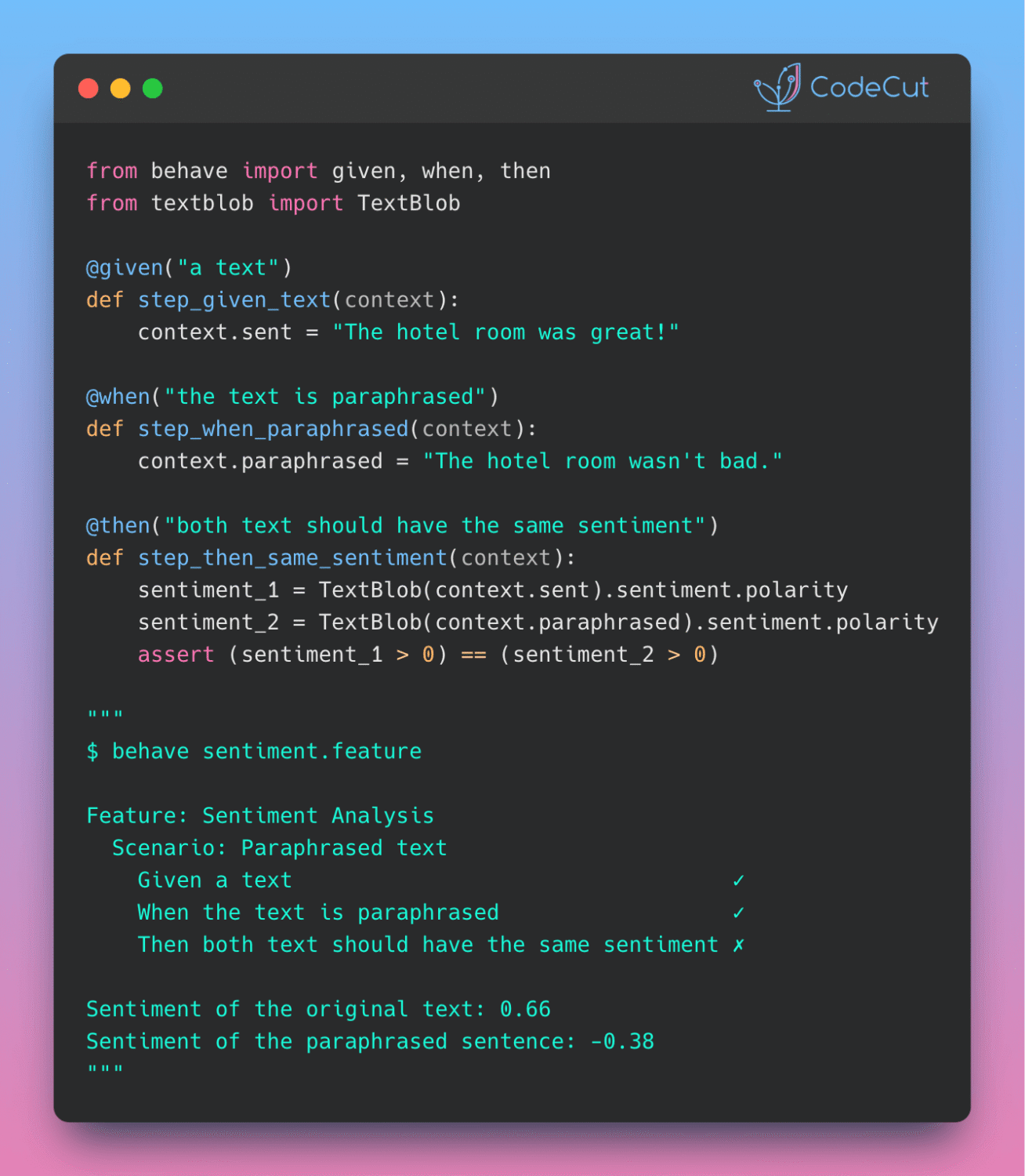
Build Production-Ready LLM Agents with LangChain 1.0 Middleware Read More »

Newsletter #238: Build Human-in-the-Loop AI Agents with LangChain

📅 Today’s Picks

Generate Time-Sortable IDs with Python 3.14’s UUID v7

Problem
UUID4 generates purely random identifiers that lack chronological ordering.
Without embedded timestamps, you need separate timestamp fields and custom sorting logic to organize records by creation time.
Solution
Python 3.14 introduces UUID version 7 with built-in timestamp ordering.
Key features:

Determine creation order by comparing two UUIDs directly
Retrieve exact creation time by extracting the embedded timestamp

Build Human-in-the-Loop AI Agents with LangChain

Problem
Without human oversight, AI agents can make irreversible mistakes by executing risky operations like database deletions.
Solution
LangChain v1.0’s interrupt() function pauses agent execution at critical decision points for human review.
How it works:

interrupt() pauses tool execution for human review
MemorySaver checkpointer enables pause/resume functionality
Human reviews proposed action and approves or rejects
Command(resume=…) continues execution after approval

This gives you full control over critical AI decisions before they execute.

📖 View Full Article

🧪 Run code

⭐ View GitHub

☕️ Weekly Finds

formulas
[Data Processing]
– Excel formulas interpreter in Python that parses and compiles Excel formula expressions and workbooks

MindsDB
[ML]
– Open-source AI development platform that allows users to build, train and deploy machine learning models using SQL queries

TimescaleDB
[Data Engineer]
– PostgreSQL extension for high-performance real-time analytics on time-series and event data

Looking for a specific tool? Explore 70+ Python tools →

Stay Current with CodeCut

Actionable Python tips, curated for busy data pros. Skim in under 2 minutes, three times a week.

.codecut-subscribe-form .codecut-input {
background: #2F2D2E !important;
border: 1px solid #72BEFA !important;
color: #FFFFFF !important;
}
.codecut-subscribe-form .codecut-input::placeholder {
color: #999999 !important;
}
.codecut-subscribe-form .codecut-subscribe-btn {
background: #72BEFA !important;
color: #2F2D2E !important;
}
.codecut-subscribe-form .codecut-subscribe-btn:hover {
background: #5aa8e8 !important;
}

.codecut-subscribe-form {
max-width: 650px;
display: flex;
flex-direction: column;
gap: 8px;
}
.codecut-input {
-webkit-appearance: none;
-moz-appearance: none;
appearance: none;
background: #FFFFFF;
border-radius: 8px !important;
padding: 8px 12px;
font-family: ‘Comfortaa’, sans-serif !important;
font-size: 14px !important;
color: #333333;
border: none !important;
outline: none;
width: 100%;
box-sizing: border-box;
}
input[type=”email”].codecut-input {
border-radius: 8px !important;
}
.codecut-input::placeholder {
color: #666666;
}
.codecut-email-row {
display: flex;
align-items: stretch;
height: 36px;
gap: 8px;
}
.codecut-email-row .codecut-input {
flex: 1;
}
.codecut-subscribe-btn {
background: #72BEFA;
color: #2F2D2E;
border: none;
border-radius: 8px;
padding: 8px 14px;
font-family: ‘Comfortaa’, sans-serif;
font-size: 14px;
font-weight: 500;
cursor: pointer;
text-decoration: none;
display: flex;
align-items: center;
justify-content: center;
transition: background 0.3s ease;
}
.codecut-subscribe-btn:hover {
background: #5aa8e8;
}
.codecut-subscribe-btn:disabled {
background: #999;
cursor: not-allowed;
}
.codecut-message {
font-family: ‘Comfortaa’, sans-serif;
font-size: 12px;
padding: 8px;
border-radius: 6px;
display: none;
}
.codecut-message.success {
background: #d4edda;
color: #155724;
display: block;
}
@media (max-width: 480px) {
.codecut-email-row {
flex-direction: column;
height: auto;
gap: 8px;
}
.codecut-input {
border-radius: 8px;
height: 36px;
}
.codecut-subscribe-btn {
width: 100%;
text-align: center;
border-radius: 8px;
height: 36px;
}
}

Subscribe
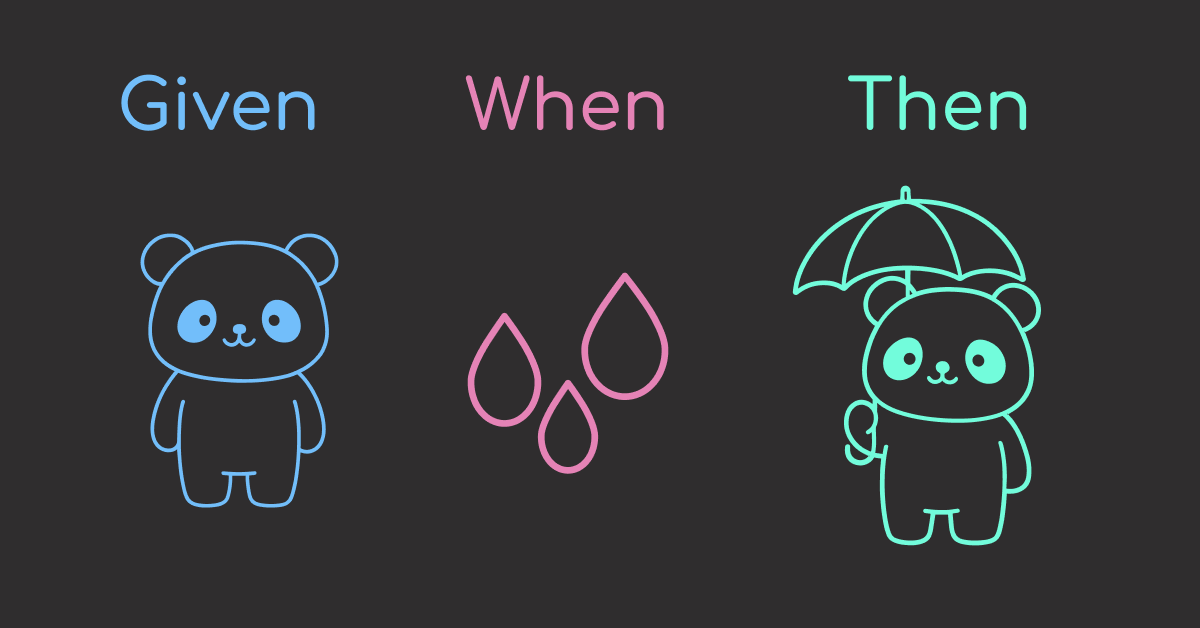
Newsletter #238: Build Human-in-the-Loop AI Agents with LangChain Read More »

Newsletter #237: Build Clean Visualizations with Altair Grammar

📅 Today’s Picks

Faster Data Compression with Python 3.14 Zstandard

Problem
Compressing large datasets with gzip is slow and produces larger files.
Using external compression libraries adds dependency complexity to your data pipeline.
Solution
Python 3.14 includes built-in Zstandard compression that’s 2-3x faster than gzip with better compression ratios.
Key benefits:

Native Python module (no external dependencies)
Compression levels from 1-22 for speed vs. size tradeoffs
Stream-based API for memory-efficient processing
Perfect for data archival and transfer workflows

Ideal for data scientists working with large CSV files, model checkpoints, and dataset distributions.

🧪 Run code

Build Clean Visualizations with Altair Grammar

Problem
Matplotlib requires manual data transformation and explicit configuration for every visual element.
Solution
Altair uses declarative syntax based on Vega-Lite for intuitive, readable visualizations.
With Altair, you can describe what you want, not how to create it:

Automatic formatting with type encoding (:T, :Q, :N, :O)
Built-in aggregations: mean(), sum(), count()
No manual groupby or date conversion
Easy chart composition and layering
Interactive features with minimal code

📖 View Full Article

🧪 Run code

⭐ View GitHub

☕️ Weekly Finds

pyscn
[Python Utils]
– High-performance Python code quality analyzer built with Go. Designed for the AI-assisted development era

skills
[LLM]
– Example Skills repository to customize Claude with agent skills for workflows and automation

SeleniumBase
[Python Utils]
– Python framework for web automation, testing, and bypassing bot-detection mechanisms

Looking for a specific tool? Explore 70+ Python tools →

Stay Current with CodeCut

Actionable Python tips, curated for busy data pros. Skim in under 2 minutes, three times a week.

.codecut-subscribe-form .codecut-input {
background: #2F2D2E !important;
border: 1px solid #72BEFA !important;
color: #FFFFFF !important;
}
.codecut-subscribe-form .codecut-input::placeholder {
color: #999999 !important;
}
.codecut-subscribe-form .codecut-subscribe-btn {
background: #72BEFA !important;
color: #2F2D2E !important;
}
.codecut-subscribe-form .codecut-subscribe-btn:hover {
background: #5aa8e8 !important;
}

.codecut-subscribe-form {
max-width: 650px;
display: flex;
flex-direction: column;
gap: 8px;
}
.codecut-input {
-webkit-appearance: none;
-moz-appearance: none;
appearance: none;
background: #FFFFFF;
border-radius: 8px !important;
padding: 8px 12px;
font-family: ‘Comfortaa’, sans-serif !important;
font-size: 14px !important;
color: #333333;
border: none !important;
outline: none;
width: 100%;
box-sizing: border-box;
}
input[type=”email”].codecut-input {
border-radius: 8px !important;
}
.codecut-input::placeholder {
color: #666666;
}
.codecut-email-row {
display: flex;
align-items: stretch;
height: 36px;
gap: 8px;
}
.codecut-email-row .codecut-input {
flex: 1;
}
.codecut-subscribe-btn {
background: #72BEFA;
color: #2F2D2E;
border: none;
border-radius: 8px;
padding: 8px 14px;
font-family: ‘Comfortaa’, sans-serif;
font-size: 14px;
font-weight: 500;
cursor: pointer;
text-decoration: none;
display: flex;
align-items: center;
justify-content: center;
transition: background 0.3s ease;
}
.codecut-subscribe-btn:hover {
background: #5aa8e8;
}
.codecut-subscribe-btn:disabled {
background: #999;
cursor: not-allowed;
}
.codecut-message {
font-family: ‘Comfortaa’, sans-serif;
font-size: 12px;
padding: 8px;
border-radius: 6px;
display: none;
}
.codecut-message.success {
background: #d4edda;
color: #155724;
display: block;
}
@media (max-width: 480px) {
.codecut-email-row {
flex-direction: column;
height: auto;
gap: 8px;
}
.codecut-input {
border-radius: 8px;
height: 36px;
}
.codecut-subscribe-btn {
width: 100%;
text-align: center;
border-radius: 8px;
height: 36px;
}
}

Subscribe

Newsletter #237: Build Clean Visualizations with Altair Grammar Read More »

Scroll to Top

Work with Khuyen Tran

Work with Khuyen Tran