
Table of Contents
- Introduction
- What Is VCR.py?
- Setup
- Write the Live API Test
- Record the API Response Once
- Replay the Test Offline
- Control When Cassettes Change
- VCR.py vs Mocking
- A Practical VCR.py Testing Workflow
- References
Introduction
A good test keeps the moving parts small. If the inputs, dependencies, and environment stay the same, a failure is more likely to point to your code.
That is hard when your code depends on a public API. A public API adds things you do not control, such as the network, the API server, and rate limits.
That means the test can fail even when your code did nothing wrong.
VCR.py helps by letting tests reuse recorded API responses instead of calling the live API every time.
This article shows how to use VCR.py to make API-dependent tests more repeatable.
💻 Get the Code: The reproducible examples are in
notebooks/record-replay-api-tests-vcrpy, including the GitHub API client, pytest tests, and recorded cassette.
Stay Current with CodeCut
Easy-to-digest articles on Python, AI, and open-source tools. Delivered twice a week.
What Is VCR.py?
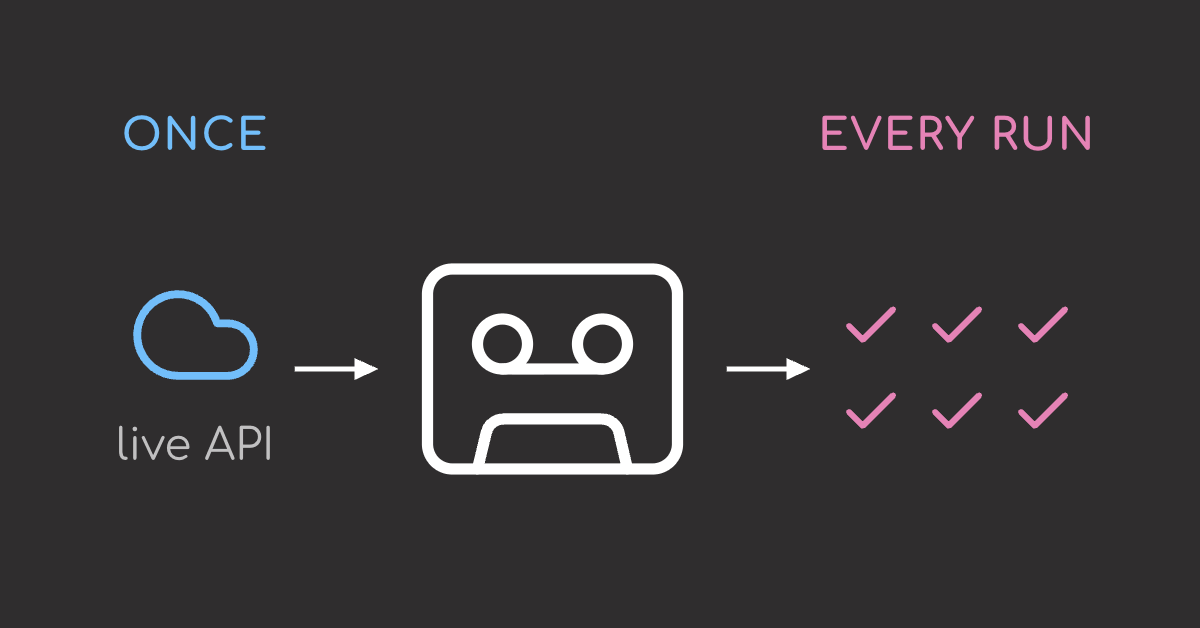
VCR.py records HTTP requests and responses during a test, then replays them in later runs so the test no longer depends on the live API every time.
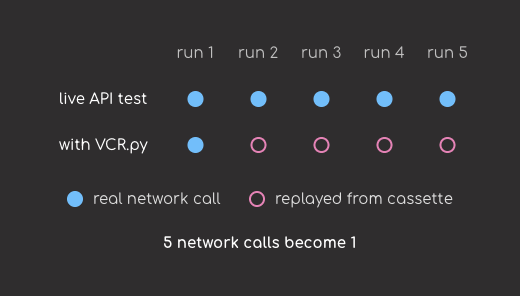
The workflow is simple:
- Run the test once and let it make the real HTTP request.
- VCR.py saves the request and response to a cassette file.
- Later test runs replay the saved response instead of calling the network.
The next sections show how this works with a practical pytest example.
Setup
Install the libraries used in this tutorial:
pip install vcrpy requests pytest
This article uses vcrpy v8.3.0, requests v2.32.4, and pytest v9.1.1.
We will test a small client that reads repository metadata from the GitHub REST API.
Create a file named repo_client.py that does the following:
- Makes an external HTTP request.
- Parses nested JSON.
- Depends on fields controlled by another service.
import requests


def get_repository_summary(owner: str, repo: str) -> dict[str, str | int | None]:
    # Call the live GitHub API.
    url = f"https://api.github.com/repos/{owner}/{repo}"
    response = requests.get(url, timeout=10)
    response.raise_for_status()

    # Parse the JSON fields the app needs.
    data = response.json()
    license_data = data.get("license")

    # Return a smaller, app-specific summary.
    return {
        "full_name": data["full_name"],
        "description": data["description"],
        "stars": data["stargazers_count"],
        "license": license_data["spdx_id"] if license_data else None,
        "default_branch": data["default_branch"],
    }
For this example, the test should answer two questions:
- Did the request reach the right repository endpoint?
- Did the function extract the fields correctly from the JSON response?
Write the Live API Test
First, write the test without VCR.py. It calls the live GitHub API and verifies that the client returns the expected repository summary.
from repo_client import get_repository_summary


def test_get_repository_summary_live():
    summary = get_repository_summary("kevin1024", "vcrpy")

    assert summary["full_name"] == "kevin1024/vcrpy"
    assert summary["license"] == "MIT"
    assert summary["default_branch"] == "master"
While the test passes, the future test runs can fail because:
- GitHub is unavailable.
- Your machine has no network access.
- The request takes too long.
- The API returns a temporary error.
A failed test becomes hard to interpret: did the client code break, or did the API fail to respond? At that point, the test is no longer only testing the client code.
VCR.py addresses this by turning the API response into a local fixture. The test can keep checking the client code without depending on whether GitHub responds.
Record the API Response Once
First, import VCR.py and the function you want to test:
import vcr

from repo_client import get_repository_summary
Next, create a VCR configuration for this test file:
# Store cassettes in a predictable test folder.
github_vcr = vcr.VCR(
    cassette_library_dir="tests/fixtures/cassettes",
    record_mode="once",
)
With once, VCR.py records only when it needs to create the cassette:
- If the cassette does not exist, VCR.py calls the API and records the response.
- If the cassette exists, VCR.py replays the matching response from the cassette.
Next, use use_cassette to tell VCR.py which cassette file this test should record to and replay from:
# Record this request once, then replay it later.
@github_vcr.use_cassette("github_vcrpy.yaml")
def test_get_repository_summary_with_vcr():
    summary = get_repository_summary("kevin1024", "vcrpy")

    assert summary["full_name"] == "kevin1024/vcrpy"
    assert summary["license"] == "MIT"
    assert summary["default_branch"] == "master"
Run it the same way you run any pytest test:
pytest tests/test_repo_client.py
On the first run, VCR.py does not have a cassette yet. It lets the request go to GitHub, captures the response, and writes it to tests/fixtures/cassettes/github_vcrpy.yaml.
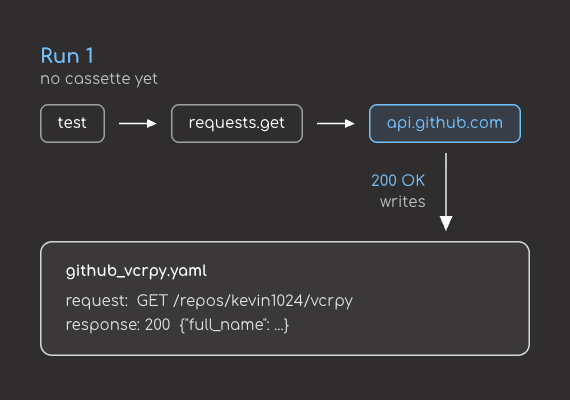
The cassette contains the recorded HTTP interaction. A shortened version looks like this:
interactions:
- request:
    method: GET
    uri: https://api.github.com/repos/kevin1024/vcrpy
  response:
    status:
      code: 200
      message: OK
    body:
      string: '{"id": 3736670, "name": "vcrpy", ...}'
version: 1
See the full cassette on GitHub for the complete recorded request and response.
Once the cassette exists, VCR.py can use it on future test runs.
Replay the Test Offline
Run the same test again:
pytest tests/test_repo_client.py
This time, VCR.py sees the cassette file. Instead of sending another request to GitHub, it replays the saved response.
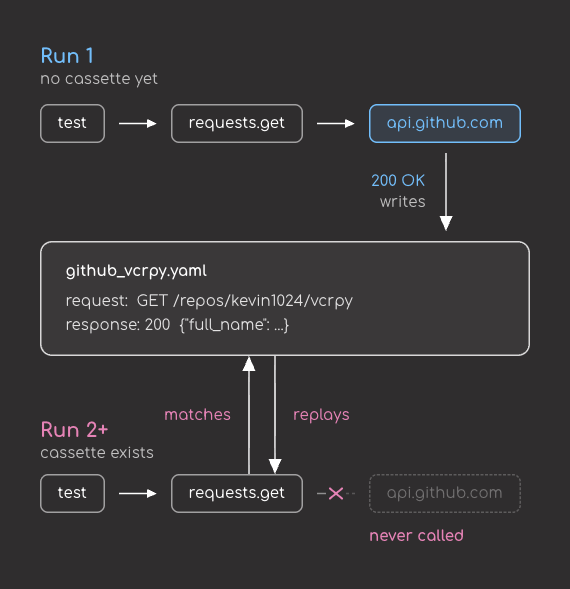
This gives you a more stable API test:
- The client still parses a real GitHub response, so the test uses real response data.
- The test no longer needs GitHub on every run, so temporary external issues do not break it.
- If you refresh the cassette, Git shows the recorded response changes for review.
Control When Cassettes Change
By default, VCR.py can record a cassette when one is missing. That is useful locally, where you can inspect the new file before committing it.
In a GitHub Actions workflow, that is risky because the build can create or update a fixture without review, making a passing test harder to trust.
To prevent CI from recording new API responses, set record_mode="none" in the CI environment:
import vcr

ci_vcr = vcr.VCR(
    cassette_library_dir="tests/fixtures/cassettes",
    record_mode="none",
)
With none, VCR.py only replays existing cassettes:
- If the cassette exists, VCR.py replays matching requests from the cassette.
- If the cassette is missing, the test fails.
- If your code makes a new unmatched request, the test fails.
Use the VCR instance above in your test:
from repo_client import get_repository_summary


@ci_vcr.use_cassette("github_vcrpy.yaml")
def test_get_repository_summary_in_ci():
    summary = get_repository_summary("kevin1024", "vcrpy")

    assert summary["full_name"] == "kevin1024/vcrpy"
    assert summary["license"] == "MIT"
With this configuration, CI can only use responses that were already recorded and committed.
If the API response needs to change, you can re-record the cassette locally, inspect the Git diff, and commit that update intentionally.
VCR.py vs Mocking
For those who are familiar with mocking, you might be wondering: “Why should I use VCR.py instead of mocking?”
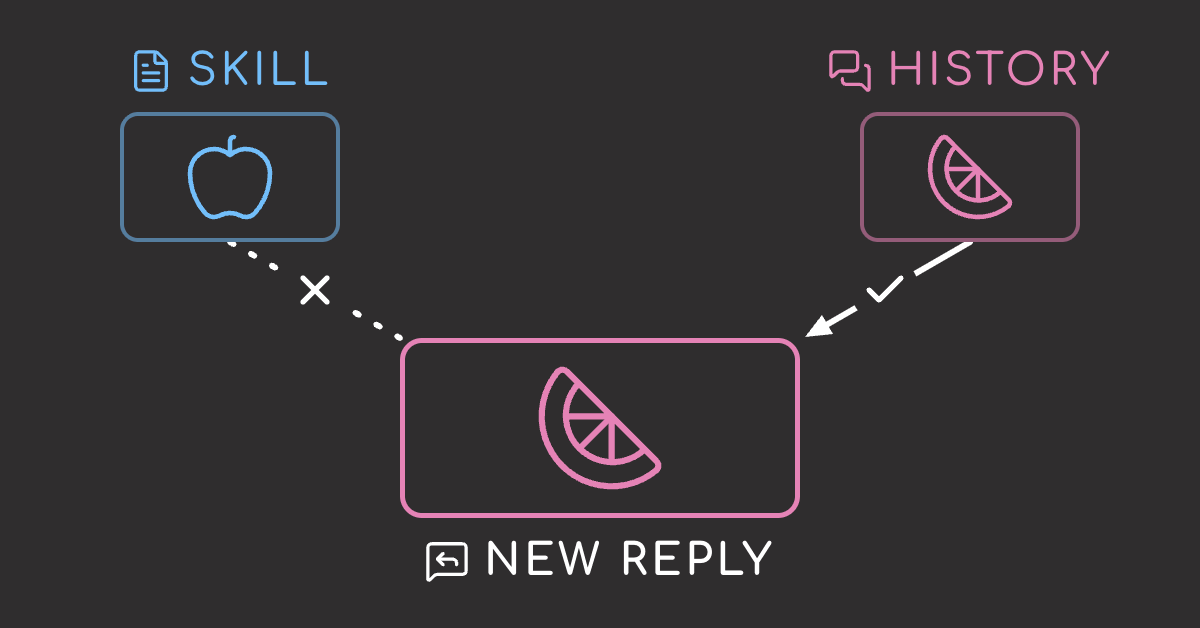
The key difference is the source of the response: mocking replaces the API with a fake response, while VCR.py replays a response recorded from the real API.
The code below shows a test that uses mocking to control the API response:
from unittest.mock import Mock, patch

import requests


def get_repository_license(owner: str, repo: str) -> str | None:
    response = requests.get(f"https://api.github.com/repos/{owner}/{repo}")
    response.raise_for_status()
    data = response.json()
    return data["license"]["spdx_id"] if data["license"] else None


@patch("requests.get")
def test_get_repository_license_with_mock(mock_get):
    mock_response = Mock()
    mock_response.json.return_value = {"license": {"spdx_id": "MIT"}}
    mock_response.raise_for_status.return_value = None
    mock_get.return_value = mock_response

    license_id = get_repository_license("kevin1024", "vcrpy")

    assert license_id == "MIT"
In this test:
@patch("requests.get")replaces the real HTTP call during the test.mock_responseacts like the response objectrequests.get()would normally return.mock_response.json.return_valuedefines the JSON payload used in the test.- The assertion checks that the test-provided payload leads to
"MIT".
This graph shows the difference between a mock and VCR.py:
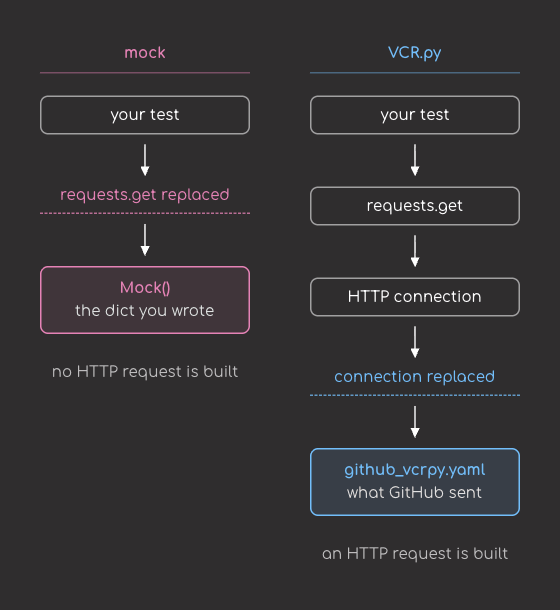
So why should you use VCR.py instead of mocking? Mocks are useful when the goal is to isolate your code. For example, this mock forces a successful response:
mock_response.json.return_value = {"license": {"spdx_id": "MIT"}}
mock_response.raise_for_status.return_value = None
That is a good unit test, but it does not check the real HTTP interaction. A public API can also return status codes and headers that affect your client:
Status: 403
X-RateLimit-Remaining: 0
For that kind of integration-style test, VCR.py is a better fit because it records the real HTTP response once and replays it later.
A good testing stack often uses all three layers:
| Layer | Purpose |
|---|---|
| Mocked unit tests | Fast checks for your own logic |
| VCR.py tests | Deterministic tests against recorded real HTTP responses |
| A few live smoke tests | Confirmation that the external service still behaves as expected |
A Practical VCR.py Testing Workflow
Some good practices when using VCR.py:
- Commit cassettes with the tests that use them, so every test has the response fixture it needs.
- Run CI in replay-only mode, so builds cannot create or update fixtures without review.
- Review cassette diffs before committing them, so response changes do not get added to your tests unnoticed.
That keeps API tests stable without hiding external changes.
📚 For more context on building a complete testing and CI workflow, see Production-Ready Data Science.
References
- VCR.py API docs (VCR.py docs, 2026): Configuration options including
record_mode,match_on,serializer, andcassette_library_dir. - VCR.py usage docs (VCR.py docs, 2026): Record modes including
once,new_episodes,none, andall.