

Table of Contents
- Introduction
- What Is Thinking Mode?
- Setup
- Multi-Step Problems: Where Thinking Helps
- Single-Step Problems: When Plain Mode Is Enough
- Final Thoughts
Introduction
When a local model gets a simple task wrong, the natural reaction is to reach for a bigger one. But some failures are not model-size failures. They are reasoning failures.
This showed up while I was testing a local model on imported finance data. The model’s job was to review transactions before reporting: catch bad splits, duplicate card rows, refunds, and fee calculations.
One test looked like this:
A parent transaction of $1,000.00 was split into these children:
  8.84, 86.18, 74.53, 74.53, 20.64, 12.61, 1.49, 1.49, 719.59
What is the difference between the parent amount and the total of the children?
Answer with the absolute difference, to 2 decimal places, and conclude whether
the split balances.
The model answered:
{"difference": 0.0, "conclusion": "The split balances."}
But the children total $999.90, so the correct answer is 0.10.
The natural next move was to use a larger local model or send the task to a stronger cloud model. But neither was free: locally, it meant more memory and slower inference; in the cloud, it meant token costs and sending the data off the machine.
Before upgrading the model, I tried the cheaper question first: could the same model get it right if it spent more time reasoning?
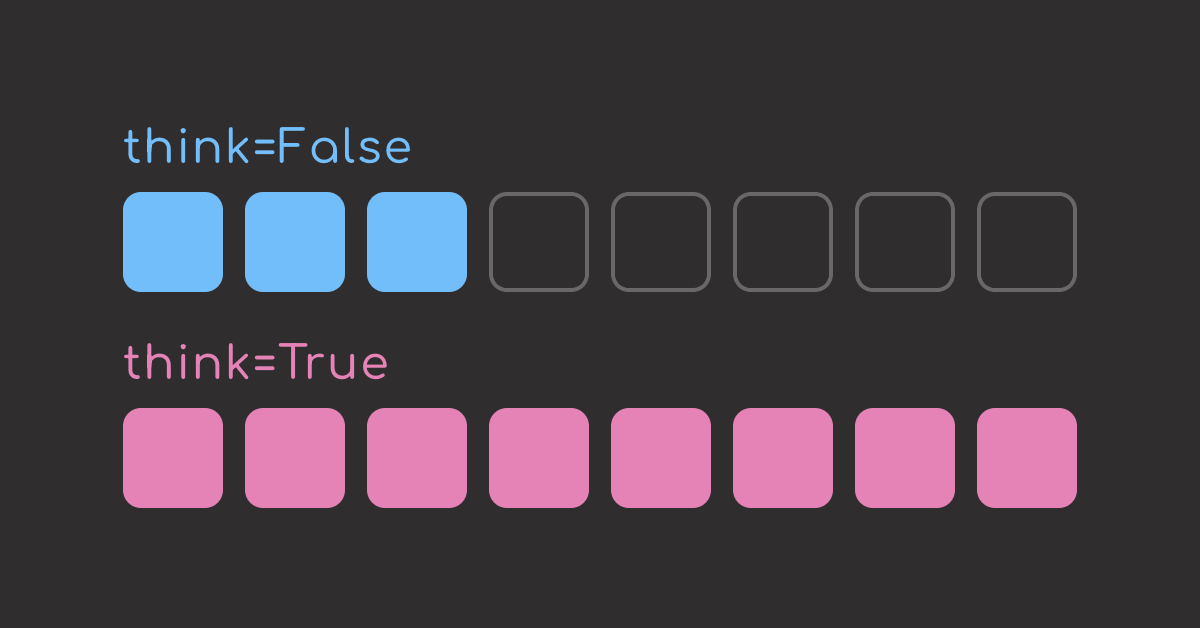
To find out, I ran twelve finance prompts through the same model twice, once with thinking off and once with thinking on. The benchmark included two kinds of prompts:
- Eight multi-step problems, where each step depends on a value calculated earlier.
- Four single-step problems, where the answer comes from one direct calculation.
By the end, you will know when thinking mode is worth the extra time and when it is better to switch to a larger model.
💻 Get the Code: Grab the runnable benchmark script, prompt list, and recorded results from GitHub.
Stay Current with CodeCut
Easy-to-digest articles on Python, AI, and open-source tools. Delivered twice a week.
What Is Thinking Mode?
Thinking mode asks the model to work through the problem before returning the final answer. The reasoning trace is kept separate, so your application can still receive the same clean response shape.
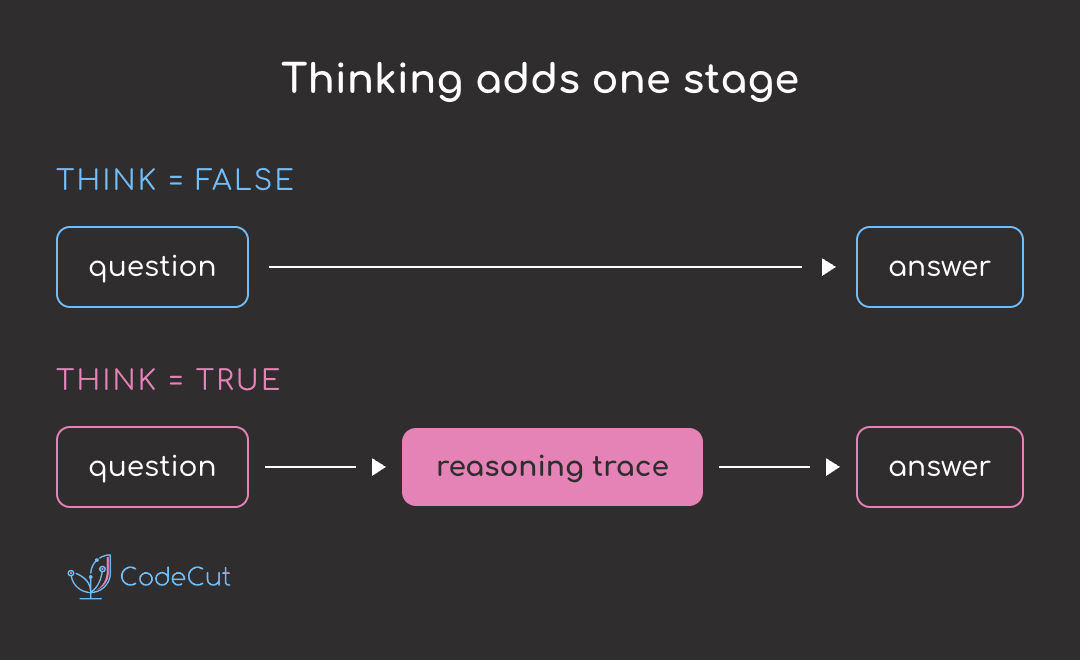
That extra reasoning step is what improves the answer, but it is also what makes the response slower.
Setup
Pull the model with Ollama. qwen3:30b-a3b is a mixture-of-experts model: it has about 30 billion total parameters, but activates only about 3 billion for each token. That makes it practical to run locally while still supporting thinking mode:
ollama pull qwen3:30b-a3b
This article uses ollama v0.32.8 and qwen3:30b-a3b.
Point at the local endpoint and the model:
import json
import time
import urllib.request

MODEL = "qwen3:30b-a3b"
URL = "localhost:11434/api/chat"
The code below defines the response contract. The model should answer with exactly one numeric field, answer, so each result can be compared directly with the known correct value:
SYSTEM = (
    "You are a careful financial assistant. Answer the question with a "
    "single number only. Do not include currency symbols, thousands "
    "separators, units, or any explanation in the answer field."
)

SCHEMA = {
    "type": "object",
    "required": ["answer"],
    "properties": {"answer": {"type": "number"}},
}
For a typed Python approach to the same problem, the PydanticAI structured-output guide shows how to validate LLM responses with models instead of raw schemas.
Next, the sampling settings. The benchmark uses two decoding setups: greedy decoding for the fast non-thinking baseline, and non-greedy decoding for thinking mode.
Greedy decoding means the model always takes the most likely next token:
yes    70%  <- chosen
no     20%
maybe  10%
That is useful for the non-thinking baseline because it is fast and repeatable.
Thinking mode uses Qwen’s recommended non-greedy settings. Non-greedy decoding can choose from a controlled set of likely tokens instead of locking every step to the top one:
yes    70%  <- likely
no     20%  <- still allowed
maybe  10%  <- unlikely, but possible depending on settings
That extra flexibility is useful for reasoning because the model has to explore intermediate steps before settling on the final answer:
GREEDY = {"temperature": 0}
THINKING = {"temperature": 0.6, "top_p": 0.95, "top_k": 20, "min_p": 0.0}  # settings recommended by Qwen
Next, define the helpers that send the request to Ollama and get the answer:
def _get_ollama_message(question, think):
    options = dict(THINKING if think else GREEDY, seed=0)
    body = {
        "model": MODEL,
        "stream": False,
        "think": think,  # the only variable
        "format": SCHEMA,
        "options": options,
        "messages": [
            {"role": "system", "content": SYSTEM},
            {"role": "user", "content": question},
        ],
    }
    request = urllib.request.Request(
        URL, json.dumps(body).encode(), {"Content-Type": "application/json"}
    )
    reply = json.loads(urllib.request.urlopen(request).read())
    return reply["message"]


def _print_thinking_preview(message, max_lines):
    if max_lines == 0 or not message.get("thinking"):
        return
    lines = [line for line in message["thinking"].splitlines() if line.strip()]
    if len(lines) > max_lines:
        head_count = max_lines // 2
        tail_count = max_lines - head_count
        lines = lines[:head_count] + ["..."] + lines[-tail_count:]
    print("\n".join(lines))


def _extract_answer(message):
    return json.loads(message["content"])["answer"]
Then wrap them in ask(). The decorator records each call’s latency in ask.last_seconds, which makes plain and thinking runs easy to compare:
def _timed(func):
    def wrapper(*args, **kwargs):
        start = time.perf_counter()
        result = func(*args, **kwargs)
        wrapper.last_seconds = time.perf_counter() - start
        return result

    wrapper.last_seconds = 0.0
    return wrapper


@_timed
def ask(question, think=False, trace_lines=0):
    message = _get_ollama_message(question, think)
    _print_thinking_preview(message, trace_lines)
    return _extract_answer(message)
Multi-Step Problems: Where Thinking Helps
Multi-step problems are hard because the answer is not available from one operation. It has to be built through several intermediate steps. For example:
- Subtract charges in order
- Add split transactions before comparing totals
- Divide an invoice before applying a fee
These are the questions that thinking mode is good for: keeping track of the steps before giving the answer.
To test that, I ran eight multi-step finance questions with thinking mode off and on. Plain mode missed five, while thinking mode answered every one correctly:
| Condition | Correct | Average Time |
|---|---|---|
| Plain | 3 / 8 | 0.36s |
| Thinking | 8 / 8 | 13.30s |
Let’s look at the two multi-step problems that plain mode got wrong.
The first failure is a two-step reconciliation problem. The model has to total the nine child transactions first, then subtract that total from the $1,000.00 parent:
split_check = """A parent transaction of $1,000.00 was split into these children:
  8.84, 86.18, 74.53, 74.53, 20.64, 12.61, 1.49, 1.49, 719.59
What is the difference between the parent amount and the total of the children?
Answer the absolute difference, to 2 decimal places."""

print(ask(split_check))
The answer is wrong. The children total $999.90, so the correct difference is 0.10.
Let’s turn the flag on and see if the answer improves:
print(ask(split_check, think=True, trace_lines=4))
The answer is now correct! The trace shows the extra work that made the difference:
- It restates the task: compare the
$1,000.00parent with the total of the child transactions. - It starts by adding the child amounts instead of jumping straight to an answer.
- It notices that an intermediate sum is wrong.
- It recomputes the total another way to check itself.
- It lands on
$999.90for the children. - It subtracts that from
$1,000.00and returns the correct difference:0.1.
Instead of jumping to 0.0, thinking mode gives the model room to work through the sum and find the missing ten cents.
The second failure is about operation order. The model has to divide the invoice into installments before applying the processing fee.
installment_fees = """An invoice of $4,800.00 was paid in 3 equal installments.
Each installment was charged a 2.5% processing fee.
What were the total processing fees, to 2 decimal places?"""

print(ask(installment_fees))
The answer is wrong. The invoice is paid in three installments, so the fee should be calculated after the split:
$4,800 / 3 = $1,600per installment$1,600 × 2.5% = $40fee per installment$40 × 3 = $120total fees
The model probably came up with the wrong answer because it applied the fee to the full invoice three times: $4,800 × 2.5% × 3 = $360.
The speed is the problem here. It gets to a plausible formula quickly, but skips the slower intermediate step: calculate the installment amount first.
Now, let’s turn on thinking mode and see if the answer improves:
print(ask(installment_fees, think=True, trace_lines=4))
This time the model gets the operation order right:
- It divides
$4,800by3before applying the fee. - It calculates the fee on one
$1,600installment. - It multiplies the
$40fee by3installments. - It checks the same calculation another way before returning
120.0.
Thinking mode gets it right because it takes time to work through the problem instead of jumping to the most obvious formula.
Single-Step Problems: When Plain Mode Is Enough
Single-step problems are different: the answer comes from one direct calculation, with no intermediate value to carry forward. Here is a percentage example:
percent_of_deposit = """A deposit of $1,250.00 funded a single charge of $100.00.
What percentage of the deposit was that charge?
Answer to 2 decimal places."""

print(f"answer: {ask(percent_of_deposit)}")
print(f"time: {ask.last_seconds:.2f}s")
Plain mode gets the right answer in 0.40s. Thinking mode gives the same answer in 6.90s, about 17x slower:
print(f"answer: {ask(percent_of_deposit, think=True)}")
print(f"time: {ask.last_seconds:.2f}s")
The other four single-step prompts also show the same pattern: both models get the right answer, but plain mode is faster, and thinking mode is slower.
| Condition | Correct | Average Time |
|---|---|---|
| Plain | 4 / 4 | 1.38s |
| Thinking | 4 / 4 | 8.67s |
This shows that for one-step tasks, plain mode is the better default: it gives the same answer but with much less latency.
To view the full results, with the exact prompt and both models’ answers for each, see the full results file.
Final Thoughts
Here is the summary of the benchmark results:
| Kind | Plain | Thinking | Average Time |
|---|---|---|---|
| Multi-step (8 problems) | 3 / 8 | 8 / 8 | 0.36s → 13.30s |
| Single-step (4 problems) | 4 / 4 | 4 / 4 | 1.38s → 8.67s |
The decision whether to use thinking mode comes down to one question: is this a one-step answer, or does the model need to carry state across steps?
Here is the rule of thumb in more concrete terms:
| Task Shape | Example | Better Default |
|---|---|---|
| One lookup | Pulling a due date from an email | Plain mode |
| One classification | Labeling a review sentiment | Plain mode |
| One format conversion | Turning a record into JSON | Plain mode |
| Multi-step debugging | Reading logs in order to find which earlier step caused a later job failure | Thinking mode |
| Rule chain | Checking whether a user qualifies after applying eligibility rules and exceptions | Thinking mode |
| Dependent decisions | Building a schedule where each meeting choice changes the remaining available slots | Thinking mode |
In short, start with plain mode for obvious one-step tasks and thinking mode for obvious multi-step tasks. When the boundary is unclear, test both on a small set of real failures before deciding which default to use.
When thinking mode does not help, prompt optimization is the next lever. The DSPy guide covers that path for classifier-style LLM tasks.
Related Tutorials
- Structured Output Tools for LLMs: enforcing the JSON schema this article relies on for gradeable answers.
- Run Private AI Workflows with LangChain and Ollama: the local setup this runs on.
- Build a Private Email Q&A System with Local and Cloud LLMs: a hybrid architecture for deciding what stays local and what gets escalated.
Stay Current with CodeCut
Easy-to-digest articles on Python, AI, and open-source tools. Delivered twice a week.

1 thought on “Before You Upgrade the Model, Try Thinking Mode”
Very useful and excellent step by step explanation