
Table of Contents
- Introduction
- Vector Search vs Memory
- Setup
- Build a Stateless Support Bot
- Test the Stateless Support Bot
- Store Support Interactions in Mem0
- Retrieve Memories Before Responding
- Compare Stateless vs Memory-Aware Responses
- Add a Status Update
- Manage Stored Memories
- Final Thoughts
Introduction
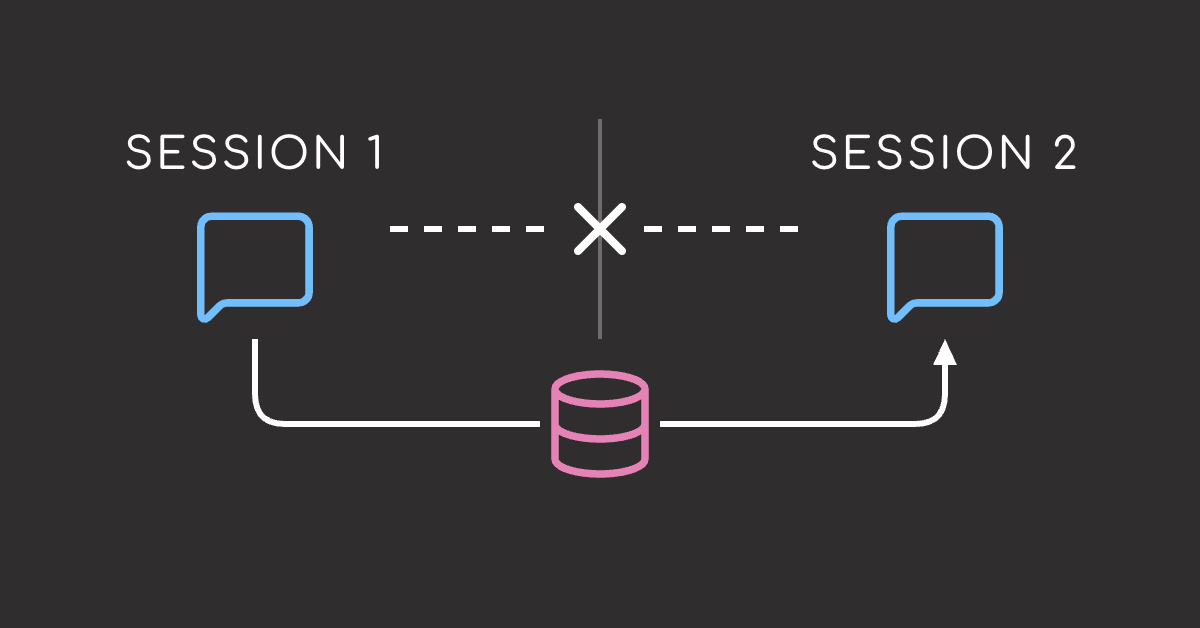
LLM applications are often stateless by default. Each prompt only knows what you include at that moment, so useful context from earlier interactions can disappear between sessions.
For simple questions, that is often enough. For returning users, it can lead to repeated explanations, missing preferences, and less helpful responses.
Mem0 helps by extracting important facts from conversations, storing them by user, and retrieving relevant memories when needed.
To see how Mem0 works, we will build a simple e-commerce support workflow, first without memory and then with Mem0, so you can compare how stored context changes the response.
💻 Get the Code: Open the notebook in Google Colab to run it in your browser, or grab the source from GitHub.
Stay Current with CodeCut
Easy-to-digest articles on Python, AI, and open-source tools. Delivered twice a week.
Vector Search vs Memory
A vector database is a good starting point for retrieval, but memory requires more than finding similar text. You still need a way to decide which details are worth saving for future interactions.
In this customer support example, the vector database may retrieve the entire message, including the coffee detail even though it is unrelated to the delayed order:
My order #4821 still has not arrived. I contacted support last week and got no update. Also, I was checking this while making coffee this morning.
A memory layer should keep only the support-relevant facts:
Order #4821 is delayed, and the customer contacted support last week without receiving an update.
To get from raw retrieval to useful memory, your application still needs logic for:
- Deciding which details from the message should be remembered for future replies.
- Making sure each memory is tied to the right user or conversation.
- Deciding how to handle newer memories that conflict with or supersede earlier ones.
- Formatting retrieved messages into prompt-ready context.
You can implement this yourself, but the extra extraction and memory-management logic adds up. Mem0 packages that workflow behind a simpler memory API, which we will use in the next section.
If vector search is new to you, see our Pinecone vector database tutorial for a practical introduction to semantic search and retrieval.
Setup
Install the libraries used in this tutorial:
mem0ai: Adds long-term memory for storing and retrieving user context.litellm: Provides a unified interface for calling LLM providers.python-dotenv: Loads API keys and configuration from a.envfile.
pip install mem0ai litellm python-dotenv
This article uses mem0ai v2.0.4, litellm v1.87.0, and python-dotenv v1.2.2.
Since this tutorial uses OpenAI’s GPT-4o-mini, store your OPENAI_API_KEY in a .env file in your project folder so Mem0 and LiteLLM can access it.
OPENAI_API_KEY=your-openai-api-key
Start by loading the environment variables and imports used throughout the tutorial:
from dotenv import load_dotenv
from litellm import completion
from mem0 import Memory

load_dotenv()
Next, define a helper that sends a list of chat messages to GPT-4o-mini through LiteLLM and returns only the generated text:
def ask_model(messages: list[dict[str, str]]) -> str:
    response = completion(model="openai/gpt-4o-mini", messages=messages)
    return response.choices[0].message.content
To use another model, replace "openai/gpt-4o-mini" with a model name from the LiteLLM provider docs.
Finally, configure Mem0 with an LLM for extracting memories from messages. This example uses GPT-4o-mini, but Mem0 and LiteLLM do not have to use the same model:
memory = Memory.from_config(
    {
        "llm": {
            "provider": "openai",
            "config": {"model": "gpt-4o-mini"},
        },
    }
)
Build a Stateless Support Bot
First, create a support bot with no memory. It only sees the current message.
SYSTEM_PROMPT = (
    "You are a helpful e-commerce customer support agent. "
    "Be polite, concise, and practical."
)


def ask_stateless_bot(question: str) -> str:
    messages = [
        {"role": "system", "content": SYSTEM_PROMPT},
        {"role": "user", "content": question},
    ]
    return ask_model(messages)
The customer opens a support chat about a delayed order. We will also include an irrelevant detail in the message, so that we can later show that Mem0 can focus on the useful support facts:
initial_message = (
    "My order #4821 still has not arrived. "
    "I contacted support last week and got no update. "
    "Also, I was checking this while making coffee this morning." # irrelevant detail
)

print(ask_stateless_bot(initial_message))
The reply is reasonable for a first message. The problem shows up when the customer returns later.
Test the Stateless Support Bot
Let’s see how the bot responds to a follow-up question without passing the earlier conversation:
follow_up = "Hi, any update on my delayed order?"

print(ask_stateless_bot(follow_up))
The response is polite, but it loses the context that matters most: the order number, the prior support contact, and the customer’s frustration.
Store Support Interactions in Mem0
To preserve the missing order context, add Mem0 as a memory layer. Store the customer message under a stable customer_id so it can be retrieved in later interactions.
customer_id = "cust_4821"
order_id = "4821"
issue_type = "shipping"
sentiment = "frustrated"

memory_extraction_prompt = (
    "Extract only useful customer-support facts. Ignore unimportant information."
)

add_result = memory.add(
    messages=[{"role": "user", "content": initial_message}],
    user_id=customer_id,
    metadata={
        "issue_type": issue_type,
        "sentiment": sentiment,
        "order_id": order_id,
    },
    prompt=memory_extraction_prompt,
)

print(add_result)
Note that the saved memory keeps the support-relevant details: the order number, the delayed delivery, and the prior support contact. It does not include the unrelated coffee detail from the original message.
Raw customer message
   |
   v
LLM-based extraction step
   |
   +--> Save: order #4821 has not arrived
   +--> Save: customer contacted support last week
   +--> Drop: customer was making coffee
This has a few practical benefits:
- Cleaner retrieval: Future searches return useful support context instead of unrelated conversation details.
- Lower API cost: Passing compact memories instead of noisy chat history can reduce the number of tokens sent to the model.
- Better privacy boundaries: Incidental personal details are less likely to be retained when they are not needed.
If you do not want Mem0 to infer or rewrite memories, set infer=False. In that mode, Mem0 stores the provided message directly instead of extracting selected facts from it.
Retrieve Memories Before Responding
Before answering a new message, define a helper that searches Mem0 for memories related to the current question and limits the search to the current customer_id:
def retrieve_customer_memories(question: str, customer_id: str) -> dict:
    return memory.search(
        query=question,
        filters={"user_id": customer_id},
        top_k=3,
    )


for item in retrieve_customer_memories(follow_up, customer_id)["results"]:
    print(item["memory"])
Next, convert the dictionary returned by Mem0 into plain text so it can be inserted into the system prompt:
def format_memories(search_result: dict) -> str:
    memories = search_result["results"]
    if not memories:
        return "No relevant memories found."

    return "\n".join(f"- {item['memory']}" for item in memories)


print(format_memories(retrieve_customer_memories(follow_up, customer_id)))
Compare Stateless vs Memory-Aware Responses
Now we are ready to create a memory-aware support bot. The function below does three things:
- Retrieves relevant customer memories from Mem0.
- Adds those memories to the system prompt.
- Sends the updated prompt to the model.
def ask_memory_aware_bot(question: str, customer_id: str) -> str:
    customer_memories = format_memories(
        retrieve_customer_memories(question, customer_id)
    )

    messages = [
        {
            "role": "system",
            "content": (
                f"{SYSTEM_PROMPT}\n\n"
                f"Relevant customer memories:\n{customer_memories}"
            ),
        },
        {"role": "user", "content": question},
    ]
    return ask_model(messages)
Ask the same follow-up again:
print(ask_memory_aware_bot(follow_up, customer_id))
This response now uses the stored memory. It remembers the order number, the earlier support contact, and the unresolved shipping issue without asking the customer to repeat them.
Add a Status Update
Next, add a new message that changes the order status. This lets us see how the memory-aware bot handles newer information:
status_update_result = memory.add(
    messages=[{"role": "user", "content": "Order #4821 arrived today."}],
    user_id=customer_id,
    metadata={"order_id": order_id, "issue_type": issue_type},
)

print(status_update_result)
Mem0 stores this as a new memory. Ask the same follow-up again:
print(ask_memory_aware_bot(follow_up, customer_id))
The answer changes because the model now receives both the earlier delay and the newer arrival status in the retrieved memories.
Manage Stored Memories
When memory affects model responses, you need a way to inspect what was stored. Use get_all() to see the memories Mem0 has saved for a customer:
all_memories = memory.get_all(filters={"user_id": customer_id})

for item in all_memories["results"]:
    print(item["id"], "-", item["memory"])
If a memory is wrong or a ticket is resolved, delete it by ID:
memory_id = all_memories["results"][0]["id"]
memory.delete(memory_id)
You can also delete all memories for a user at once using delete_all(). Be careful because this permanently removes every stored memory for that user:
# Irreversible: deletes all memories for this user
memory.delete_all(user_id=customer_id)
Final Thoughts
Stateless LLM applications are easy to build, but they only know what is included in the current prompt.
Mem0 adds a memory layer for applications that need continuity across sessions. The same pattern can support customer support bots, personal assistants, tutoring apps, healthcare intake tools, CRM workflows, and onboarding assistants.
With Mem0, applications can save important details from past interactions and retrieve the most relevant context for future responses.
Use memory when you don’t want returning users to have to repeat important details. Skip it when each request is self-contained or when storing user history adds unnecessary complexity.
Related Tutorials
- Implement Semantic Search in Postgres Using pgvector and Ollama: Learn how to store embeddings in Postgres and retrieve semantically similar records with pgvector.
- Enforce Structured Outputs from LLMs with PydanticAI: Learn how to validate extracted LLM outputs with typed Pydantic models.
Stay Current with CodeCut
Easy-to-digest articles on Python, AI, and open-source tools. Delivered twice a week.