
Table of Contents
- Introduction
- Meet Hermes Agent
- Setup
- The Test Task: Debugging a Broken Training Script
- Crystallization: Turning Work Into Skills
- The Curator: Managing Agent-Created Skills
- Final Thoughts
Introduction
Skills are one of the most useful ideas in coding agents like Claude Code and Codex. Instead of repeating the same instructions every time, you can teach the agent a reusable procedure for tasks you perform repeatedly.
But skills are easy to forget. After an agent figures out a useful workflow, nothing automatically turns that discovery into reusable memory. You have to pause, decide what is worth saving, ask for a skill, review it, and keep the skill library organized.
The more skills you add, the harder they become to maintain. Some become stale, some overlap, and some repeat the same idea.
Hermes Agent from Nous Research addresses this with crystallization: after a complex task, the agent can save the workflow as a reusable SKILL.md. Its Curator then keeps the skill library from growing unchecked.
The interesting part is not that Hermes can write skills. Most coding agents can do that when asked. The claim is that Hermes can recognize reusable work and preserve it without a human deciding what is worth keeping.
I was intrigued and wanted to test this myself. Does Hermes actually create a skill after a task, even when the prompt never mentions skills? And when it does, is the skill it writes specific enough to be worth reusing?
To find out, I ran two tests:
- Give Hermes a broken training script with several data problems, tell it only to debug the script, and never mention skills. Then check whether a skill file appears.
- Add three skills that describe the same workflow, then run the Curator and see whether it spots the overlap.
By the end, you will know whether autonomous skill creation is useful in practice, what kind of skill it produces, and how well the Curator keeps the skill library organized.
💻 Get the Code: All input and output files for this article are available in the companion repo.
Stay Current with CodeCut
Easy-to-digest articles on Python, AI, and open-source tools. Delivered twice a week.
Meet Hermes Agent
Hermes Agent is an open-source AI agent framework from Nous Research. It is built for multi-step coding and task workflows where the agent can inspect files, run commands, call tools, and iterate toward a result.
Some of the features that make Hermes stand out include:
- Local and hosted model support: run Hermes with local models through Ollama or with API-backed providers.
- Messaging and platform integrations: run Hermes outside the terminal through surfaces like Slack, Discord, Telegram, and WhatsApp.
- Autonomous skill creation: let Hermes create skills after completing complex tasks.
- The Curator: manage agent-created skills by tracking usage, archiving stale skills, and suggesting consolidations.
Hermes supports several interaction surfaces, including the CLI, a terminal UI, and messaging integrations such as Slack, Discord, Telegram, and WhatsApp. This article uses the CLI to keep the workflow explicit and reproducible.
Setup
This test uses two tools: Ollama to run the model locally, and Hermes Agent to drive the coding workflow.
First, install Ollama and start its local server. On macOS, you can use the Ollama app or Homebrew:
brew install ollama
ollama serve
By default, ollama serve starts a local server at http://localhost:11434, which Hermes will use as the model endpoint.
Then pull the model used in this test. We will use qwen3-coder:30b, a coding-tuned mixture-of-experts model that runs comfortably on a laptop and is well suited for multi-step coding tasks:
ollama pull qwen3-coder:30b
Next, install Hermes and run its setup command:
curl -fsSL https://hermes-agent.nousresearch.com/install.sh | bash
hermes setup
Finally, point Hermes at the local Ollama model with the interactive model setup:
hermes model
Choose the custom endpoint option, then point Hermes to the endpoint served by Ollama:
Base URL: http://localhost:11434/v1     # The model server endpoint
Model name: qwen3-coder:30b             # The local model Hermes will call
Context length: 65536                   # Large enough for Hermes agent workflows
This writes the model settings to ~/.hermes/config.yaml. The resulting configuration should look like this:
model:
  default: "qwen3-coder:30b"
  provider: "custom"
  base_url: "http://localhost:11434/v1"
  context_length: 65536
With this setup, you can run Hermes without an API key or account. Everything runs and stays on the machine.
For more on keeping AI workflows fully local, the LangChain and Ollama guide covers running models entirely on your own machine.
The Test Task: Debugging a Broken Training Script
To test Hermes’s skill features, let’s use a dataset that forces the agent through a multi-step debugging process. It includes common data issues: comma-formatted numeric strings, categorical values, missing entries:
The starting training script does not handle any of those data issues:
import pandas as pd
from sklearn.linear_model import LogisticRegression

df = pd.read_csv("data.csv")

X = df.drop(columns=["converted"])
y = df["converted"]

model = LogisticRegression(max_iter=1000)
model.fit(X, y)

print("Accuracy:", model.score(X, y))
Running the script fails immediately. Fixing it takes several run-edit-rerun cycles because each data issue surfaces at a different point in the pipeline:
This task is ideal for testing Hermes because the agent has to inspect, debug, edit, and verify its work across several steps. Next, let’s run Hermes on the broken script and see whether it turns the solution into reusable skill memory.
Crystallization: Turning Work Into Skills
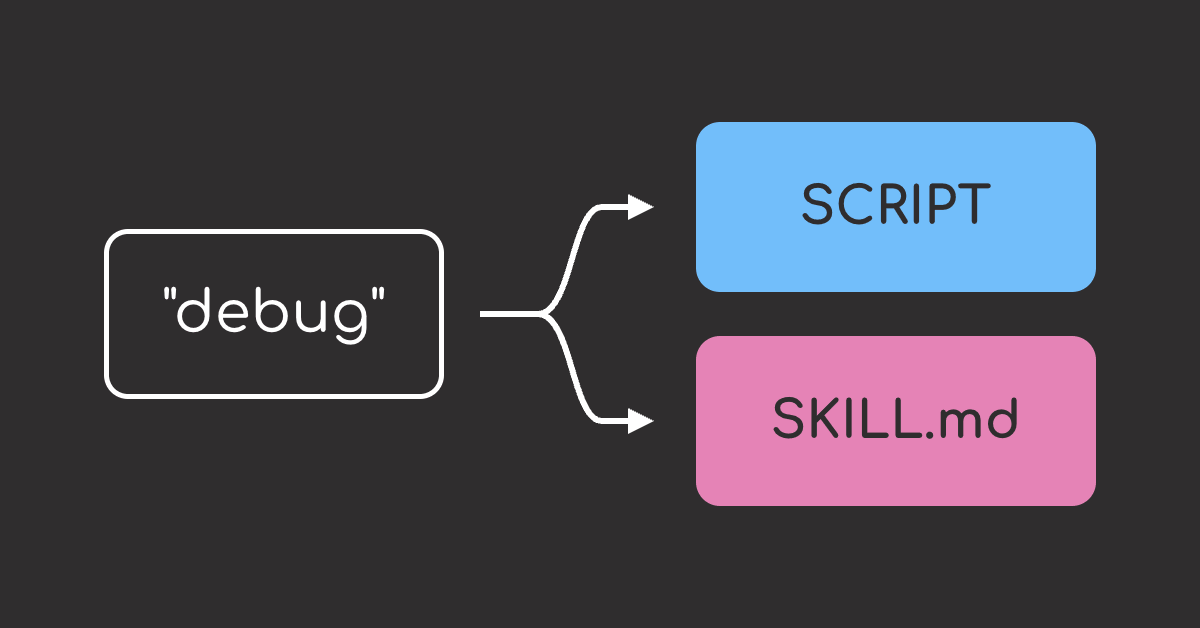
Crystallization is Hermes Agent’s autonomous skill-creation feature. After a complex task, Hermes can write a reusable SKILL.md that captures the procedure it just used, even if the user never asked it to create a skill.
Let’s test whether that happens in practice by giving Hermes a broken script, letting it debug the issue end to end, and then checking whether a new skill appears afterward.
The command below starts Hermes with the local qwen3-coder:30b model and gives it one instruction: debug the broken script until it trains successfully. It does not mention skills or ask Hermes to save anything.
hermes -m qwen3-coder:30b -z "In this folder, 'python3 train.py' fails. Debug it end to end: run it, read each error, edit train.py, and repeat until it trains a LogisticRegression and prints an accuracy. Inspect the actual data before assuming column types. End with the final accuracy."
Hermes inspected the data, cleaned the comma-formatted numbers, filled the missing values, encoded the categorical column, and got the script running in 14 tool calls. Then it created a new skill, data-cleaning-for-machine-learning.SKILL.md, to capture the workflow for future use.
Here is a shortened view of the generated skill:
## Key Steps

1. Inspect data types before modeling.
2. Convert formatted text values into numeric columns.
3. Encode categorical variables.
4. Handle missing values.
5. Keep only model-ready features.

## Common Issues and Solutions

- String numbers with commas
- Categorical encoding
- Missing data handling

## Best Practices

- Inspect data before machine learning.
- Preserve original data when possible.
- Use the right encoding strategy for each column.
- Validate that all features are numeric before training.
The full generated skill is available here: data-cleaning-for-machine-learning.SKILL.md.
This is exactly what crystallization is supposed to do: Hermes turned a multi-step debugging task into a reusable skill automatically.
But creating skills is only half of the workflow. If Hermes keeps saving new procedures after complex tasks, the skill library can quickly grow messy. The next section tests whether the Curator can keep those agent-created skills organized.
The Curator: Managing Agent-Created Skills
The Curator is the cleanup layer for Hermes’s skill system. If crystallization creates skills automatically, the Curator is responsible for keeping those agent-created skills from piling up unmanaged.
This section tests whether the Curator can keep the skill library organized.
The deterministic lifecycle works
Start with hermes curator status to see the Curator’s current lifecycle settings.
hermes curator status
The output shows:
- The Curator is enabled.
- It runs every 7 days.
- Unused skills become stale after 30 days.
- Unused skills are archived after 90 days.
- Consolidation is off by default and must be enabled explicitly.
When the Curator runs, it works through a fixed sequence:
- Snapshot
~/.hermes/skills/by making a backup copy of the current skill library before any changes are applied, so the run can be rolled back if something goes wrong. - Age skills by usage: mark an unused skill as stale after 30 days, then move it to the archive after 90 days without use.
- Consolidate (only if enabled): a background model reviews the skill catalog, looks for overlapping skills, and proposes or applies merges.
- Write a report to
~/.hermes/logs/curator/.
Archive and Restore Skills
Archiving removes stale skills from active use without deleting them. To see the archive flow immediately, run it manually instead of waiting for scheduled cleanup. Start by archiving one agent-created skill:
hermes curator archive clean-csv-commas
List the archive to confirm the skill moved out of the active library:
hermes curator list-archived
Then restore the skill when it should be active again:
hermes curator restore clean-csv-commas
This makes archiving low-risk. A stale skill can be removed from active use without being deleted, then restored later if the same workflow becomes useful again.
Consolidate Overlapping Skills
Consolidation helps clean up duplicate or overlapping skills by proposing merges. To make that behavior visible, we will create three extra skills manually: clean-csv-basic, clean-csv-commas, and prep-messy-data-sklearn.
All three describe the same general workflow: clean a messy CSV so it can be used in a scikit-learn training script. Since merge suggestions should be reviewed before anything changes, run consolidation in dry-run mode first:
hermes curator run --consolidate --dry-run
The output shows that consolidation can identify duplicate skill intent, not just identical names. Even though the smaller skills have different names and scopes, the Curator grouped them under the more general data-cleaning-for-machine-learning skill.
Final Thoughts
This experiment shows why Hermes’s skill system is interesting. The agent can learn from completed work, save the workflow as a reusable skill, and then provide tools for keeping those skills organized.
The debugging prompt never mentioned skills, but Hermes still created a useful data-cleaning skill after solving the task.
The Curator adds a scheduled maintenance layer. It can check the skill library on a regular interval, mark unused skills as stale, archive them after enough inactivity, and keep the active skill set from growing unchecked.
That combination is what makes Hermes stand out. It does not remove the need for human review, but it does reduce the manual work needed to capture and maintain reusable agent procedures.
I encourage you to try Hermes yourself. Give it a task that usually takes several commands or edits. Let it work through the task normally, then check whether it turns the workflow into a reusable skill.
Related Tutorials
- Add Long-Term Memory to LLM Applications with Mem0: Persist facts and preferences across sessions.
- Build Production-Ready LLM Agents with LangChain 1.0 Middleware: Add guardrails and human-in-the-loop to agents.
Stay Current with CodeCut
Easy-to-digest articles on Python, AI, and open-source tools. Delivered twice a week.