
Table of Contents
- Introduction
- TL;DR
- Experiment Setup
- Results
- A Reusable Skill for README Updates
- Caveats
- Run the Experiment Yourself
Introduction
Updating a README from release notes sounds like an easy job for an LLM, but it isn’t.
For every change, the LLM has to make two decisions: does it belong in the README, and if so, where?
I recently asked an LLM to update a README for a Python project and got a different mistake on every try: it skipped new changes, put them in the wrong section, or added notes only maintainers care about.
To find a more reliable way to update it, I tested five methods, four of them from the paper Knowledge Pull Requests for Continual Document Authoring.
This article shows how each method handled the same release notes and which one worked best. I’ll also share the skill file I now use for my README updates.
Get the code: The companion files are in
notebooks/readme-update-from-release-notes.
Stay Current with CodeCut
Easy-to-digest articles on Python, AI, and open-source tools. Delivered twice a week.
TL;DR
- Simple, one-request methods were fast but either skipped relevant changes or deleted existing content.
- Smaller, targeted edits preserved more of the original README.
- Processing each change separately captured every relevant update but added nearly every irrelevant detail.
- Checking each change first produced the best overall result, though it was the slowest method and still required review.
Experiment Setup
Project and Settings
This experiment updates the README for Vulture, a Python static-analysis tool that finds unused code.
I used qwen3.8:27b-mlx with thinking turned off and ran each method three times. The full setup and labeled release notes are documented in the experiment README.
Methods
I tested five ways to divide the work:
- All at once: Give the model the existing README and release notes, then ask it to edit the README.
- Full rewrite: Give the model the same inputs, but ask it to write a new README from scratch.
- Section by section: Compare each README section with all the release notes, then update that section if needed.
- Change by change: Route every release-note change to the README section where it belongs, then update that section.
- Change by change, filtered: Check whether each change belongs in the README, then route and add only the changes that pass the check.
Scoring
To score each output, I picked six changes from the release notes and labeled each one by whether it belongs in the README.
Three are user-facing changes: they change how users configure Vulture or read its results, so a good update should add them:
ADD    `--config` flag for a custom pyproject.toml path
ADD    whitelist for `ssl.SSLContext`
ADD    handling of `while True` loops and reachability analysis
Three are internal changes: they only change how Vulture is developed, tested, or packaged, so a good update should leave them out:
SKIP   use ruff for linting and add more ruff rules
SKIP   replace tox with pre-commit
SKIP   include `tests/**/*.toml` in the sdist
A good update should also put each added change in the correct section and preserve as much of the original README as possible.
Because each method ran three times, each method had:
- 3 user-facing changes x 3 runs = 9 opportunities to include a user-facing change
- 3 internal changes x 3 runs = 9 opportunities to exclude an internal change
Results
The table summarizes all three runs of each method. The individual outputs are available in the experiment results on GitHub, organized by method.
| Method | User-facing changes included, of 9 | Internal changes included, of 9 | Old README kept | Average time |
|---|---|---|---|---|
| All at once | 2 | 0 | about 84% | about 1.5 min |
| Full rewrite | 4 | 1 | about 78%; section lost in 3 of 3 runs | about 1.5 min |
| Section by section | 4* | 3* | 95-100% | about 1 min |
| Change by change | 9 | 8 | 88-93% | about 2 min |
| Change by change, filtered | 7 | 2 | about 95% | about 3.5 min |
* In run 2, section by section pasted the changes instead of placing them in the appropriate sections.
What the table shows:
- The one-request methods missed most changes. All at once included only 2 of 9 user-facing changes. Full rewrite included 4 of 9 and lost a README section in every run.
- Smaller edits kept more of the README. Section by section and change by change, filtered kept about 95% or more of the original text.
- Change by change added nearly every change, relevant or not. It included all 9 user-facing changes but also 8 of 9 internal changes.
- Change by change, filtered had the best balance. It included 7 of 9 user-facing changes and only 2 of 9 internal changes, though at about 3.5 minutes it was the slowest.
The next sections walk through each method with an example from one run, so you can see how each one behaves in practice.
One Big Edit Skipped Most Changes
The all-at-once method is what most people try first: give the model the old README and all the release notes in one request, then ask it to update the README.
send     Here is our README: <347 lines>
         Here are the release notes for 2.12 to 2.15: <13 lines>
         Return the updated README in full, as markdown only.
get      the whole README back, edited however the model chose
Here is what run 1 did with the six labeled changes. The middle column shows whether each user-facing change had an obvious place in the README:
                       Obvious place?   Run 1
ADD   --config flag    yes              added
ADD   ssl.SSLContext   yes              left out
ADD   while True       no               left out
SKIP  ruff linting                      left out
SKIP  tox → pre-commit                  left out
SKIP  tests/**/*.toml                   left out
The one change it made was the --config flag, which had an obvious place: both the flag and the ## Configuration heading mention “config”. The lines beginning with + are the new content:
## Configuration

...

Options given on the command line have precedence over options in
`pyproject.toml`.

+ You can also specify a custom configuration file path using the
+ `--config` flag.
Across the three runs, all at once included only 2 of 9 labeled user-facing changes, added no internal changes, and preserved about 84% of the original README.
Key takeaway: All at once played it safe. It kept internal changes out, but it also left most user-facing changes out, so the README stayed clean but out of date.
Possible reason: With the whole README in view, the model changed only what had an obvious place to go and wasn’t already covered.
Rewriting From Scratch Lost the Most Content
Unlike all at once, which asks the model to update the existing README, full rewrite asks it to create a new README using the old one and the release notes as source material.
send     Write the README for vulture from these sources.
         Source 1, the project's previous README: <347 lines>
         Source 2, the release notes for 2.12 to 2.15: <13 lines>
get      a new README, written from nothing
Full rewrite dropped the existing ## Error codes section in every run. The lines beginning with - were missing from the rewritten README:
...

- ## Error codes
-
- Vulture supports the `F401` and `F841` error codes for compatibility
- with flake8.
-
- | Error codes | Description |
- | --- | --- |
- | V101 | Unused attribute |
- | ... | ... |
- | V201 | Unreachable code |

## Exit codes

...
Across the three runs, full rewrite included 4 of 9 labeled user-facing changes and 1 of 9 internal changes while preserving about 78% of the original README.
Key takeaway: Full rewrite was as simple and fast as all at once, but it lost more of the original README than any other method.
Possible reason: Writing from scratch meant recreating every section, so a whole section could go missing.
Editing Each Section Separately Lost Track of Changes
Section by section avoids rewriting the whole README. It goes through the README one section at a time, checks all the release notes against that section, and rewrites the section only if it needs an update.
In run 2, the model checked each section in a separate request and decided whether to add the --config flag there:
Release note: "Add --config flag"

## Usage           -> added it
## Configuration   -> added it
## Error codes     -> skipped it
The flag was added twice.
The other runs failed the opposite way: run 1 added only the --config flag, and run 3 changed nothing.
Across the three runs, section by section included 4 of 9 user-facing changes and 3 of 9 internal changes while preserving 95-100% of the original README.
Key takeaway: Section by section kept the most of the original README, but because no step decided where each change belonged, changes ended up in no section or in several.
Possible reason: Every request saw every release note but only one section, so no request knew what the others had added.
Placing Every Change Added Irrelevant Ones Too
Section by section had no step that decided where each change belonged. Change by change adds that step: it starts with one change, finds the section it belongs in, and updates only that section.
Release notes
      |
      v
Split into individual changes
      |
      v
For each change, ask:
"Which section does it belong in?"
      |
      +-------------------------+
      |                         |
      v                         v
`--config` flag           `tests/**/*.toml` in sdist
      |                         |
      v                         v
## Configuration          ## Participate
The question only asks where each change goes, so both changes were added: the --config flag to ## Configuration and the internal tests/**/*.toml change to ## Participate.
Across the three runs, change by change included all 9 user-facing changes and 8 of 9 internal changes while preserving 88-93% of the original README.
Key takeaway: Change by change produced the broadest update: it captured every user-facing change but also added nearly every internal change.
Possible reason: The model was asked where each change belonged, never whether it belonged, so it found a place for almost everything.
Filtering Changes First Gave the Best Balance
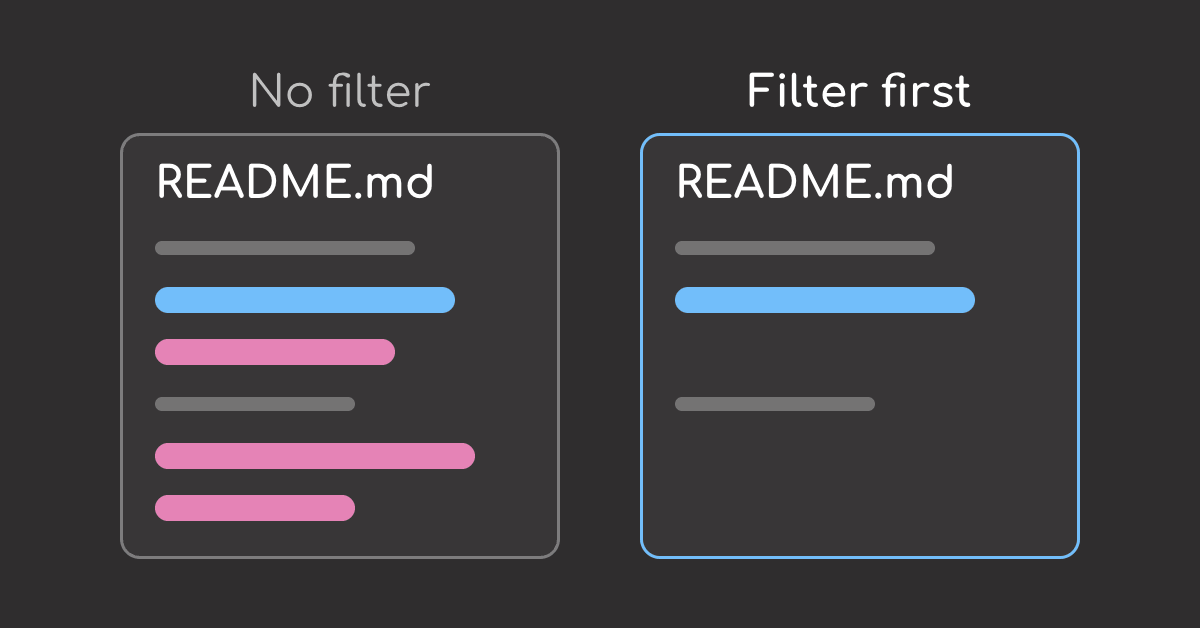
Change by change only asked where each change goes, not whether it belongs. Change by change, filtered asks first: is the change already covered, and do README readers need it?
Release notes
      |
      v
Split into individual changes
      |
      v
Filter each change:
1. Already covered or conflicting?
2. Do README readers need it?
      |
      +-----------------------------------+
      |                                   |
      v                                   v
`--config` flag: keep           `tests/**/*.toml`: drop
      |
      v
For each change, ask:
"Which section does it belong in?"
      |
      v
## Configuration
The filter dropped the internal tests/**/*.toml change, so only the --config flag was added, to ## Configuration.
Across the three runs, change by change, filtered, included 7 of 9 user-facing changes, added only 2 of 9 internal changes, and preserved about 95% of the README, but took the longest at about 3.5 minutes per update.
Key takeaway: Change by change, filtered gave the best balance: it kept most user-facing changes and most of the README while leaving out most internal changes, but it was the slowest method.
Possible reason: The filter caught clearly internal changes like packaging, but ruff linting notes still got through, possibly because linting sounds like something users might care about.
A Reusable Skill for README Updates
Here is a skill file that adapts the best method so far, filtering changes before placing them. Save it as SKILL.md and give your agent the README and release notes:
---
name: update-readme-from-release-notes
description: Update selected README sections from release notes.
---

# README Update Workflow

Given a README and release notes:

1. Split the release notes so each item describes one change.
2. Check each change against the README and label it:
   - `keep`: new and useful to README readers
   - `drop`: already covered, or only about development (linting, tests, packaging, CI, contributors)
   - `review`: conflicting or ambiguous
3. Assign each `keep` change to an exact existing heading.
4. Propose a new heading only when no existing heading fits.
5. Group accepted changes by heading.
6. Rewrite only sections receiving accepted changes.
7. Replace the selected sections in the original README.
8. Return:
   - the updated README
   - a review log listing accepted, dropped, and ambiguous changes

Describe what the tool does now, not which version added it.
Edit only the selected sections. Keep every other line of the README unchanged.
Run it in a fresh session. In another test, I found that bad examples earlier in a conversation can override what a skill file says.
Caveats
I tested one model (qwen3.8:27b-mlx, thinking off), one README, and one release, with three runs per method. I also labeled the six scored changes myself, and the script checks only whether a change appears, not how well it reads.
A different model, a longer README, or more runs could change how each method performs. A stronger model, for example, might make fewer mistakes with the simpler methods.
Run the Experiment Yourself
Run the five methods:
ollama pull qwen3.8:27b-mlx
for v in all_at_once section_by_section change_by_change change_by_change_screened full_rewrite; do
  for r in 1 2 3; do
    VERSION=$v RUN=$r python3 scripts/run.py
  done
done
Evaluate the README produced by one experiment run:
python3 scripts/check_readme.py inputs/readme_v2.11.md \
  results/change_by_change/run1.md inputs/release_note_labels.json
The command takes three file paths:
inputs/readme_v2.11.md: the original README used as the baselineresults/change_by_change/run1.md: the updated README produced by a specific method and runinputs/release_note_labels.json: a hand-labeled list showing which changes should or should not appear in the README
Stay Current with CodeCut
Easy-to-digest articles on Python, AI, and open-source tools. Delivered twice a week.
References
- Knowledge Pull Requests for Continual Document Authoring (Martin and Van Durme, 2026): the four step-by-step versions follow its method and baselines.